
Reviewed by: Smartopia Technology Team
Last reviewed: September 2026
Who Installs Commercial Access Control Systems in Toronto?
Commercial access control installation should be completed by an experienced security-system integrator working with the appropriate door, electrical, fire-alarm, locksmith and network professionals. The project normally includes a security assessment, door survey, system design, credential selection, cabling, hardware installation, software configuration, testing, staff training and final documentation.
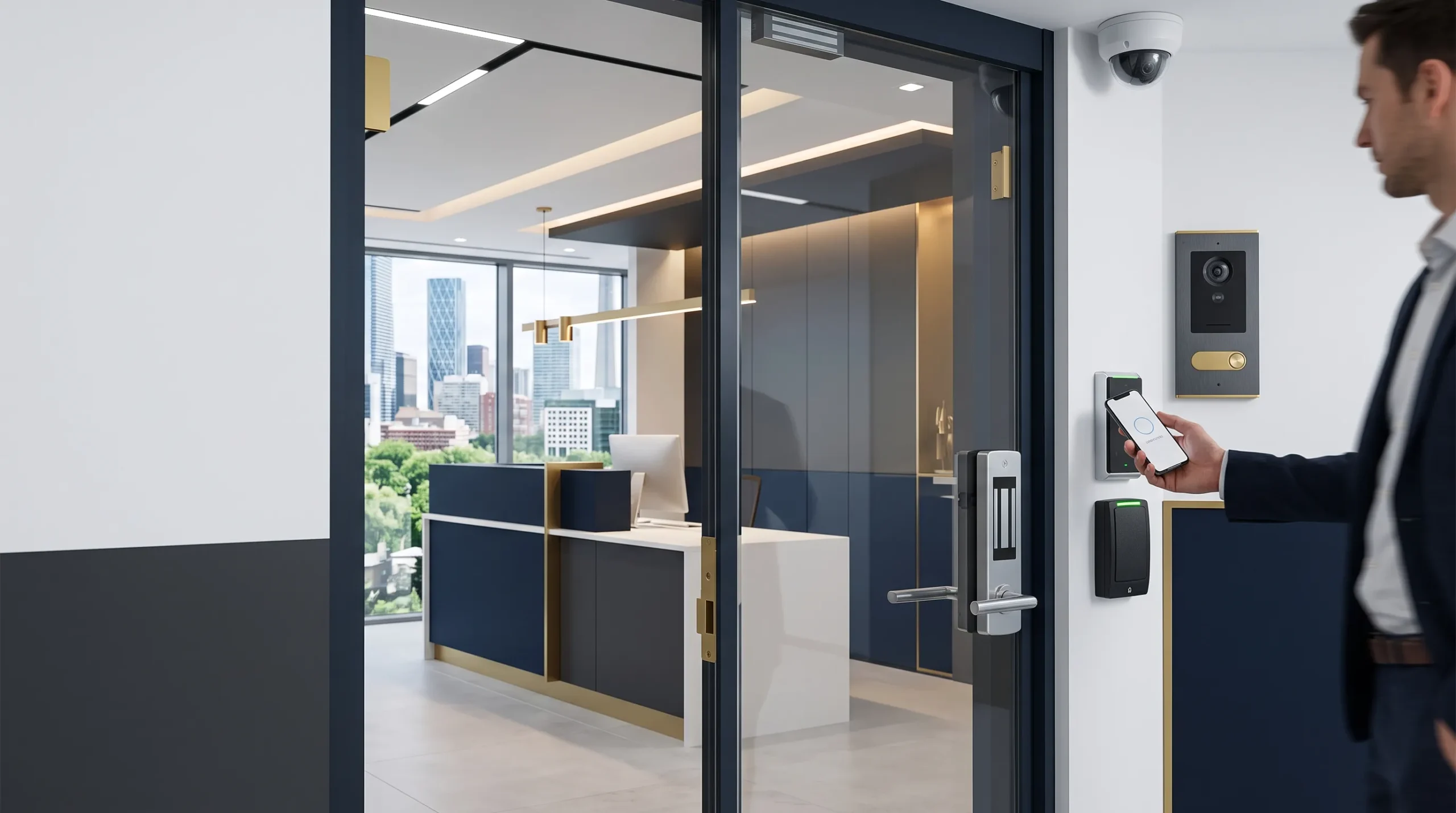
The installer should evaluate more than the card reader. Every controlled opening includes a physical door, locking device, request-to-exit method, door-position monitoring, power supply, controller, communication path and emergency operating requirements.
What Does Access Control System Installation in Toronto Include?
A professional access control system begins with an assessment of the property, users and security risks. The objective is to create appropriate security at each door without making daily entry unnecessarily difficult or interfering with safe building egress.
A complete access control assessment may include:
- Building entrances, interior doors, gates and restricted areas
- Door construction, frame condition and existing lock hardware
- Number and type of employees, residents, contractors and visitors
- Business hours, shifts, holidays and after-hours access requirements
- Server rooms, storage areas and other high-security spaces
- Card, mobile, PIN or biometric credential requirements
- Visitor, delivery and contractor entry procedures
- Emergency egress and fire-alarm interface requirements
- CCTV, intercom, intrusion-alarm and elevator integrations
- Cloud, on-premise or hybrid management requirements
- Network availability, cybersecurity and remote administration
- Backup power, communication failure and offline operation
- Audit reporting, record retention and privacy requirements
- Future doors, buildings and locations
The resulting design should identify how each door operates during normal entry, unauthorized access attempts, power failure, fire-alarm activation, network loss and other relevant system conditions.
Access Control Systems Toronto Properties Can Use
Office Access Control Systems
Office access control systems can assign permissions according to an employee’s role, department, work schedule or location. Reception entrances may remain open during business hours while server rooms, records areas and executive spaces remain restricted.
When an employee leaves, their credential can be disabled without rekeying every affected door. Temporary access can also be created for contractors, cleaners and short-term staff with automatic start and expiry dates.
Condo and Multi-Residential Access Control
Condominium access control must accommodate residents, property managers, maintenance teams, visitors, deliveries and contractors. A building may require different permissions for entrances, parking garages, elevators, amenity spaces, storage rooms and mechanical areas.
A scalable system can support resident fobs or mobile credentials, temporary visitor access, lost-credential cancellation, elevator-floor permissions and centralized management. Responsibilities for issuing credentials, reviewing logs and responding to failed doors should be documented.
Commercial and Retail Properties
Commercial access control installation can secure employee entrances, stockrooms, offices, loading areas and back-of-house spaces. Time schedules can automatically lock or unlock approved entrances while alerts notify management about doors that are forced open or held open.
Warehouses and Industrial Facilities
Warehouses and industrial properties may require separate permissions for offices, production areas, inventory, shipping doors, equipment rooms and hazardous or controlled zones. Credentials can be assigned according to training, job responsibility, shift or contractor status.
Healthcare and Institutional Facilities
Healthcare, education and institutional environments may require stronger identity verification, detailed access records and carefully coordinated emergency procedures. The security design must consider accessibility, occupant safety, privacy and the operational needs of each department.
Multi-Site Organizations
A centralized platform can allow authorized administrators to manage users, schedules and door activity across multiple Toronto and GTA locations. Before selecting a platform, the organization should define whether each site must continue operating independently if internet or cloud connectivity becomes unavailable.
Key Components of a Commercial Door Access Control System
Credential Reader
The reader receives information from a card, key fob, mobile phone, PIN or biometric input. Reader selection should consider outdoor exposure, accessibility, supported credentials, encryption, tamper monitoring and communication with the access controller.
Access Control Panel
The controller evaluates the presented credential and decides whether access should be granted according to the configured permissions and schedules. Depending on system architecture, access decisions may be processed locally, through a server or through a cloud-managed platform.
Electric Locking Hardware
Electric strikes, electromagnetic locks, electrified mortise locks and other locking devices serve different door and security requirements. The correct device depends on the door construction, latch hardware, fire rating, desired security level and required behaviour during an emergency or power failure.
Door Position Switch
A door position switch reports whether a door is open or closed. It allows the system to identify forced-open and held-open conditions rather than assuming that a valid credential means the door closed securely afterward.
Request-to-Exit Device
A request-to-exit device can detect or receive a person’s intention to leave through a controlled door. The final egress arrangement must be coordinated with the selected locking hardware and applicable building and fire-safety requirements.
Power Supply and Backup Power
The system design should account for power consumption, voltage drop, battery capacity and the required operating time during a power failure. Locks, readers, controllers and communication equipment may have different backup-power requirements.
Management Software
Access control software is used to add or remove users, configure doors, create schedules, review events, acknowledge alarms and generate reports. Administrative permissions should be restricted so that staff can perform only the tasks required for their roles.
Key Cards vs Mobile Credentials vs Biometric Access Control
| Credential Type | Advantages | Important Considerations |
|---|---|---|
| Cards and key fobs | Familiar, quick to issue and suitable for many users | Security depends on credential technology and protection against copying |
| Mobile credentials | Remote issuance, easier cancellation and no physical card to distribute | Requires supported phones, application management and a defined alternative for phone loss or battery failure |
| PIN codes | Simple and useful when a physical credential is impractical | Codes may be shared or observed and should not be reused across multiple users |
| Biometrics | Connects access to a physical characteristic and can support higher-assurance verification | Requires a privacy assessment, secure biometric-template management and an alternative access method |
| Multi-factor access | Requires more than one form of verification for sensitive areas | Creates additional administration and may slow entry if poorly designed |
Are Mobile Credentials More Secure Than Key Cards?
Mobile credentials can provide stronger protection and simpler remote administration when they use suitable encryption and device security. However, security depends on the complete implementation, including account protection, phone configuration, credential provisioning and the reader communication protocol.
When Should Biometrics Be Used?
Biometric access control may be appropriate for areas requiring stronger identity verification, but it should not be selected only because it appears more advanced. The organization should evaluate necessity, user consent, privacy, retention, accuracy, enrolment and procedures for people who cannot use the biometric method.
Cloud Access Control vs On-Premise Access Control
| Requirement | Cloud-Managed System | On-Premise System |
|---|---|---|
| Remote management | Usually available through a browser or mobile application | May require a secure remote-access configuration |
| Local server | Usually not required for management | Normally requires local server or workstation resources |
| Recurring fees | Commonly includes subscription or per-door fees | May involve software support, licensing and server-maintenance costs |
| Internet dependency | Administrative features may depend on cloud connectivity | Local management may continue without internet access |
| Data control | Requires review of hosting, retention and provider responsibilities | Requires the organization to secure, back up and maintain the local system |
| Expansion | Often practical for multiple locations | May be suitable for facilities requiring direct local control |
Neither architecture is automatically more secure. The correct choice depends on risk, internal IT resources, data requirements, remote-management needs, recurring budget and the consequences of internet or provider outages.
Electric Strikes, Magnetic Locks and Emergency Door Operation
The access control software cannot compensate for unsuitable door hardware. The installer must assess the door, frame, latch, closer, hinges, exit hardware, fire rating and expected traffic before selecting an electronic locking method.
Electric Strike
An electric strike works with compatible mechanical latch hardware. Depending on the product and configuration, it may remain locked or unlock when power is removed. Compatibility with the existing door and required egress operation must be confirmed.
Electromagnetic Lock
An electromagnetic lock uses electrical power to hold a door closed. Its installation requires careful coordination of emergency release, power-loss behaviour, fire-alarm interaction and the permitted method of egress. A magnetic lock should never be added without reviewing the complete door and life-safety requirements.
Fail-Safe and Fail-Secure Operation
A fail-safe lock unlocks when power is removed, while a fail-secure lock remains secure from the controlled side during power loss. These terms describe electrical behaviour, but they do not independently determine whether a door arrangement is suitable or code compliant.
Fire Exits and Emergency Unlocking
Access control must not prevent required safe egress. The Ontario Fire Code allows electromagnetic locking devices in specific situations when approved or when they comply with applicable Building Code requirements. Final hardware, release devices and fire-alarm interfaces should be reviewed by the responsible qualified professionals and authorities.
Emergency operation should be documented and tested rather than assumed. Testing may include fire-alarm activation, power failure, manual release, request-to-exit operation and confirmation that the door returns to its intended state after the emergency condition is cleared.
Visitor Management, Temporary Access and Audit Reporting
Visitor management connects the identity of a guest or contractor with a host, approved location and permitted access period. Temporary credentials should expire automatically and should not provide more access than the visitor requires.
A visitor access workflow may include:
- Pre-registration by an employee or resident
- Arrival notification and host approval
- Reception or remote identity verification
- Time-limited QR code, PIN, card or mobile credential
- Permission for selected doors, floors or amenities
- Automatic expiration at the end of the visit
- Visitor activity records and exception alerts
Audit logs may show credential activity, rejected access attempts, door alarms and administrative changes. Logs should be protected from unauthorized modification, retained for an appropriate period and accessible only to approved personnel.
Integrating Access Control with CCTV, Intercoms and Elevators
Access Control and CCTV Integration
Integration can associate a door event with video from a nearby camera. When a door is forced open, held open or used after hours, authorized staff can review the corresponding footage instead of searching manually through a long recording period.
Explore Smartopia’s security camera installation services in Toronto.
Video Intercom Integration
A video intercom can allow reception staff, residents or authorized remote personnel to communicate with a visitor before releasing the entrance. The design should define who can unlock each door, how long the release lasts and what happens when the primary answering station is unavailable.
Elevator Access Control
Elevator integration can limit credential holders to approved floors. This may be useful in condos, offices, hotels and mixed-use properties, but the design requires coordination with the elevator contractor and the building’s operating and emergency requirements.
Intrusion Alarm Integration
A valid credential may disarm an approved area, while an invalid attempt can generate an event for investigation. Alarm and access permissions should be coordinated carefully so that ordinary entry does not leave unrelated areas unprotected.
Building Management System Integration
Where appropriate, access events may support building operations such as occupancy awareness or approved after-hours sequences. Security and life-safety functions should remain clearly separated from convenience automations.
Learn more about building management systems in Toronto.
Access Control Cybersecurity and Data Protection
Modern access control is a connected information system. Controllers, readers, management servers, cloud platforms and mobile applications can all introduce cybersecurity and privacy risks if they are poorly configured or left unsupported.
Reader-to-Controller Security
Legacy reader interfaces may transmit credential information without strong protection. For new systems, property owners should ask whether the proposed readers and controllers support the Security Industry Association’s Open Supervised Device Protocol and whether OSDP Secure Channel will be configured and verified.
Network Security
Access control devices should not be placed on an unrestricted general-purpose network. The design should consider network segmentation, firewall rules, encrypted administration, secure remote access and monitoring of unauthorized connection attempts.
Smartopia can coordinate access control requirements with building-wide networking infrastructure.
Administrative Security
Each administrator should have an individual account with permissions limited to their role. Shared administrator passwords make it difficult to determine who changed access rights, removed a credential or unlocked a door.
Multi-factor authentication should be enabled for cloud and remote administration when supported. Default passwords should be changed, unnecessary services should be disabled and firmware updates should be managed through a documented process.
Privacy and Biometric Data
Access records can reveal when employees, residents or contractors enter specific areas. Biometric systems may process more sensitive information. Organizations should define a legitimate purpose, limit collection, protect stored data, establish retention periods and document who may review or export records.
How Much Do Access Control Systems Cost in Toronto?
The cost of access control systems in Toronto depends on more than the number of card readers. Two identical-looking doors can require different locks, cabling, power supplies, interfaces and installation labour.
The main cost factors include:
- Number and type of controlled doors
- Condition and construction of each door and frame
- Electric strike, magnetic lock or electrified lock requirements
- Fire-rated doors and emergency-release interfaces
- Card, mobile, PIN or biometric readers
- Controller, enclosure and power-supply capacity
- Cabling distance and pathway complexity
- Cloud subscriptions or on-premise server requirements
- Visitor management and elevator integration
- CCTV, alarm and building-system integrations
- Backup power and network infrastructure
- Credential quantity and enrolment requirements
- Testing, training, documentation and maintenance
A simple single-door system may cost substantially less than a multi-door, multi-floor or multi-site deployment. An accurate quotation requires a door survey because physical hardware and installation conditions often represent a significant part of the project.
The quotation should separate one-time equipment and installation costs from recurring cloud, credential, support and software fees.
Commercial Access Control Installation Process
- Security assessment: Identify users, entrances, restricted areas, operating schedules, security risks and emergency requirements.
- Door survey: Inspect every door, frame, lock, closer, exit device, fire rating, cable route and surrounding condition.
- System design: Select the credentials, readers, controllers, locking hardware, power supplies, management platform and integrations.
- Coordination: Confirm requirements with the property owner, IT department, locksmith, fire-alarm provider, electrical contractor, elevator contractor and other responsible parties.
- Installation: Install cabling, controllers, readers, locking devices, door contacts, exit devices and required interfaces.
- Configuration: Create doors, users, roles, schedules, alerts, visitor rules, administrator permissions and reporting requirements.
- Testing: Verify authorized entry, rejected credentials, forced-open alarms, held-open alarms, power failure, network loss and emergency operation.
- Handover: Provide training, available drawings, equipment records, system credentials, test results, warranties and maintenance procedures.
Access Control Testing and Documentation
Testing should confirm how the entire controlled opening operates rather than checking only whether the reader turns green. Each door should be tested under normal, abnormal and emergency conditions relevant to its design.
Final testing and documentation may include:
- Valid and invalid credential tests
- Time schedule and holiday schedule tests
- Door forced-open and held-open alerts
- Request-to-exit and manual-release operation
- Power-loss and backup-battery operation
- Network-loss and offline controller operation
- Fire-alarm and emergency interface testing
- CCTV, intercom, alarm and elevator integrations
- Door list, device locations and controller records
- Credential and administrator management procedures
- Backup, recovery and software-support information
- Warranty and preventive-maintenance requirements
Upgrading an Existing Access Control System
An existing access control system may be upgraded without replacing every component, but compatibility must be assessed. The evaluation should examine controllers, readers, credentials, locks, cabling, power supplies, software licensing, database access and manufacturer support.
A phased migration may retain compatible door hardware while replacing unsupported controllers or insecure readers. Temporary operation and rollback procedures should be planned so that occupied buildings remain secure during the upgrade.
Before migration, the organization should export user records where possible, document existing door logic, back up system configuration and identify credentials that must be replaced.
How to Choose an Access Control Installer in Toronto
Compare access control installers using the complete system lifecycle rather than the initial hardware price. Ask each provider the following questions:
- Will every door receive a physical hardware survey?
- Who is responsible for locks, wiring, electrical work and fire-alarm interfaces?
- How will emergency egress and power-loss operation be tested?
- Which credential technologies and reader protocols are supported?
- Will OSDP Secure Channel be configured and verified?
- Can the system operate if internet or cloud connectivity fails?
- Where are access records and biometric templates stored?
- Can administrator permissions be limited by role?
- Can the system integrate with existing cameras, intercoms and elevators?
- What happens if the manufacturer or cloud provider changes?
- Which one-time and recurring fees apply?
- What documentation, training, warranty and support are included?
Smartopia evaluates the physical security, network, software and building-integration requirements together so that the resulting system is secure, maintainable and suitable for future expansion.
Learn more about why organizations choose Smartopia.
Access Control Systems Toronto FAQs
Who installs commercial access control systems in Toronto?
Smartopia designs and integrates commercial access control systems for offices, condos, warehouses and other Toronto properties. Depending on the project, installation may require coordination with door-hardware, electrical, fire-alarm, elevator and network professionals.
How much does an access control system cost per door?
The cost per door depends on the door condition, locking hardware, reader, controller, cabling distance, emergency interfaces and software platform. A physical door survey is required before an accurate quotation can be provided.
Can existing doors be upgraded with access control?
Yes, many existing doors can be upgraded, but the installer must inspect the door, frame, lock, closer, exit hardware and fire rating. Some doors require hardware repair or replacement before electronic access control can operate reliably.
Are mobile credentials more secure than key cards?
Mobile credentials can offer strong encryption and faster remote administration, but security depends on the complete platform, mobile account protection and reader configuration. Properly selected encrypted cards can also provide strong protection.
Can access control integrate with CCTV and video intercoms?
Yes. Compatible systems can associate door events with camera footage and allow authorized staff to verify visitors before remotely releasing an entrance. Integration capabilities must be confirmed between the selected platforms.
Can access control manage elevators?
Compatible access control systems can restrict users to approved elevator floors. The project requires coordination with the elevator contractor and must preserve required emergency and accessibility functions.
How are fire exits and emergency unlocking handled?
The correct operation depends on the door, lock and applicable requirements. Controlled doors must not prevent required safe egress. Emergency release, power failure and fire-alarm behaviour should be designed and tested by the responsible qualified professionals.
What happens if the access control network goes offline?
Many controllers can continue making local access decisions using stored credentials and schedules. Remote administration and reporting may be interrupted. Offline behaviour and event synchronization should be tested during commissioning.
Can former employees be removed immediately?
Yes. An authorized administrator can normally disable a card, mobile credential or user account without replacing the physical locks. The organization should also maintain a formal offboarding process to remove every associated permission.
How long should access control records be retained?
There is no suitable universal retention period for every organization. Retention should be based on a documented operational, legal or security requirement. Records should not be stored indefinitely without a legitimate purpose.
Can an access control system support multiple locations?
Yes. Cloud and enterprise platforms can centralize users, schedules and reporting across multiple properties. The organization should still define local operation, administrator permissions and contingency procedures for each location.
Authoritative Access Control Resources
- Government of Ontario: Ontario Fire Code
- Government of Ontario: Ontario Building Code Regulation
- Canadian Centre for Cyber Security: Access Control Guidance
- Canadian Centre for Cyber Security: Security Considerations for Critical Infrastructure
- Security Industry Association: Open Supervised Device Protocol
- Security Industry Association: Access Control Data Privacy Code of Practice
- Office of the Privacy Commissioner of Canada: Privacy in the Workplace
Plan Your Toronto Access Control Installation
Discuss your doors, users, visitor workflows, credential requirements, security integrations and expansion plans with Smartopia. A structured assessment can identify suitable hardware, management architecture, network requirements and implementation phases.
Comments are closed