
Last updated: September 2026
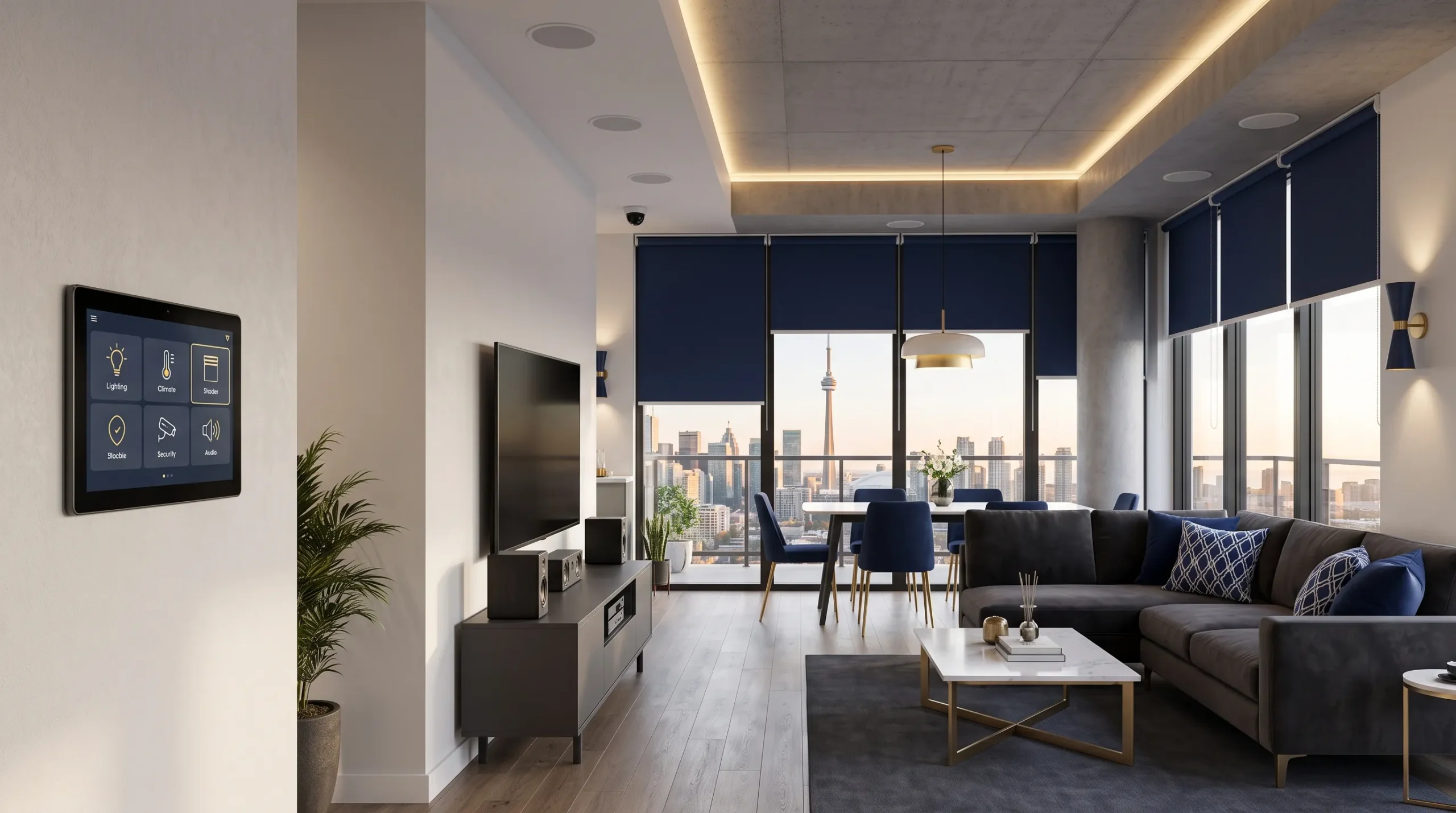
Professional home automation in Toronto connects compatible lighting, climate control, security, motorized shades, audio and video through a coordinated control system. The installation should reflect how the household uses each room, with practical wall controls, clear routines and defined operation when a device or internet service becomes unavailable.
Smartopia provides smart home planning and integration for houses, individual condo units, renovations and new builds across Toronto, Mississauga and the GTA. Each project begins with an assessment of the property, existing equipment, electrical controls, network infrastructure, preferred interfaces and future expansion plans.
Planning a new smart home or improving an existing system? Tell us your property type, the rooms and functions you want to control, and whether the work is part of a renovation or an occupied-home upgrade.
Home Automation Toronto: Quick Answer
A professional Toronto home automation system brings compatible lighting, HVAC, security, shades and entertainment equipment into a coordinated control environment. Residents can use wall keypads, touchscreens, mobile applications, schedules, sensors and programmed scenes. The design should retain practical manual controls and define which functions continue working without internet access.
What Does Smart Home Installation in Toronto Include?
Smart home installation in Toronto can include system design, wiring coordination, equipment installation, network setup, integration programming, testing and resident training. The agreed scope should explain which rooms and systems are included and who is responsible for electrical, HVAC, shade and construction work.
- Assessment: review the property, existing equipment, daily routines and installation constraints.
- Design: select suitable controllers, interfaces, devices, communication methods and network requirements.
- Installation and coordination: connect the approved equipment and coordinate work assigned to other qualified trades.
- Programming: configure rooms, scenes, schedules, permissions and everyday controls.
- Testing: verify the agreed functions, manual operation, remote access and relevant failure scenarios.
- Handover: explain operation, account ownership, documentation, subscriptions and support responsibilities.
The assessment should also establish what can be reused. A functioning network, compatible lighting controls or supported AV equipment may remain part of the system when they meet the new requirements.
What Can a Professional Home Automation System Control?
A professional home automation system can coordinate compatible lighting, heating and cooling, security devices, motorized shades, entertainment, water-leak monitoring and selected energy-management functions. Available features depend on the installed equipment and supported interfaces.
Smart Lighting Control
Smart lighting can control individual fixtures, rooms, zones or selected areas throughout the property. Residents can create scenes for arriving home, entertaining, watching television, reading, sleeping or leaving.
A smart lighting design may include:
- Wall keypads and dimmers
- Multi-room lighting scenes
- Occupancy and vacancy sensors
- Daylight-responsive controls
- Pathway and nighttime lighting
- Exterior lighting schedules
- Centralized control of selected circuits
- Manual operation for essential lighting
Lighting controls should remain understandable for residents and guests. Essential functions should not require opening a mobile application every time someone enters a room.
Heating, Cooling and Indoor Comfort
Compatible thermostats, HVAC zones, ventilation equipment and environmental sensors can connect to an automation platform. Temperature schedules may respond to occupancy, time of day or selected scenes where the equipment supports these functions.
HVAC integration must respect the controls and safety requirements of the installed mechanical system. Specialized interfaces or equipment modifications should be coordinated with the responsible HVAC professional.
Residential Automation and Security
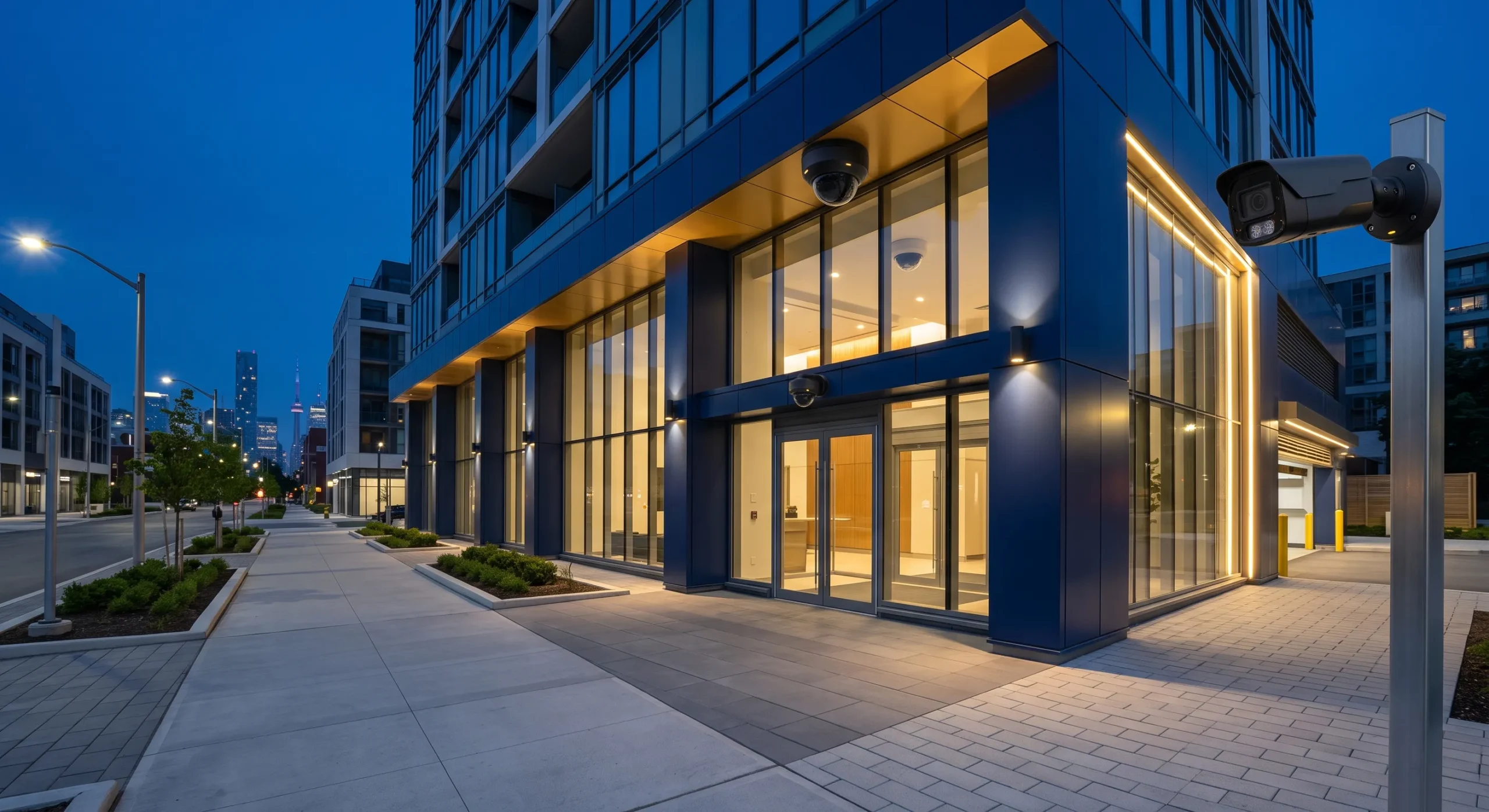
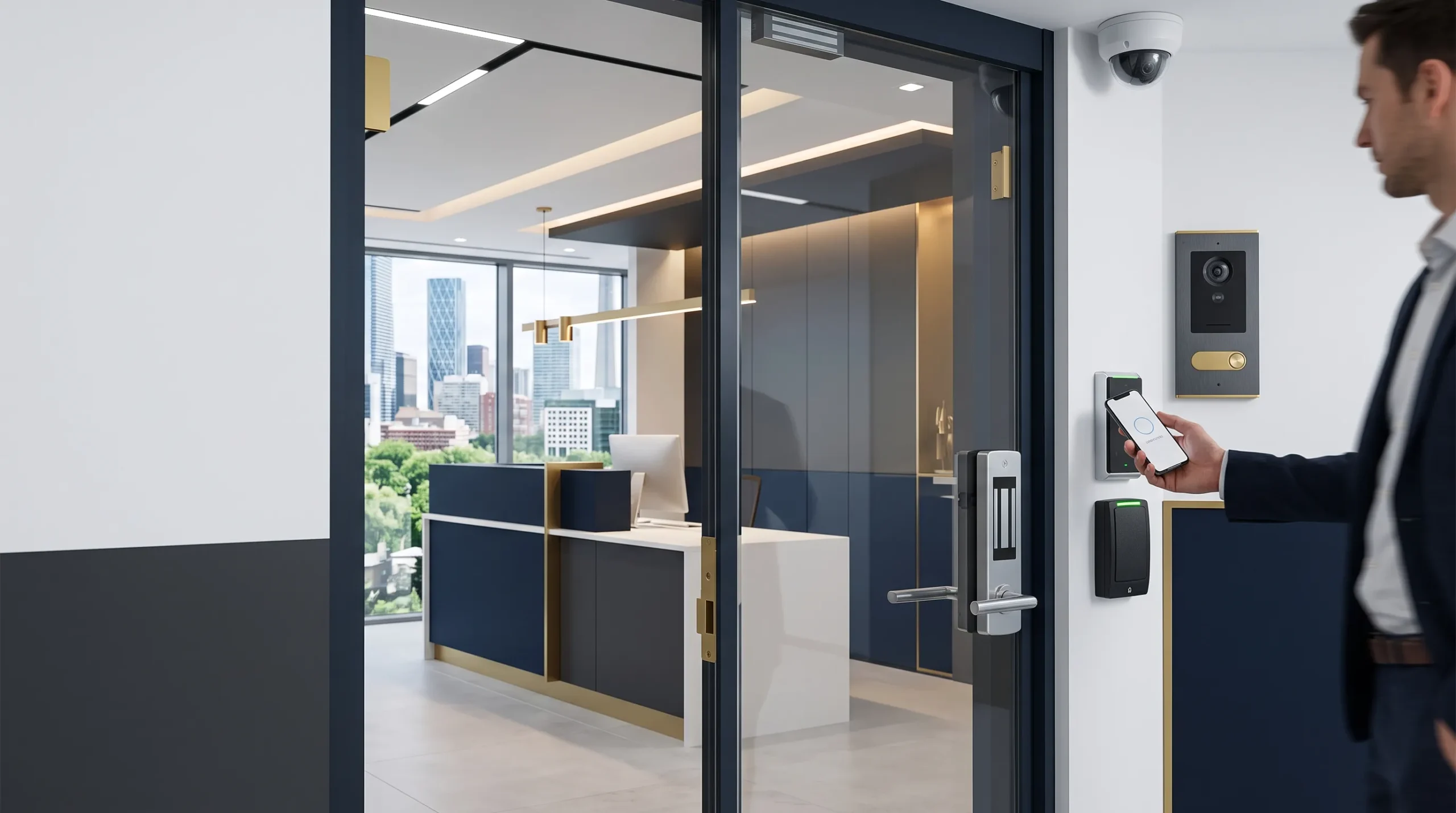
Residential security integration may include compatible alarms, door contacts, motion sensors, smart locks, cameras, video intercoms and notifications. Each connection should have a defined purpose and appropriate permissions.
For example, an approved entry event might activate pathway lighting. The security equipment should retain its intended operation if an unrelated automation service becomes unavailable.
Explore Smartopia’s security camera installation services in Toronto for projects involving surveillance equipment.
Motorized Shades and Window Coverings
Motorized shades can respond to schedules, room use, daylight or selected scenes. Integration can coordinate window coverings with lighting and comfort settings where compatible interfaces are available.
Confirm power supplies, wiring, window dimensions, mounting details and control interfaces before ordering the shades.
Whole-Home Audio and Video
Home automation can coordinate compatible televisions, streaming devices, music systems and distributed audio. Controls can allow residents to choose a source, select rooms and adjust volume through an agreed interface.
A cinema scene might select the AV source, adjust lighting, close shades and set an appropriate starting volume. Programming should reflect the household’s routines rather than add unnecessary steps.
For a dedicated cinema or media room, explore home theatre installation in Toronto.
Water-Leak and Environmental Monitoring
Compatible sensors can detect water near appliances, mechanical equipment or other vulnerable areas. Depending on the design, a leak event may generate an alert or operate a compatible shutoff valve.
Temperature and humidity sensors can also support monitoring in basements, mechanical rooms, storage areas or seasonal properties. Define how alerts are delivered and who is responsible for responding.
Smart Home Automation Planning for Toronto Homes and Condos
Planning home automation in Toronto starts with the occupants’ requirements, available infrastructure and the functions that need practical local controls. A new build, an occupied house and an individual condo unit can require different installation approaches.
New Homes and Custom Builds
New construction allows low-voltage wiring, controllers, racks, power supplies, speakers, access points and shade connections to be coordinated before walls and ceilings are closed.
A pre-wiring plan should consider:
- Structured network cabling to fixed devices
- Ceiling locations for wireless access points
- Camera, doorbell and security wiring
- Audio and video distribution
- Lighting-control panels and keypads
- Motorized-shade power and communication
- Equipment-room power, ventilation and rack space
- Spare pathways for planned future connections
Smartopia can coordinate technology requirements with homeowners, developers, designers and the responsible project trades before finishes are installed.
Existing and Older Toronto Homes
Existing homes can often use wireless equipment, selected wiring upgrades or a hybrid design. The assessment should examine electrical controls, wall construction, cable routes, equipment locations and the wireless environment before products are selected.
Some older properties may have limited electrical-box space, missing neutral conductors or construction materials that affect radio coverage. Required electrical changes should be assigned to the appropriate licensed contractor.
Home Automation for Individual Condo Units
Automation inside a condo unit may include compatible lighting, climate controls, motorized shades, entertainment and selected security devices. The scope must respect building rules and distinguish unit-owned equipment from common elements and building-managed systems.
Management or condo-board approval may be needed when work involves:
- Fan-coil units or building HVAC equipment
- Windows and motorized coverings
- Electrical panels or concealed wiring
- Corridor doors and entry equipment
- Common-area networks or security systems
- Penetrations through walls, ceilings or floors
For shared amenities, common-area technology and building-level projects, explore Smartopia’s residential technology solutions for Toronto condos.
Renovations and Phased Projects
A renovation creates an opportunity to install wiring and pathways before finishes are completed. If the full system is not needed immediately, the initial phase can focus on priority rooms or functions.
Future phases should be considered when selecting controller capacity, network equipment, cable routes, rack space and power arrangements. Expansion depends on the selected platform and should be checked during design.
Wired vs Wireless vs Hybrid Home Automation
Wired systems use dedicated cable connections for supported equipment. Wireless systems can reduce the amount of new cabling needed in finished properties. A hybrid design combines suitable wired infrastructure with compatible wireless devices.
| System Type | Typical Applications | Planning Considerations |
|---|---|---|
| Wired Automation | New construction, major renovations and selected permanent control systems | Cable routes, equipment space, construction access and documentation |
| Wireless Automation | Finished homes, individual condo units and selected-room upgrades | Radio coverage, interference, batteries, gateways and product support |
| Hybrid Automation | Properties combining fixed infrastructure with suitable wireless devices | Controller compatibility, supported interfaces and coordination between systems |
When Wired Automation Is Appropriate
Wired connections can suit permanent keypads, centralized lighting, distributed audio, fixed touchscreens, motorized shades and selected security equipment. The required cable type and topology depend on the system.
When Wireless Automation Is Appropriate
Wireless devices can be practical when opening walls should be minimized or only selected functions require automation. Performance depends on the product, radio environment, building materials and controller placement.
Why Consider a Hybrid Design?
A hybrid approach can provide wired connections for fixed equipment while using wireless sensors, remotes or retrofit devices where appropriate. The design should account for both networks and their support requirements.
Smart Home Protocols and Device Compatibility
Products using the same networking technology are not automatically compatible. Integration depends on the controller, supported interfaces, available drivers, exposed functions, software versions and manufacturer support.
| Technology | Common Role | Planning Considerations |
|---|---|---|
| Ethernet | Controllers, access points, televisions, AV equipment and fixed devices | Cabling, switch capacity, addressing and device communication requirements |
| Wi-Fi | Mobile interfaces, selected cameras, appliances and connected products | Coverage, capacity, security and access-point placement |
| Zigbee | Compatible lighting, sensors and low-power devices | Controller support, device compatibility and mesh design |
| Z-Wave | Compatible locks, sensors, switches and controls | Regional device compatibility, controller support and radio coverage |
| Thread | IP-based mesh networking for compatible low-power devices | Border-router requirements, network coverage and platform support |
| Matter | Application-level interoperability between supported smart home devices and platforms | Supported device categories, functions, platform versions and networking requirements |
Matter operates over supported IP networks, including Wi-Fi, Ethernet and Thread. It should not be treated as another radio technology competing directly with those network connections.
Before equipment is ordered, confirm that the selected platform supports the exact functions required. Basic device compatibility may not include every advanced feature offered by the manufacturer.
Integrating Lighting, HVAC, Security, Shades and Entertainment
Each automated action should have a clear purpose, suitable manual controls and defined behaviour if a device or connection becomes unavailable. Household members should understand what a scene changes and how to reverse it.
Examples of Smart Home Scenes
The following are possible configurations, subject to equipment compatibility and the agreed installation scope.
| Scene | Possible Actions |
|---|---|
| Good Morning | Adjust selected shades, change supported temperature settings and activate appropriate lighting |
| Away | Turn off designated lights, apply approved climate settings and activate selected security functions |
| Welcome Home | Activate entrance lighting and restore selected comfort settings |
| Entertainment | Select the AV source, adjust lighting, close shades and set an agreed starting volume |
| Night | Turn off selected areas, lower shades and activate low-level pathway lighting |
| Vacation | Apply approved schedules and temperature settings, with alerts where supported |
Winter and Seasonal Operation
Supported sensors can provide alerts for conditions such as unusually low indoor temperatures or detected water. The design should identify the communication path, backup arrangements and person responsible for responding.
Exterior lighting schedules and shade settings may also be adjusted seasonally. Important protective functions need appropriate independent controls and should not rely on an untested automation sequence.
Manual Controls and Accessibility
Frequently used controls should remain understandable to household members, guests and service personnel. Consistent labels and keypad layouts can make operation clearer than a complicated set of application menus.
Voice control can provide an additional interface where suitable, while practical physical controls remain available for essential functions.
Network and Wi-Fi Requirements for Smart Homes
A reliable home automation system in Toronto needs suitable communication between its controllers, interfaces and devices. A fast internet subscription alone does not confirm that the home network provides the necessary coverage or local connectivity.
A network assessment should review:
- Property size, floors and construction materials
- Internet service and router capabilities
- Ethernet connections for fixed equipment
- Access-point locations and wired backhaul
- Expected number of connected devices
- Outdoor and garage coverage requirements
- Guest access and suitable network separation
- Equipment-rack power and ventilation
- Backup power requirements for selected components
For permanent device connections and renovation pre-wiring, explore Smartopia’s network cabling installation services in Toronto.
For larger properties and multi-residential infrastructure, see building-wide networking and Wi-Fi solutions.
Will a Smart Home Work Without Internet?
Some home automation functions can continue locally during an internet outage. Cloud-dependent applications, voice services, integrations and remote notifications may become unavailable. Local-network failure and electrical power failure can affect a different set of functions.
Before selecting a platform, confirm:
- Whether lighting keypads continue operating without internet access
- Whether thermostats can still be adjusted locally
- Where schedules and scenes are processed
- How doors operate through their normal physical controls
- Which application features require cloud connectivity
- How an outage affects notifications and remote access
- What happens when a controller restarts
- How service changes or discontinued integrations are handled
Test the agreed fallback functions during commissioning rather than assuming that every feature works offline.
Smart Home Cybersecurity and Privacy
Smart locks, cameras, speakers, thermostats and controllers are connected devices that may process information about residents and household routines. Account protection, software support and access permissions should be part of the installation and handover.
Smart Home Security Checklist
- Replace default passwords during commissioning
- Use strong, unique passwords for cloud accounts
- Enable multi-factor authentication where supported
- Maintain supported controller, application and device software
- Review manufacturer support and update policies
- Limit administrator permissions to authorized users
- Remove access belonging to former residents or providers
- Separate suitable connected-device networks where appropriate
- Protect router and network-management accounts
- Maintain configuration backups and equipment records where available
- Review devices containing cameras or microphones
- Disable unnecessary remote-access features
Privacy and Connected-Device Data
Residents should understand what information a device collects, why it is collected, where it is stored and who can access it. This is particularly relevant to cameras, microphones, locks, occupancy sensors and voice interfaces.
Account ownership should be established during handover. The homeowner should understand which services they control directly and which maintenance functions require a provider’s involvement.
Upgrading or Taking Over an Existing Home Automation System
An existing smart home may be repaired, reprogrammed or upgraded without replacing every device. Begin with an assessment of the controller, programming access, network, wiring, accounts and supported integrations.
Common Existing-System Problems
- Devices repeatedly disconnecting
- Scenes no longer running as intended
- Slow touchscreens or mobile interfaces
- Unreliable wireless coverage
- Missing administrator credentials
- Unsupported controllers or applications
- Changes made without updated documentation
- The previous installer no longer being available
- Cloud accounts controlled by the wrong person
- Mixed devices with incomplete integration
Technical Takeover Assessment
The assessment should identify retained equipment, required updates, programming access, support limitations and replacement priorities. It should also establish account ownership and produce an equipment inventory.
Some platforms have specific dealer-access, licensing or programming requirements. Confirm these before agreeing on a takeover scope or promising that all existing functions can be restored.
Home Automation Installation Process
- Discovery consultation: identify rooms, routines, priorities, budget considerations and future plans.
- Property assessment: review existing controls, HVAC, security, AV, wiring and networking.
- System design: define controllers, interfaces, devices, supported integrations and fallback operation.
- Proposal: document equipment, installation, programming, assumptions, exclusions and recurring fees.
- Pre-wiring: coordinate required cabling and infrastructure during construction where applicable.
- Installation: install the approved controllers, keypads, sensors, network equipment and connected devices.
- Programming: configure rooms, schedules, permissions, scenes and user interfaces.
- Testing: verify daily routines, manual operation, remote access and agreed failure scenarios.
- Handover: provide resident training, account information and agreed documentation.
- Support: manage adjustments, updates and troubleshooting according to the support agreement.
How Long Does Installation Take?
Installation time depends on property size, equipment quantities, construction stage, wiring access and programming complexity. A selected-room retrofit and a whole-home system coordinated with construction have different scheduling requirements.
The proposal should distinguish work by other trades, equipment installation, programming and commissioning so that responsibilities and dependencies are clear.
Home Automation Installation Cost in Toronto
The cost of home automation in Toronto depends on property size, controlled rooms, wiring, equipment, integration complexity, programming and required network upgrades. A useful quotation starts with a defined scope.
| Project Scope | Possible Inclusions | Main Cost Drivers |
|---|---|---|
| Selected-Room Automation | Specified lighting, climate, shade or entertainment controls | Device quantities, existing wiring and platform requirements |
| Multi-Room System | Coordinated lighting, climate, shades, audio and scenes | Number of rooms, interfaces, programming and networking |
| Whole-Home Automation | Integrated controls across the agreed systems and areas | Property size, infrastructure, equipment and integration complexity |
| Custom Build or Major Renovation | Design coordination, pre-wiring, racks, interfaces and commissioning | Construction coordination, system scope and installation conditions |
Factors That Affect Smart Home Installation Cost
- Property size, age and construction condition
- Number of rooms and controlled zones
- Wired, wireless or hybrid architecture
- Lighting circuits, keypads and dimming requirements
- HVAC equipment and available interfaces
- Motorized-shade quantities and power requirements
- Security and camera integration
- Audio, video and entertainment zones
- Network equipment and structured cabling
- Programming, testing and documentation
- Software licences and recurring subscriptions
- Work assigned to electrical, HVAC or construction contractors
What Should a Professional Proposal Include?
The proposal should identify equipment, controlled functions, installation work, programming, interfaces, assumptions, exclusions, commissioning, warranty terms and support responsibilities.
One-time project costs should be separated from subscriptions, licences and optional ongoing support. Electrical and HVAC work, shade installation, construction repairs and condominium approvals should also have clearly assigned responsibilities.
Request an assessment for your home automation installation.
Smart Home Maintenance and Long-Term Support
Applications, firmware, network equipment and third-party services change over time. The homeowner and support provider should agree on who manages updates, account access, configuration backups and troubleshooting.
Maintenance may include:
- Reviewing user and administrator accounts
- Applying supported updates using an agreed process
- Testing important scenes and schedules
- Checking available configuration backups
- Reviewing network and wireless performance
- Replacing batteries in supported devices
- Reviewing subscriptions and recurring services
- Updating documentation after approved changes
Support availability, included equipment, response expectations and any additional fees should be stated in the agreement rather than assumed.
How to Choose a Home Automation Installer in Toronto
A smart home installer in Toronto should evaluate the property as a coordinated system. Compare proposals on compatibility, daily operation, networking, account ownership, documentation and support.
Before choosing an installer, ask:
- Which systems and functions are included?
- Which features continue working without internet access?
- What expansion capacity is available?
- How will compatibility be confirmed?
- Who owns the administrator and cloud accounts?
- What programming access is available after handover?
- Which documents and resident training are included?
- How are backups, updates and support managed?
- Can existing equipment be assessed for reuse?
- Which work requires other qualified contractors?
- What warranties, licences and ongoing fees apply?
Smartopia’s Approach to Home Automation
Smartopia considers automation, residential networking, security and AV within the same technology plan. The design can coordinate supported functions while keeping system responsibilities and operating limits clear.
- Planning around household routines and property requirements
- New-build, renovation, retrofit and individual condo-unit assessment
- Wired, wireless and hybrid design options
- Network infrastructure and cabling coordination
- Compatible lighting, climate, security, shade and AV integration
- Agreed testing and handover requirements
- Existing-system assessment and phased expansion
- Projects across Toronto, Mississauga and the GTA
Learn more about Smartopia’s technology integration approach.
Home Automation Toronto FAQs
Who installs home automation systems in Toronto?
Smartopia provides home automation planning and integration for Toronto and GTA houses, individual condo units, renovations and new builds. The scope can include compatible lighting, climate, security, motorized shades, audio, video, networking and coordinated control.
How much does home automation installation cost in Toronto?
Cost depends on property size, controlled rooms, wiring, selected equipment, networking and programming complexity. An assessment is needed to define the scope, identify reusable equipment and prepare a property-specific proposal.
Can home automation be installed in an existing house?
Yes. Existing homes can often use wireless devices, selected wiring upgrades or a hybrid design. The assessment should review electrical controls, network coverage, wall construction and cable routes before equipment is selected.
Can home automation be installed in a Toronto condo?
Yes. Individual condo units may support compatible lighting, climate, shades, entertainment and selected security devices. Building approval may be required when work affects common elements, building-managed equipment or restricted installation areas.
What is the best smart home automation system?
The suitable system supports the required functions, matches the property’s infrastructure and can be maintained over time. Evaluate compatibility, local operation, software support, account ownership, security and expansion requirements before choosing a platform.
Will a smart home continue working without internet?
It depends on the platform and design. Locally controlled functions may continue, while cloud applications, voice services and remote notifications may become unavailable. Internet, local-network and power-loss behaviour should be assessed separately and relevant fallback functions tested.
Can lighting, security, HVAC and audio use one application?
Compatible systems can often be coordinated through a shared interface. Available functions depend on supported integrations, protocols, software and licensing. Essential equipment should retain appropriate independent controls.
Can an old home automation system be upgraded?
Many systems can be assessed for repair, reprogramming or phased upgrades. Review controllers, programming access, wiring, networking, account ownership and manufacturer support before deciding what can be retained.
Does smart home installation require an electrician?
Some automation work involves electrical wiring, switches, dimmers or panels. In Ontario, electrical work offered for hire generally requires a Licensed Electrical Contractor, subject to applicable exemptions. Confirm responsibilities and requirements for the proposed work before installation.
What should be completed during smart home handover?
Handover should cover agreed testing, resident training, account ownership, device records, available configuration information, warranty terms and responsibilities for subscriptions, updates and support.
Plan Your Toronto Home Automation Installation
Discuss your property, daily routines, existing equipment and future requirements with Smartopia. An assessment can identify suitable controls, networking, compatible devices and installation phases.
For a new build or renovation, share available drawings and construction dates. For an existing system, include equipment details and describe any problems with controls, connectivity, scenes or account access.
Official Sources and Further Reading
- Connectivity Standards Alliance: Matter
- Connectivity Standards Alliance: Matter FAQs
- Canadian Centre for Cyber Security: Internet of Things Security
- Canadian Centre for Cyber Security: Wi-Fi Security
- Office of the Privacy Commissioner of Canada: Smart Devices and Privacy
- Electrical Safety Authority: Doing Electrical Work in Ontario
About the Author
The Smartopia Technology Team prepares content covering home automation, networking, security, AV and connected-property technology for Toronto and GTA properties.
Comments are closed