
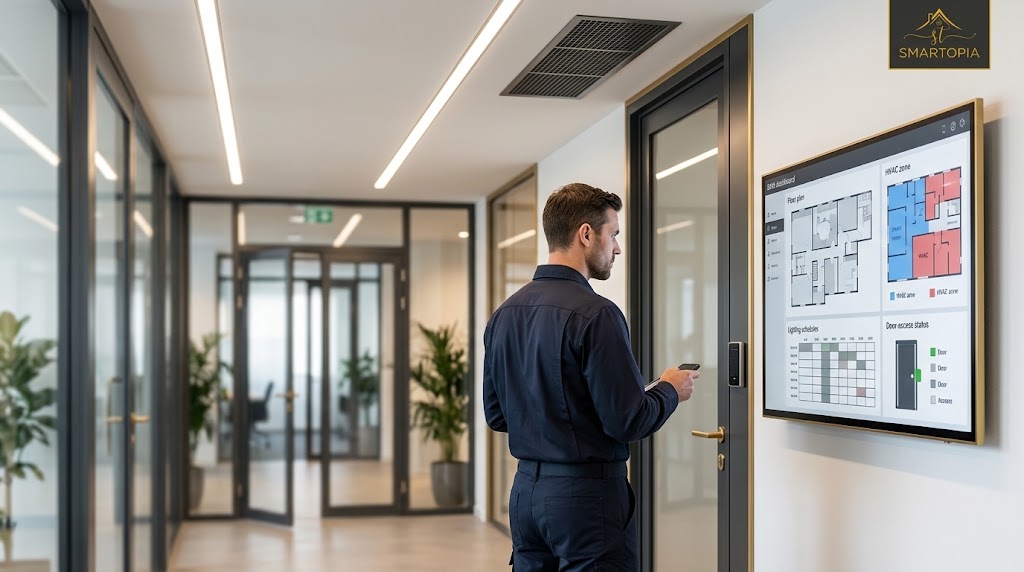
The practical question is what each connection should achieve. Which system owns a command? What happens when a gateway fails? Who can change a schedule? This guide explains how to evaluate HVAC, lighting and access control integration before committing to a platform or retrofit.
For property teams in Toronto, Mississauga and the GTA planning a project, Smartopia provides building management system assessment and integration.
What Is BMS Integration?
Building management system integration is the process of connecting supported controllers, equipment and software through defined interfaces. An integration can provide monitoring, exchange events or permit specific control actions. These are different capabilities and should be described separately in the project scope.
- Monitoring: Display a temperature, equipment state, meter reading or alarm.
- Event exchange: Share an approved signal, such as an after-hours access event.
- Supervisory control: Request an operating mode or schedule change within agreed limits.
A dashboard showing several systems does not automatically provide permission to control them. Every connection needs an identified purpose, supported interface and responsible owner.
Practical Examples of HVAC, Lighting and Access Control Integration
Coordinating HVAC and Lighting Schedules
An office may use one agreed occupancy calendar to coordinate normal HVAC operation and lighting hours. Public holidays and temporary overrides should be handled consistently so that a change in one system does not leave another operating unnecessarily.
Equipment protection, ventilation requirements and local controls still need appropriate authority. An occupancy signal should request a defined operating mode rather than indiscriminately switching equipment off.
Supporting Approved After-Hours Access
An authorized after-hours entry could request lighting and an agreed comfort mode for a defined office zone. The sequence should specify the relevant door or zone, permitted schedule, duration, manual override and return to normal operation.
A door event alone cannot reliably establish how many people remain in a building. Shared entry, visitors and unrecorded exits must be considered before using access activity as an occupancy input.
For door hardware, credentials, controller operation and installation planning, see our guide to commercial access control systems in Toronto.
Coordinating a Booked Amenity Space
A condominium meeting room or party room may use an approved booking schedule to request lighting and HVAC operation during its reserved period. Staff should be able to handle cancellations, overruns and maintenance closures without changing unrelated building settings.
Where room technology is included, coordinate the sequence with the amenity AV system. Booking information should not automatically grant unrestricted door access.
Linking Door Events with Video Verification
A compatible security platform may associate a forced-door event with a nearby camera view. The approved workflow should identify who receives the alert, who can review footage and which team investigates the event.
Camera recording and access decisions should retain their intended operation if a building dashboard becomes unavailable. Explore the planning considerations in our security camera installation guide.
Define Which System Owns Each Function
Integration should make responsibilities clearer. A useful starting point is a matrix showing the primary system, the information being exchanged and the actions permitted through the integration.
| Function | Primary responsibility | Possible integration |
|---|---|---|
| HVAC operation | HVAC controllers and approved control sequences | Status, alarms and permitted schedule or mode requests |
| Lighting | Lighting controls and local override arrangements | Shared schedules and approved occupancy inputs |
| Door access | Dedicated access control platform and door controllers | Selected events or status shared with authorized systems |
| Video surveillance | Video management and recording platform | Approved event-linked views or notifications |
| Emergency functions | Applicable dedicated systems and responsible specialists | Only interfaces specifically reviewed and approved for the project |
A general building dashboard should not acquire unrestricted authority to release doors or override emergency functions. Permissions and interfaces need review by the responsible security, controls and other project specialists.
Check Compatibility Before Selecting a Platform
Start with an equipment inventory covering controllers, software versions, licences, network connections and available documentation. Confirm exactly which values and commands each interface exposes.
BACnet and Other Interfaces
BACnet is a communications standard for building automation. It defines how compatible equipment exchanges information and commands. A BACnet connection still requires project-specific checks for supported functions, permissions and control priorities. Other systems may use Modbus, manufacturer APIs or approved gateways.
BACnet International explains the standard and its building automation applications.
Monitoring Access Is Different from Control Access
For each proposed connection, ask whether the interface is read-only, which commands can be written, how frequently information updates and what happens when a command is rejected. Confirm interface licensing, manufacturer support and any restrictions on third-party access.
Retaining Existing Equipment
Suitable mechanical equipment, lighting controllers or security hardware may remain in service during a retrofit. Retention depends on condition, support, available interfaces and the intended operating sequence. A gateway cannot necessarily compensate for unsupported firmware, missing documentation or a controller that cannot perform the required function.
How to Evaluate the Energy Benefits
BMS integration can help teams investigate equipment running outside occupied hours, conflicting schedules or repeated manual overrides. The benefit comes from identifying a problem, implementing an appropriate change and checking the result.
There is no single savings percentage suitable for every building. Establish a baseline and review factors such as outdoor conditions, occupancy, operating hours and changes in equipment use before attributing a reduction to integration.
- Compare scheduled operation with actual equipment runtime.
- Review available meter data and relevant trend histories.
- Investigate simultaneous heating and cooling where applicable.
- Record schedule changes, overrides and occupant feedback.
- Reassess performance after commissioning and seasonal changes.
A visually impressive dashboard does not by itself demonstrate improved building performance.
Plan Network Security and Failure Behaviour Together
Document the communication paths between building controls, security platforms, gateways and management workstations. Define which systems need to communicate and restrict access accordingly. Avoid assuming that placing everything on the same network makes integration simpler or safer.
The Canadian Centre for Cyber Security identifies strong authentication, secure communications, logging, configuration management and maintainable products as important operational technology procurement considerations. Its Secure by Demand guidance for operational technology is a useful reference when comparing platforms.
At project level, agree individual administrator accounts, access permissions, approved remote support, backups and responsibility for software maintenance. Coordinate controller and gateway connections with the property’s structured cabling and network infrastructure.
What Happens When a Connection Fails?
Define the expected response to a lost gateway, interrupted network, unavailable server or stale occupancy signal. Confirm which local schedules continue, how alarms are reported and whether any temporary commands expire safely. Restoration should not leave equipment in an unintended override state.
Commission the Operating Sequence, Not Just the Connection
A successful connection test only shows that systems can communicate. Commissioning should demonstrate that each agreed sequence behaves correctly under normal conditions, exceptions and failures.
- Confirm the point list: Check names, locations, units, states and read or write permissions.
- Test the trigger: Generate the approved occupancy, schedule or access event.
- Observe the response: Verify the correct equipment or zone changes within the agreed limits.
- Check overrides: Test manual intervention, command priorities and return to normal operation.
- Simulate interruptions: Verify the agreed response to network, gateway or server unavailability.
- Record acceptance: Document results, unresolved issues, configuration backups and operator training.
For example, an after-hours entry test should confirm the correct zone activates, an unauthorized credential does not trigger the sequence, the operating period expires as intended and essential functions remain available during the agreed failure tests.
Questions to Resolve Before Approving the Scope
- Which operational problem will each integration solve?
- What information and commands will be exchanged?
- Which existing components can remain supported?
- Who approves schedules, permissions and emergency interfaces?
- Which gateway, software and recurring licence costs apply?
- Who provides network configuration and vendor coordination?
- What tests, documentation and training are included?
- Who owns support and change control after handover?
If the project also involves dashboard roles, escalation workflows and day-to-day operational responsibility, read our related guide to centralized control for commercial buildings.
BMS Integration FAQs
Can a BMS integrate HVAC, lighting and access control?
Compatible systems can exchange selected information and approved commands through supported protocols, APIs or gateways. The project must define each system’s responsibilities, permissions and behaviour if a connection fails.
Does BMS integration replace the access control system?
No. A dedicated access control system normally retains responsibility for credentials, door permissions and access decisions. A BMS may receive approved events or request limited functions through an interface agreed during design.
Can existing building equipment be retained?
Existing equipment may be retained when its condition, support status and interfaces suit the proposed integration. Controllers, software, licences, documentation and network requirements should be assessed before a retrofit is specified.
Does BACnet guarantee that every system will work together?
No. BACnet provides a common communications framework, but the required functions, exposed data points, write permissions and control priorities still need to be confirmed for the selected equipment.
How much energy can BMS integration save?
There is no universal savings percentage. Results depend on existing operation, equipment condition, schedules, occupancy and the changes implemented. Compare suitable baseline and post-change data before attributing savings to integration.
What should be tested before handover?
Test the agreed data points, operating sequences, permissions, overrides, alarms and recovery from connection failures. Handover should include test records, available configuration backups, operator training and clear support responsibilities.
Plan a Defined Building Integration Scope
Smartopia is based in Mississauga and supports building technology projects across Toronto and the GTA. Share your existing systems, operating problems and proposed changes so the assessment can identify practical interfaces, responsibilities and implementation phases.
Discuss your BMS integration requirements or call +1 (888) 404-5888.

Comments are closed