Condominiums
Managed wireless coverage for lobbies, lounges, gyms, rooftops, management offices and other approved common areas.

Smartopia provides Building-Wide Wi-Fi Toronto solutions for condos, offices, mixed-use properties and commercial buildings. Our Condo Wi-Fi Solutions and Enterprise Wi-Fi Toronto services combine wireless surveys, access-point planning, structured cabling, fiber backbones, managed switching, secure segmentation and centralized monitoring.
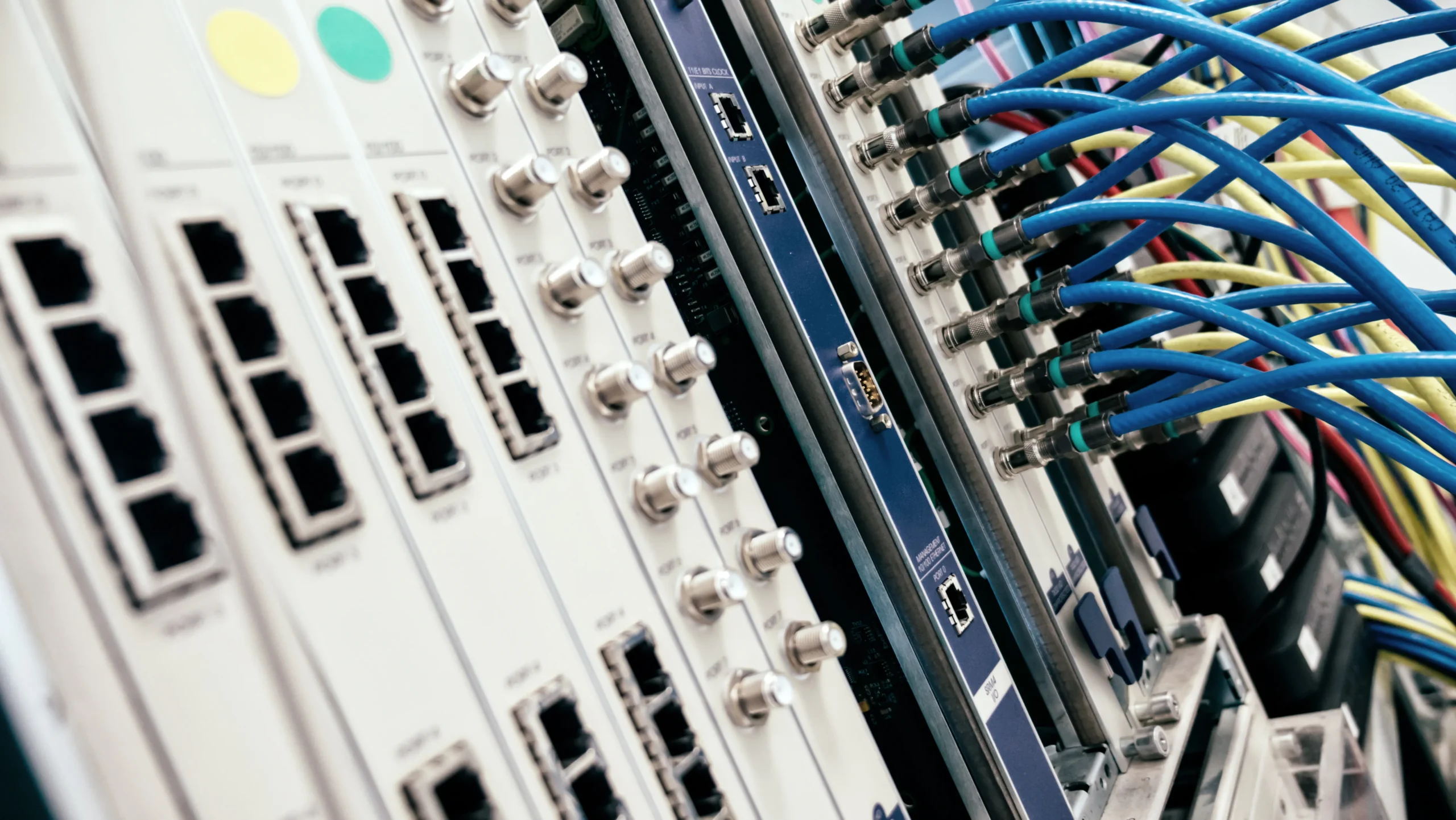
Building-wide Wi-Fi combines professionally positioned wireless access points, wired backhaul, managed switches, internet gateways and centralized network management. The system is designed around the property’s layout, construction materials, user density, applications, security requirements and expected future demand.
A professional Building-Wide Wi-Fi Toronto project should provide consistent coverage without placing residents, guests, management teams, security devices and building controls on one unrestricted network. The design must consider capacity, interference, roaming, cabling pathways, equipment rooms and system monitoring.
Smartopia delivers Managed Wi-Fi for Buildings as part of its broader residential technology solutions and commercial infrastructure services across Toronto and the GTA.
Condo Wi-Fi Solutions must support shared amenities, management operations, residents, visitors and connected building technologies. Enterprise networks must also provide suitable coverage, capacity, security and centralized management for employees, customers, devices and business applications.
Managed wireless coverage for lobbies, lounges, gyms, rooftops, management offices and other approved common areas.
Enterprise wireless infrastructure for employees, meeting rooms, guests, collaboration systems and connected office technology.
Segmented connectivity for residential areas, retail tenants, property teams, visitors and building operations.
Managed coverage for guest spaces, staff operations, digital systems and approved property-management applications.
Secure connectivity for staff, customers, point-of-service infrastructure, digital signage and operational devices.
Separated network infrastructure for CCTV, access control, intercoms, BMS devices, sensors and other connected systems.
Reliable Building-Wide Wi-Fi Toronto performance depends on the complete network architecture, not only the wireless access-point model. Access points require suitable locations, stable wired connections, sufficient switching capacity, appropriate power and a network design that supports both current demand and future expansion.
Access points are positioned according to expected coverage, user density, building materials, interference and application requirements.
Suitable copper cabling provides wired backhaul and Power over Ethernet for compatible access points. Smartopia’s network cabling installation services in Toronto can coordinate cable routes, telecom-room connections, patch panels and testing with the selected wireless equipment.
Fiber can connect telecom rooms, floors and building areas where distance, bandwidth or electrical isolation makes copper unsuitable.
Managed switching supports VLANs, device monitoring, traffic controls, Power over Ethernet and structured network expansion.
Gateways coordinate internet access, routing, firewall policies and approved communication between separated network zones.
Organized racks, patch panels, labels, power protection and documentation improve maintenance and troubleshooting.
A wireless survey evaluates the property layout, construction materials, existing signals, potential interference and expected device demand. This information helps determine access-point placement, channel planning, transmit power and the network capacity required in shared or high-density areas.
A device may detect a strong wireless signal while the network still performs poorly under heavy use. Capacity planning considers how many users and devices may connect in each area, the applications they use and how traffic changes throughout the day.
Concrete, metal, elevator shafts, mechanical spaces and other structural elements can reduce or redirect wireless signals. Nearby networks and non-Wi-Fi devices may also contribute to interference, making measured planning more reliable than simply adding access points.
A managed design helps compatible devices transition between access points as users move through the property. Effective roaming depends on access-point configuration, signal overlap, network architecture and the behaviour of each client device.
After installation, the network should be tested in the intended coverage areas. Validation can identify unexpected weak zones, interference or configuration issues before the final system is handed over to the property team.
Enterprise Wi-Fi Toronto solutions are designed for properties that require greater coverage, capacity, management and security than consumer wireless equipment can provide. Centralized controllers help authorized teams manage access points, network settings, software updates and device-health information across one or multiple locations.
| Network Area | Managed Building Wi-Fi | Consumer Wi-Fi |
|---|---|---|
| Coverage | Designed around property layout, materials, density and shared spaces. | Generally designed for a home or small individual area. |
| Segmentation | Supports separate networks for staff, guests, CCTV, access control and BMS. | Usually provides limited segmentation and administrative controls. |
| Management | Centralized configuration, monitoring and software management. | Often managed separately through individual local devices. |
| Expansion | Can be planned for additional access points, floors and connected systems. | Expansion may produce overlapping unmanaged networks. |
| Documentation | Can include rack records, labels, diagrams and configuration information. | Typically limited to basic product setup details. |
Managed Wi-Fi for Buildings should separate users and connected systems according to their operational purpose and security requirements. Residents, visitors, employees, property management, cameras, access control and building automation should not automatically share one unrestricted network.
Approved connectivity can be planned around the property’s resident access model, privacy requirements and support responsibilities.
Guest access can use separate credentials, usage policies and isolation from internal management and building systems.
Administrative devices and management applications can operate within a protected network zone with controlled permissions.
Cameras, recorders and access systems can be separated from public networks while retaining approved management access.
Connected controls and BMS devices should use appropriate segmentation and restricted communication paths.
Meeting-room AV and digital signage can use dedicated network policies based on bandwidth and operational requirements.
Buildings connecting HVAC, lighting, meters and operational controls can coordinate their network design with Smartopia’s building management system integration .
Managed Wi-Fi for Buildings provides authorized teams with centralized visibility into access points, switches, connected devices and selected network-health information. Monitoring can help identify unavailable equipment, unusual usage patterns and performance problems before they affect larger areas of the property.
Monitoring does not replace good network design. Managed services are most effective when the underlying cabling, access-point placement, switching and segmentation have been properly planned and documented.
An existing Building-Wide Wi-Fi Toronto network can often be upgraded in phases. Suitable cabling, fiber, racks or switches may be retained after assessment, while outdated access points, unsupported controllers and capacity bottlenecks are replaced according to operational priorities.
A phased upgrade should begin with an inventory of network equipment, cabling routes, access-point locations, software support, coverage problems and connected building systems. Changes can then be prioritized around risk, budget and approved maintenance windows.
The newest standard is not automatically the correct choice for every property. Equipment selection should consider client-device compatibility, available spectrum, wired backhaul, switch capacity, Power over Ethernet requirements, expected usage and the system’s long-term support plan.
Some existing cabling may continue to support upgraded access points, but it should be inspected and tested against the selected equipment’s speed and power requirements. Cabling should not be retained solely to reduce initial cost if it cannot support reliable operation.
A professional Condo Wi-Fi Solutions or Enterprise Wi-Fi Toronto project follows a structured process covering property requirements, wireless conditions, cabling, network architecture, security, installation and testing. This creates a documented network that can be maintained and expanded over time.
Review coverage areas, device demand, building materials, telecom rooms, cabling and existing network equipment.
Define access-point locations, switching, backhaul, VLANs, security policies and future capacity.
Install, label and configure access points, switches, cabling, racks and approved network services.
Test coverage, connectivity, segmentation and management before documentation, training and handover.
Building-Wide Wi-Fi Toronto costs depend on property size, construction, required coverage, device density, access-point quantity, cabling, fiber, switching, gateways and management requirements. A site assessment is required before an accurate quotation can be prepared.
A Managed Wi-Fi for Buildings proposal should identify equipment, installation, licences, subscriptions, configuration, testing, documentation and support. It should also clarify internet-service responsibilities and work requiring other qualified trades.
Smartopia provides Building-Wide Wi-Fi Toronto services for condos, commercial properties, offices and mixed-use buildings. The scope can include wireless surveys, access-point planning, structured cabling, fiber, managed switching, network segmentation, installation, testing, documentation and ongoing support.
Condo coverage can be improved through a property assessment, measured access-point placement, suitable wired backhaul, managed switching and configuration based on building materials, interference and device density. Professional Condo Wi-Fi Solutions should also separate resident, guest, management and connected-building traffic where appropriate.
Consumer Wi-Fi is generally designed for a home or small area. Enterprise Wi-Fi Toronto infrastructure supports larger coverage areas, more devices, centralized administration, network segmentation, monitoring and structured expansion. Actual performance still depends on the property design, cabling, configuration and client devices.
Yes. Managed switches, gateways and wireless platforms can support separate VLANs and access policies for residents, guests, property management, CCTV, access control, AV and building automation. Communication between these networks should be restricted according to operational and security requirements.
Yes. Existing cabling, fiber, racks and switches may be retained when their condition and capabilities meet the new design requirements. A technical assessment should identify unsupported equipment, coverage gaps, capacity limitations and security risks before the upgrade is divided into phases.
Managed Wi-Fi for Buildings can include centralized configuration, device-health monitoring, software management, remote diagnostics, documentation and technical support. The exact services, response expectations and supported equipment should be clearly defined in the agreement before the network is commissioned.
These references provide general technical and security guidance. Requirements for a specific property or organization should be confirmed during network assessment and design.
Contact Smartopia to discuss Condo Wi-Fi Solutions, Enterprise Wi-Fi Toronto, Managed Wi-Fi for Buildings, network segmentation and phased infrastructure upgrades.