
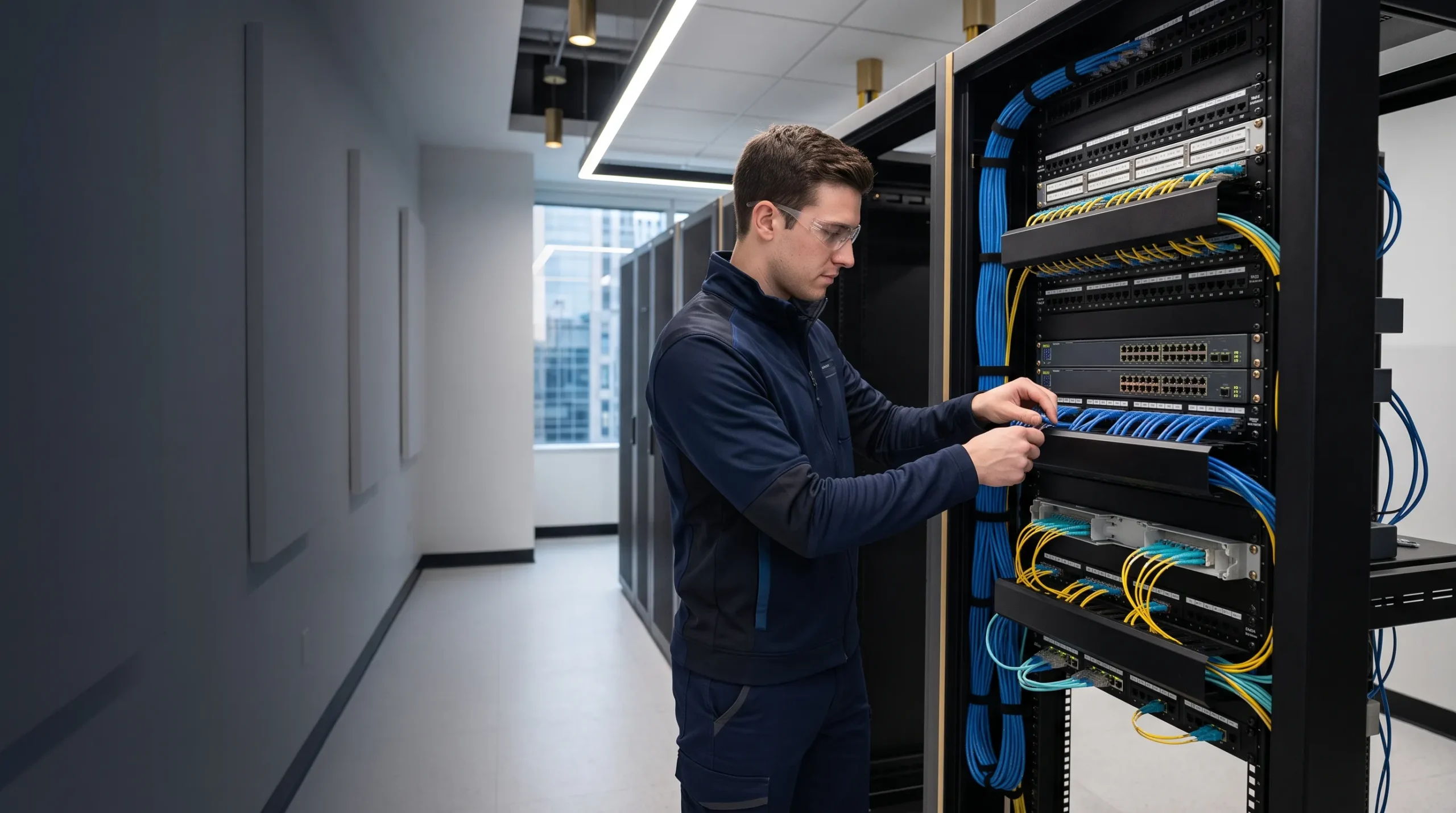
Smartopia designs and implements commercial network cabling for offices, condominiums, warehouses, institutional facilities and multi-site organizations across Toronto, Mississauga and the GTA. Project requirements can include Cat6 and Cat6A installation, fiber backbones, patch panels, equipment racks, access-point cabling and upgrades to existing infrastructure.
Planning an office fit-out, adding network connections or upgrading an existing building? Share your floor plans, approximate number of connections, connected-device requirements and preferred installation schedule.
Request a Network Cabling Assessment
Reviewed by: Smartopia Technology Team
Last reviewed: September 2026
Who Provides Commercial Network Cabling in Toronto?
Smartopia provides network cabling planning, installation, termination, testing and documentation for Toronto offices and commercial properties. The project scope may include Cat6, Cat6A, fiber optic cabling, patch panels, equipment racks, telecommunications rooms, wireless access-point cabling and connections for IP-based building systems.
A professional network cabling project should define the required applications, cable performance, pathways, termination methods, labeling system and acceptance tests before installation begins. This helps identify unsuitable cable specifications, excessive run lengths, congested pathways and missing infrastructure before they affect the installation.
What Does Professional Network Cabling Installation in Toronto Include?
Professional network cabling installation in Toronto begins with an assessment of the building, network design and connected devices. Cable should not be selected only by category name. The installer must consider distance, bandwidth, Power over Ethernet, electromagnetic conditions, pathway capacity, environmental requirements, telecommunications rooms and future expansion.
A complete commercial cabling scope may include:
- Site survey and existing-infrastructure assessment
- Review of floor plans and network-device locations
- MDF and IDF telecommunications-room planning
- Cat6 and Cat6A horizontal cabling
- Single-mode and multimode fiber optic backbones
- Patch panels, wall outlets and consolidation points
- Equipment racks, cabinets and cable management
- Wireless access-point and Power over Ethernet cabling
- Cabling for CCTV, access control, AV and building systems
- Conduit, tray, J-hooks and suitable cable supports
- Cable construction and fire-rating selection appropriate to the installation
- Copper certification and fiber testing according to the agreed scope
- Port labeling, cable schedules and as-built documentation
- Phased cutover and removal of abandoned cabling where included
The proposal should identify exactly which materials, performance requirements, tests and documentation are included. A statement that cables will be “tested” should explain whether this means basic verification, application qualification or standards-based certification.
Selecting Cat6, Cat6A and Fiber for Your Installation
The correct cable specification depends on application speed, distance, Power over Ethernet requirements, installation conditions and planned equipment upgrades. A commercial project may use copper for device connections and fiber for the backbone rather than selecting one medium for the entire building.
| Cabling Type | Common Installation Uses | What the Design Should Confirm |
|---|---|---|
| Cat6 | Workstations, phones, printers, cameras and general office connections | Required Ethernet speed, cable distance, PoE demand and upgrade plans |
| Cat6A | 10 Gigabit Ethernet connections, selected access points and commercial infrastructure requiring additional performance headroom | Pathway capacity, cable dimensions, compatible connecting hardware and installation quality |
| Multimode fiber | Equipment-room connections and suitable in-building backbone links | Fiber grade, transceiver compatibility, connector type and supported application distance |
| Single-mode fiber | Longer backbone links, campus connections and building-to-building infrastructure | Optics, loss budget, strand count, cable construction and future requirements |
When Is Cat6 Appropriate?
Cat6 can be appropriate for many workstations, phones, printers and IP devices where Gigabit Ethernet meets the expected requirement. The assessment should still consider the planned service life of the infrastructure, device power requirements and the difficulty of replacing cable later.
When Should a Business Consider Cat6A?
Cat6A is designed to support 10 Gigabit Ethernet across a compliant 100-metre structured cabling channel. It can be appropriate where higher network speeds or future upgrades justify the additional installation requirements.
Cable diameter and flexibility vary between products. The design should check pathway fill, bend radius, rack management, termination methods and any grounding or bonding requirements for the selected system.
Where Does Fiber Fit?
Fiber is commonly used between telecommunications rooms, across longer routes and where electrical isolation or higher backbone bandwidth is needed. Standard optical fiber does not deliver PoE to an endpoint, so remote equipment may require local power or a separately designed power arrangement.
Structured Cabling for Offices and Commercial Buildings
Structured cabling organizes a building’s communications infrastructure into work areas, horizontal cabling, telecommunications rooms and backbone connections. The objective is to provide a maintainable system that can support equipment changes without repeatedly replacing the permanent infrastructure.
Horizontal Cabling
Horizontal cabling connects a telecommunications room with work-area outlets and devices in its service area. Conventional structured copper cabling is commonly designed around a maximum 90-metre permanent link and a 100-metre complete channel, subject to the applicable system requirements and operating conditions.
Every outlet should be assigned to a suitable telecommunications room. Long or indirect routes should be identified before installation because additional cable does not overcome application distance limits.
Backbone Cabling
Backbone cabling connects the main equipment room with floor-level or area-level telecommunications rooms. Fiber is frequently selected to support the required bandwidth, distance and electrical isolation between network areas.
Work-Area Outlets
Outlet quantities should reflect furniture layouts, department requirements and reasonable future changes. The plan should identify which connections serve computers, phones, printers, meeting equipment and other devices.
Zone Cabling and Consolidation Points
A properly designed consolidation point can support changes within an open office or device zone without replacing the complete cable route back to the telecommunications room. Its use must remain consistent with the selected cabling architecture and connection limits.
Modular Plug Terminated Links
Some ceiling-mounted devices can use a modular plug terminated link, or MPTL, instead of a conventional outlet and patch cord. This arrangement requires appropriate components, installation methods and an MPTL-compatible certification test configuration.
MDF, IDF, Network Racks and Patch Panel Installation
The main distribution frame, or MDF, normally serves as the central network and backbone location. Intermediate distribution frames, or IDFs, serve particular floors or building areas. Their placement affects cable distance, pathway design, cooling, security and future expansion.
Network Rack Planning
A network rack should provide sufficient space for patch panels, switches, fiber enclosures, power equipment and cable management. Technicians should be able to replace components and trace connections without disturbing unrelated services.
Rack planning should consider:
- Current and future patch-panel capacity
- Switch dimensions, airflow and mounting depth
- Horizontal and vertical cable management
- Fiber enclosures and bend-radius protection
- Power distribution and UPS requirements
- Grounding and bonding requirements
- Rack security and authorized access
- Equipment weight and structural support
- Service clearance and maintenance access
Patch Panels and Cross-Connections
Horizontal cables normally terminate on patch panels or other connection hardware specified by the design. Patch panels protect permanent cabling from repeated movement and allow network assignments to change through manageable patch cords.
Cable Dressing and Management
Neat appearance alone does not demonstrate cable performance. Suitable supports, bend-radius control, strain relief and organized routing help protect cables and make the installation easier to maintain.
Power over Ethernet Cabling for Modern Buildings
Power over Ethernet allows compatible switches or injectors to deliver data and electrical power over balanced twisted-pair cabling. Applications include wireless access points, IP cameras, phones, selected intercoms and other compatible building devices.
Why PoE Changes Cable Design
PoE cabling carries both network traffic and electrical current. Higher-power applications can increase heat within cable bundles, particularly in densely filled pathways or higher ambient temperatures.
A PoE cabling design should consider:
- Power required by each connected device
- Switch power budget and individual port capability
- Cable category, conductor size and construction
- Cable bundle size and installation environment
- Ambient temperature and pathway conditions
- Connector and patch-panel compatibility
- Channel length and voltage drop
- Future higher-power devices
Installing Cat6A does not independently guarantee that every PoE application will work correctly. The power source, powered device, cable, connecting hardware and patch cords must support the required application.
PoE Budget Planning
Calculate the expected device demand before selecting a switch. A switch may support PoE on every port while having a total power budget below the combined maximum demand of all connected devices.
Fiber Optic Backbone Installation
Fiber optic cabling can connect equipment rooms, floors, buildings and high-bandwidth network zones. The design should specify the fiber type, strand count, connectors, cable construction, pathways, termination enclosures and acceptance tests.
Single-Mode and Multimode Fiber
Selection should follow the planned Ethernet applications, route lengths, optical loss budget and transceiver requirements. Fiber type and compatible optics should be specified together rather than treating all fiber links as interchangeable.
Fiber Strand Count
Strand count should account for active connections, redundancy, planned services and reasonable spare capacity. Route diversity may also be needed where the project requires resilience against a cable or pathway failure.
Fiber Termination and Splicing
Fiber may use field-installed connectors, factory-terminated assemblies or fusion-spliced pigtails. The selected method should match the environment, enclosure space, loss budget and maintenance requirements.
Fiber Testing
Fiber acceptance may include polarity verification, connector end-face inspection, optical-loss measurement and OTDR testing where specified. Optical-loss results and OTDR traces provide different information, so the required test package should be agreed before installation.
Network Cabling for Wi-Fi, CCTV, Access Control and AV Systems
Enterprise Wi-Fi Cabling
Wireless access points depend on suitable wired backhaul and power. Access-point cable locations should follow the wireless design rather than being chosen only for installation convenience.
Confirm the selected access point’s Ethernet interfaces, PoE requirements and installation instructions. Learn more about building-wide networking and Wi-Fi in Toronto.
Security Camera Cabling
IP cameras commonly use Ethernet cabling for data and PoE. Outdoor locations, parking structures and long routes may require different cable construction, protected pathways, surge-protection assessment, fiber links or local network cabinets.
Explore security camera installation in Toronto.
Access Control Cabling
Access control controllers may use Ethernet, while readers, locks, door contacts and request-to-exit devices can require different wiring. The cable schedule should distinguish each connection and its power, communication and supervision requirements.
Learn about commercial access control systems in Toronto.
Conference Room and Commercial AV Cabling
Meeting rooms may need connections for conferencing equipment, AV-over-IP, control processors, touch panels, room scheduling and audio processors. Cable specifications should follow the selected AV transport and equipment requirements.
Explore corporate and conference room AV solutions.
For projects involving multiple workplace technologies, see Smartopia’s commercial AV integration services in Toronto.
Digital Signage and Video Walls
Displays, media players and video-wall processors may use structured cabling for management, content delivery or AV-over-IP. Coordinate network connections with power, mounting, ventilation and maintenance access.
Learn more about digital signage and video wall installation.
Building Management Systems
IP-based building controls require planned network connections, documented responsibilities and suitable security boundaries. Other building-control protocols may require different cable specifications and topologies.
Network Cable Testing, Certification and Documentation
A basic continuity test does not demonstrate that an installed link meets all performance requirements of its specified cabling category. Project documents should define whether links require verification, qualification or standards-based certification.
| Test Level | What It Establishes | Important Limitation |
|---|---|---|
| Verification | Basic wiring, continuity and wire-map conditions | Does not certify full category performance |
| Qualification | Whether a link supports selected network applications within the tool’s capabilities | Does not replace standards-based certification |
| Certification | Measured link performance compared with specified cabling-standard limits | Requires the correct test configuration, limits, adapters and suitable calibrated equipment |
Copper Permanent-Link Certification
Permanent-link certification evaluates the fixed installed cabling using the appropriate test configuration. Equipment cords and work-area patch cords are normally outside the permanent-link measurement.
Reports may include wire map, length, insertion loss, return loss, near-end crosstalk and other measurements required by the selected test limit. Every report identifier should match the physical labels at the corresponding connection points.
Channel Testing
A channel includes the permanent cabling and applicable patch cords and connections. Channel results should not replace permanent-link certification where the agreed acceptance criteria require permanent-link reports.
MPTL Certification
A modular plug terminated link needs an appropriate MPTL test configuration. The test method should reflect the installed topology rather than applying an unrelated permanent-link or channel setup.
What Should the Final Documentation Include?
Agree on the handover package before installation. Depending on the project scope, it may include:
- Port-by-port copper certification reports
- Fiber optical-loss results and OTDR reports where required
- Floor plans or as-built outlet locations
- Cable and port schedules
- MDF and IDF rack records
- Patch-panel, outlet and backbone identifiers
- Fiber strand assignments and polarity records
- Pathway and telecommunications-room information
- Records of failed, repaired and retested links
- Product information, warranty terms and maintenance notes
Installation photographs can help document rack layouts, labels, pathways and conditions that will later be concealed. Photographs support the handover record but do not replace performance testing.
Network Cabling Labels and Administration
A consistent labeling system allows IT teams to trace a work-area outlet to the correct telecommunications room, rack, patch panel and port. Labels should remain readable, unique and consistent with the final documentation.
The labeling convention should be approved before installation and applied to the relevant copper links, fiber strands, patch panels, outlets, racks and backbone connections.
Accurate records also help technicians plan switch changes and identify affected services before disconnecting a cable.
Upgrading Existing Network Cabling
Existing cabling should not be replaced automatically without assessment. Some links may remain suitable for the required application, while others may need repair, retermination or replacement.
An upgrade assessment may include:
- Identification of cable category and available product records
- Inspection of racks, patch panels and terminations
- Review of routes, damage and unsupported cable sections
- Testing of selected or all links according to the assessment scope
- Review of cable length and new application requirements
- Assessment of PoE suitability
- Inspection of fiber type, connectors and available strands
- Comparison of existing infrastructure with the proposed network design
Retaining a cable should depend on its condition, installation and demonstrated suitability for the new requirements. Passing a basic continuity test alone is not sufficient evidence for every upgrade.
Phased Network Migration
A phased migration can organize work by department, floor or telecommunications room. The plan should identify temporary connections, outage windows, switch-port changes, rollback procedures and responsibility for checking devices after cutover.
Rack and Patch Panel Cleanup
Rack cleanup should begin with documentation. Existing connections should be traced, labeled and approved before patch cords, equipment or permanent cabling are removed. Appearance alone cannot establish that a connection is unused.
Network Cabling for New Construction and Office Renovations
New construction and renovation projects provide an opportunity to coordinate communications infrastructure before walls and ceilings are closed. Network cabling should be planned alongside architectural, electrical, mechanical, security, AV and furniture layouts.
Important design decisions include:
- MDF and IDF room locations
- Conduit, tray and sleeve capacity
- Workstation and meeting-room outlet quantities
- Wireless access-point locations
- Camera and access-control connections
- Fiber backbone routes and strand counts
- Future expansion and spare pathway capacity
- Rack power, cooling, grounding and security
- Applicable cable-rating and penetration-sealing requirements
- Testing, labeling and handover deliverables
Coordinating these requirements during design helps identify clashes, access limitations and missing connections before installation work is completed.
How Much Does Network Cabling Installation Cost in Toronto?
The cost of commercial network cabling in Toronto depends on connection quantities, cable specifications, route lengths, building conditions, pathway accessibility, telecommunications-room requirements and testing scope.
A quotation based only on the number of drops may exclude important infrastructure. Confirm what each connection price includes and which items are priced separately.
Main cost factors include:
- Number of copper and fiber connections
- Cat6, Cat6A and fiber specifications
- Required cable construction and environmental suitability
- Open, finished or inaccessible ceilings
- Conduit, sleeves, core drilling and cable tray
- Installation height and access equipment
- Patch panels, outlets, racks and cable management
- Fiber termination, splicing and enclosures
- After-hours or phased installation requirements
- Copper certification and fiber testing
- Labels, drawings and final documentation
- Approved removal of obsolete cabling
An accurate quotation requires a site survey or sufficiently detailed drawings. The proposal should distinguish cabling, pathways, rack equipment, testing, documentation and work assigned to other trades.
Request an assessment for your Toronto network cabling project.
Commercial Network Cabling Installation Process
- Requirements assessment: Identify users, applications, device quantities, bandwidth, PoE demand and future expansion.
- Site survey: Review telecommunications rooms, pathways, distances, ceiling conditions, access and installation constraints.
- Cabling design: Specify cable types, outlet locations, backbone connections, racks, patch panels and labeling conventions.
- Project coordination: Confirm responsibilities with the property owner, IT team, general contractor, electrician, security provider and AV integrator.
- Pathway preparation: Confirm suitable conduit, tray, sleeves, supports and telecommunications spaces.
- Cable installation: Pull, support, dress and protect cables while observing the applicable installation requirements.
- Termination and labeling: Terminate the specified connection hardware and apply approved identifiers at the relevant connection points.
- Testing and remediation: Test the required links, investigate failures, complete repairs and retest against the agreed acceptance criteria.
- Cutover and verification: Coordinate switch connections and check the operation of users, access points, cameras and other devices.
- Documentation and handover: Deliver the agreed reports, cable schedules, drawings, rack records and warranty information.
Can Network Cabling Be Installed Outside Business Hours?
Commercial network cabling can often be scheduled during evenings, weekends or planned shutdown periods. Availability depends on building access, noise restrictions, security procedures, ceiling work and coordination with other contractors.
An after-hours plan should identify authorized workers, accessible areas, alarm procedures, loading arrangements, temporary outages and the person responsible for accepting completed work before the building reopens.
How to Choose a Network Cabling Company in Toronto
Compare network cabling companies using the complete project deliverables rather than the lowest advertised price per drop. Ask each installer:
- Will the project begin with a site survey and cable-route review?
- Which standards and project-specific acceptance requirements apply?
- How will Cat6, Cat6A and fiber be selected?
- Are cable, jacks, patch panels and cords compatible with the specified performance?
- How will PoE demand and cable-bundle conditions be addressed?
- Which links will receive certification rather than basic verification?
- Will permanent-link, channel or MPTL test configurations be used?
- How will fiber connectors and strands be inspected and tested?
- Is the test equipment suitable and within the required calibration period?
- What labeling convention will be used?
- Which reports and as-built records will be delivered?
- Can installation and cutover be completed in approved phases?
- Which workmanship and manufacturer warranties are included?
- Who is responsible for correcting failed links after handover?
Smartopia coordinates cabling requirements with the networking, wireless, security, AV and building systems that will use the infrastructure. The scope should connect the physical installation with the equipment and operational requirements of the property.
Learn more about Smartopia’s technology integration approach.
Network Cabling Toronto FAQs
Who provides commercial network cabling in Toronto?
Smartopia provides structured cabling planning, installation, termination, testing and documentation for offices, commercial buildings and connected-property systems across Toronto and the GTA.
How much does network cabling installation cost in Toronto?
Cost depends on connection quantities, cable specifications, fiber requirements, pathway accessibility, ceiling conditions, rack equipment, installation schedule and testing scope. A site survey or detailed drawing review is needed for an accurate quotation.
Should a business install Cat6, Cat6A or fiber?
Cat6 can suit many general office and Gigabit Ethernet connections. Cat6A supports compliant full-channel 10 Gigabit Ethernet installations. Fiber is commonly used for backbones, longer routes and high-bandwidth links. The selection should follow equipment, distance, power and installation requirements.
Does Cat6 support 10 Gigabit Ethernet?
Cat6 can support 10 Gigabit Ethernet over shorter distances when the installed link and interference conditions meet the application requirements. Cat6A is designed to support 10 Gigabit Ethernet across a compliant 100-metre structured cabling channel.
Can network cabling be installed outside normal business hours?
Yes. Commercial cabling can often be scheduled during evenings, weekends or planned shutdown windows. Building access, noise restrictions, security procedures and required service interruptions should be agreed before work begins.
Does professional installation include certification reports?
Certification reports should be included when specified in the proposal. The agreement should define which links will be certified, the permanent-link, channel or MPTL configuration, the applicable test limit and the required report format.
What is the difference between cable testing and certification?
Basic verification checks wiring and continuity. Qualification evaluates support for selected applications. Certification compares measured link performance against specified cabling-standard limits using an appropriate certification test setup.
Can old network cabling be reused?
Existing cabling may be retained when inspection and appropriate testing confirm that its condition and performance meet the new requirements. Damaged, unsupported, excessively long or unsuitable links should be repaired or replaced.
Is Cat6A always better than Cat6?
Cat6A provides additional performance capability, but the most suitable choice depends on application speed, PoE demand, installation space, upgrade plans and total project cost. Product dimensions and installation requirements should also be checked.
When should fiber be installed instead of copper?
Consider fiber for routes beyond the supported copper application distance, building backbones, links between buildings, high-bandwidth connections and situations requiring electrical isolation. Endpoint power must be planned separately where needed.
What is an MDF or IDF?
The MDF normally serves as the building’s primary telecommunications and backbone location. An IDF serves a particular floor or area and connects to the main network through backbone cabling.
Can network cabling support Wi-Fi and security cameras?
Yes. Suitable Ethernet cabling can provide data and Power over Ethernet for compatible wireless access points and IP cameras. Bandwidth, power, distance and environmental requirements must be included in the design.
What documentation should be provided after installation?
The agreed handover package may include certification reports, cable schedules, port labels, rack records, outlet locations, fiber strand assignments, installation photographs, product information and warranty records.
Network Cabling Technical Resources
Plan Your Toronto Network Cabling Project
Discuss your office layout, connected devices, bandwidth, PoE demand, telecommunications rooms and future expansion with Smartopia. A structured assessment can identify suitable cable specifications, pathways, connection locations and testing requirements.
For an existing property, share available floor plans, cable records and known connectivity problems. For a fit-out or renovation, include proposed layouts, device quantities and the construction schedule.


Comments are closed