
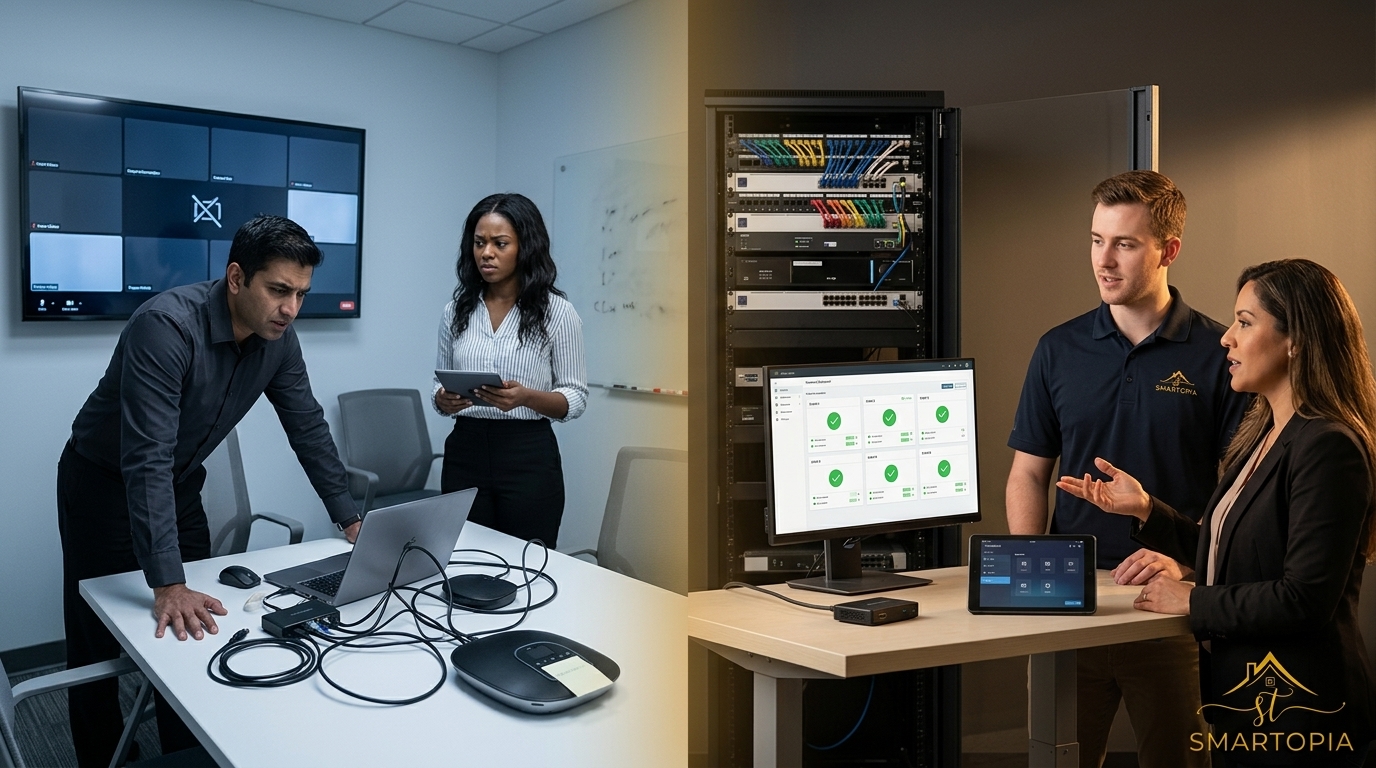
AV Integration Companies: Reliability Happens Where AV, Networking, and Support Meet
The best AV integration companies do more than supply displays, cameras, microphones, and speakers. They translate business requirements into a complete system covering room design, acoustics, signal flow, control, network readiness, installation, commissioning, documentation, user training, and ongoing support.
A reliable AV system should work consistently for the people using it every day. That requires clear performance requirements, coordinated AV and network design, disciplined testing, and a support plan that defines who responds when something changes or fails. This guide explains how Toronto and GTA organizations can evaluate AV integration companies without choosing on equipment lists or price alone.
What Does an AV Integration Company Do?
An AV integration company designs and connects audio, video, control, collaboration, and networked technologies so they operate as one usable system. The work may include meeting rooms, boardrooms, training rooms, divisible spaces, digital signage, video walls, distributed audio, presentation systems, and centralized equipment racks.
A professional integrator should address the complete lifecycle:
- Operational discovery and stakeholder requirements
- Room surveys and assessment of existing infrastructure
- System architecture, equipment selection, and signal-flow design
- Display sightlines, audio coverage, microphone strategy, and acoustics
- Network, cabling, power, cooling, and equipment-rack requirements
- Installation coordination and cable identification
- Programming, configuration, and user-interface design
- Testing, commissioning, and issue correction
- Documentation, training, warranty, and ongoing support
Smartopia’s commercial AV integration services in Toronto cover connected workplace and commercial technology requirements. Organizations planning boardrooms or hybrid meeting spaces can also review Smartopia’s corporate and conference room AV solutions.
What Makes a Commercial AV System Reliable?
Reliability is not a single product feature. It is the result of coordinated decisions across design, infrastructure, implementation, testing, and support.
| Reliability area | What should be planned | Evidence to request |
|---|---|---|
| User workflow | How users start meetings, share content, control volume, select sources, and get help | Workflow description, interface mock-up, or demonstration |
| Audio performance | Microphone coverage, loudspeaker coverage, echo control, noise, and room acoustics | Audio design notes, commissioning results, and acceptance criteria |
| Video performance | Display size, viewing distance, camera framing, lighting, content type, and resolution | Room drawings, sightline review, and image-performance checks |
| Network readiness | Bandwidth, switching, VLANs, Quality of Service, PoE, multicast, security, and monitoring | Network requirements, port schedule, addressing plan, and responsibility matrix |
| Installation quality | Mounting, cabling, rack organization, ventilation, power, and service access | Labels, cable-test results, installation photos, and as-built records |
| Commissioning | End-to-end functional testing under realistic operating conditions | Completed test sheets, issue log, and client acceptance record |
| Supportability | Remote diagnostics, spare strategy, warranty, escalation, and response coverage | Support scope, exclusions, contact process, and response objectives |
Industry standards can help project teams define shared requirements and testing methods. AVIXA’s professional AV standards cover recognized practices intended to improve performance, consistency, and project outcomes.
Requirements Before Equipment
An equipment list should follow a documented understanding of the room, users, content, collaboration platforms, security requirements, operating hours, and support model. Selecting products first can create unnecessary complexity or leave important workflows unsupported.
Simple and Consistent User Experience
Users should not need to understand the underlying signal path to start a meeting. Controls, room labels, presets, and instructions should be consistent across similar spaces. If different rooms require completely different procedures, training and support demand increases.
Commissioning Under Real Conditions
Testing should cover normal use, not only whether each device powers on. A meeting room should be tested with real calls, multiple content sources, microphone pickup, loudspeaker playback, camera presets, network connectivity, room controls, and recovery after a restart.
Why Must AV and Network Design Be Coordinated?
Modern commercial AV increasingly depends on IP networks for device control, monitoring, conferencing, content distribution, digital signage, wireless presentation, and AV-over-IP transport. The AV system may fail even when every AV device is functional if the underlying network is not designed for the required traffic and operational policies.
Bandwidth and Traffic Behaviour
Video and audio traffic must be assessed based on the selected architecture, number of streams, resolution, compression, and concurrent room usage. Network planning should account for peak demand rather than relying only on an internet speed test.
Quality of Service
Real-time audio and video are sensitive to latency, packet loss, and inconsistent delivery. Where supported and correctly designed, Quality of Service policies can prioritize approved real-time traffic. These policies should be coordinated with the organization’s network team rather than applied by the AV installer without review.
VLANs and Network Segmentation
AV devices should be placed in appropriate network segments based on security, management, discovery, and communication requirements. Segmentation can limit unnecessary access and make troubleshooting clearer, but it must account for approved traffic between AV, business, guest, and management networks.
Power over Ethernet
Cameras, touch panels, microphones, encoders, decoders, and control devices may use Power over Ethernet. The switch must provide the correct standard, total power budget, port availability, and resilience for the connected devices.
Multicast and AV over IP
Some AV-over-IP systems use multicast traffic. Switching features and configurations should be verified against the selected platform. An incomplete multicast design can create unstable streams or affect unrelated network traffic.
Cybersecurity and Device Management
Networked AV devices require controlled administrator access, secure configurations, supported firmware, documented ownership, and an update process. Default credentials should be changed during commissioning. Remote access should follow the organization’s security requirements.
Properties that need stronger wired and wireless foundations can review Smartopia’s building-wide Wi-Fi and network infrastructure services, including structured cabling, managed switching, segmentation, documentation, and monitoring.
How Should You Evaluate AV Integration Companies?
Compare integrators on their process, technical scope, accountability, documentation, and support model. Price is important, but proposals are not directly comparable when one includes engineering and commissioning while another includes only equipment and installation.
1. Start With Relevant Experience
Ask for experience with projects similar in room type, user count, technical complexity, and operating environment. A company experienced in residential entertainment systems is not automatically prepared for enterprise conferencing, digital signage, or networked commercial AV.
2. Review the Discovery Process
A reliable integrator should ask about users, applications, business outcomes, room schedules, support responsibilities, existing infrastructure, security policies, growth plans, and budget. A proposal produced without meaningful discovery may rely on assumptions.
3. Identify the Design Owner
Confirm who is responsible for system architecture, audio design, video requirements, control programming, network coordination, installation drawings, and final commissioning. Responsibility should remain clear when subcontractors or multiple trades are involved.
4. Ask How the Network Is Assessed
The integrator should state the required switch features, bandwidth, PoE, VLANs, addressing, firewall rules, wireless requirements, and ownership of network configuration. “Connect it to the network” is not an adequate network plan.
5. Review Testing and Acceptance
Ask what will be tested, how results will be recorded, what defines acceptance, and how outstanding issues will be closed. A system should not be considered complete only because devices turn on.
6. Examine Documentation and Training
Confirm which drawings, configuration records, labels, device lists, warranties, licences, administrator information, and user guides will be delivered. Training should address normal operation, common recovery steps, support escalation, and administrator responsibilities.
7. Compare Support Scope
Understand coverage hours, remote and on-site support, response objectives, exclusions, manufacturer escalation, software licensing, preventive maintenance, monitoring, and after-hours options. Terms such as “full support” are not useful unless the included responsibilities are written.
8. Verify Credentials Without Relying on Logos Alone
Manufacturer training and industry certifications can demonstrate technical development, but they do not replace a project-specific scope, appropriate references, quality documentation, or effective commissioning. Ask which qualified people will actually design, install, program, and support the project.
What Should a Professional AV Integration Proposal Include?
- Project objectives and assumptions
- Included rooms, systems, and user workflows
- Equipment schedule with models and quantities
- System description and signal-flow approach
- Display, camera, microphone, audio, and control requirements
- Network, VLAN, QoS, PoE, addressing, and security requirements
- Cabling, pathways, racks, power, cooling, and mounting responsibilities
- Programming, configuration, and integration scope
- Coordination responsibilities for IT, electrical, construction, furniture, and other trades
- Testing, commissioning, and acceptance criteria
- Documentation and training deliverables
- Warranty, support, licensing, and subscription details
- Project schedule, dependencies, and change-control process
- Exclusions and client responsibilities
When comparing proposals, create a scope matrix rather than comparing only the final price. Identify missing design, cabling, licensing, programming, commissioning, training, and support costs before selecting a partner.
What Does a Professional Commercial AV Project Process Look Like?
Step 1: Assessment and Discovery
The integrator reviews the space, users, existing equipment, collaboration platforms, network, infrastructure, constraints, and desired business outcomes.
Step 2: Design and Engineering
The project team defines system architecture, equipment, control workflows, network requirements, cabling, mounting, rack layout, power, and coordination details.
Step 3: Procurement and Project Coordination
Equipment availability, substitutions, site readiness, construction schedules, network responsibilities, and installation dates are confirmed. Proposed substitutions should be reviewed against the original design requirements.
Step 4: Installation and Configuration
Devices, cabling, racks, and mounts are installed, labelled, configured, and integrated. Work should remain serviceable and documented rather than hidden behind a visually clean finish.
Step 5: Programming and User Experience
Control interfaces, presets, automation, source selection, volume, camera behaviour, and room states are configured around approved workflows.
Step 6: Commissioning and Acceptance
The system is tested end to end. Issues are recorded, assigned, corrected, and retested before acceptance.
Step 7: Training and Handover
Users and administrators receive appropriate training. The client receives the agreed documentation, warranty details, licences, support process, and outstanding-action record.
Step 8: Ongoing Support
Support follows the agreed plan for monitoring, incident response, preventive maintenance, manufacturer escalation, updates, and future changes.
Why Do Support and Maintenance Matter After Installation?
Commercial AV systems change over time even when the room does not. Conferencing platforms release updates, users connect new devices, network policies change, certificates expire, subscriptions renew, and equipment reaches the end of manufacturer support.
An ongoing support plan may include:
- Defined support contacts and escalation procedures
- Remote diagnostics where securely supported
- On-site service based on agreed coverage
- Firmware and software review
- Configuration backups and change records
- Preventive inspection and functional testing
- Licence and subscription tracking
- Spare-equipment and replacement planning
- User refresher training
- Lifecycle and expansion planning
Response times should be defined in the service agreement. Local presence may make site attendance easier, but it should not be treated as a guarantee of immediate resolution unless the contract states the coverage, priority definitions, and response objectives.
Warning Signs When Comparing AV Integration Companies
- The proposal is mainly an equipment list with no system description.
- The company does not ask about users, workflows, network policies, or support.
- Network requirements are left undefined or assigned vaguely to “IT.”
- No one is clearly responsible for programming and commissioning.
- Testing means only powering on the devices.
- Documentation, labels, training, and administrator handover are excluded.
- Proprietary credentials or configuration files will not be provided as agreed.
- Recurring licences and subscriptions are not identified.
- Support is described as unlimited or immediate without written coverage terms.
- Major assumptions and exclusions are missing.
- The lowest price depends on unreviewed equipment substitutions.
- The company promises universal compatibility without assessing existing systems.
Evaluating Smartopia for a Commercial AV Project
Smartopia integrates commercial AV, enterprise networking, automation, and connected building technologies across Toronto, the GTA, and Ontario. Project suitability depends on the required scope, location, schedule, existing infrastructure, and support expectations.
Smartopia’s approach includes assessment, system design, implementation, commissioning, documentation, training, and ongoing support planning according to the agreed project scope. Learn more about Smartopia’s technology integration approach, review the commercial AV and technology FAQs, or contact Smartopia to discuss a project.
Frequently Asked Questions About AV Integration Companies
What is an AV integration company?
An AV integration company designs, installs, configures, tests, documents, and supports connected audio, video, control, and collaboration systems. Commercial projects may also require coordination with networks, security policies, electrical work, construction, furniture, and other building systems.
How do I choose between AV integration companies?
Compare relevant experience, discovery process, engineering scope, network coordination, installation quality, commissioning, documentation, training, support, exclusions, and total lifecycle cost. Do not compare only equipment brands or the lowest quoted price.
Why is the network important to modern AV systems?
Networks may carry AV control, monitoring, conferencing, wireless presentation, digital signage, and AV-over-IP traffic. Reliable performance can depend on switching capacity, bandwidth, VLANs, Quality of Service, Power over Ethernet, multicast configuration, security, and monitoring.
What documents should an AV integrator provide?
Deliverables depend on the project scope but may include system drawings, signal flows, equipment schedules, rack elevations, cable and port records, network requirements, configuration information, test results, warranties, licences, user guides, and as-built documentation.
What is AV commissioning?
AV commissioning is the structured process of verifying that the installed system meets the approved requirements. It includes functional testing, performance checks, issue correction, retesting, documentation, and client acceptance.
Should an AV company also understand networking?
Yes, when the proposed system uses networked control, conferencing, digital signage, monitoring, wireless presentation, or AV over IP. The AV integrator and the client’s network team should define responsibilities and coordinate technical requirements.
Is local AV support always faster?
Local presence can improve access to on-site service, but actual response depends on technician availability, parts, issue priority, coverage hours, travel, manufacturer escalation, and the support agreement. Request written response objectives instead of relying on a general “local support” promise.
How often should commercial AV systems be maintained?
The schedule depends on system complexity, usage, environment, equipment, software, and business criticality. High-use meeting rooms may require more frequent checks than low-use spaces. Maintenance scope and frequency should be documented in the support plan.
Can existing AV equipment be reused?
Sometimes. Existing equipment should be assessed for condition, compatibility, software support, security, connection standards, remaining lifecycle, and suitability for the new requirements. Reuse should be an engineering decision rather than an assumption.
Planning note: Every AV project has different room, network, security, construction, user, and support requirements. A site assessment and written scope are required before confirming equipment, performance, cost, schedule, or support coverage.

Comments are closed