
What Is a Smart Building Integrator?
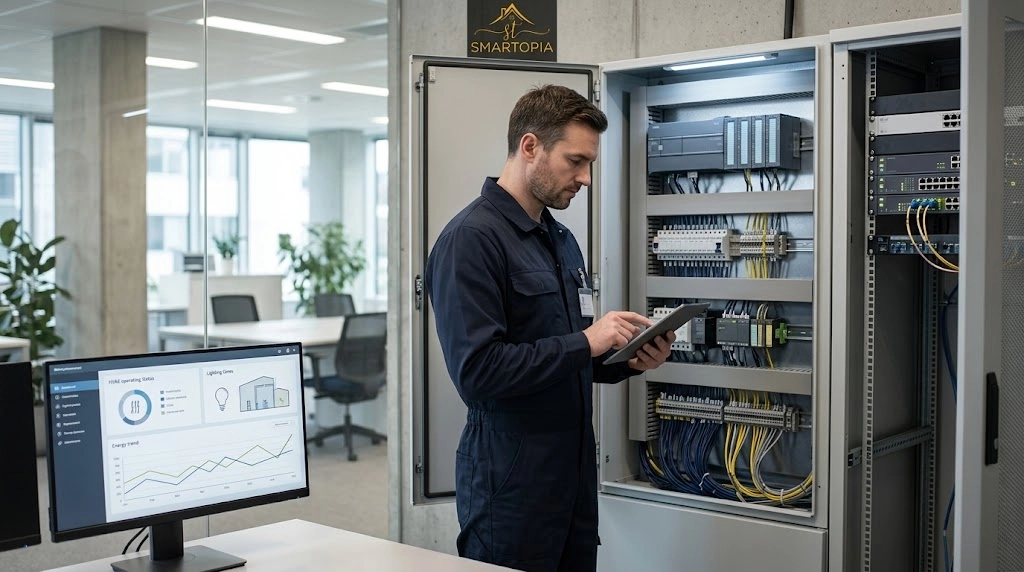
A smart building integrator is a company or specialist responsible for making selected building technologies work together as a coordinated system. That responsibility extends beyond connecting devices to a network. It includes deciding which information should be exchanged, what actions are permitted and how the completed integration will be operated and maintained.
For example, connecting a room sensor to a dashboard provides visibility. Using its readings to influence lighting or HVAC operation introduces control responsibilities. The integrator must establish the intended behaviour, coordinate it with the relevant equipment contractor and verify that it works within the approved limits.
A building management system, often called a BMS, may provide the supervisory interface. However, the BMS is one part of the solution. The integration work also involves controllers, communication interfaces, network infrastructure, software configuration and the people responsible for operating the building.
Before work begins, the scope should answer four practical questions:
- Which systems and equipment are included?
- Which information will be monitored, and which functions may be controlled?
- How will the team prove that each agreed function works?
- Who will own, operate and support the integration after handover?
Which Building Systems Can an Integrator Connect?
An integrator can connect systems that provide suitable, supported interfaces. The presence of a network port or a manufacturer’s “smart” label does not establish that the required integration is available. Compatibility must be checked against the actual equipment models, software versions, licences and intended functions.
| Building system | Possible integration | Important scope question |
|---|---|---|
| HVAC and equipment controls | Display temperatures, equipment states, schedules and faults; adjust approved operating parameters. | Which functions remain under the local equipment controller? |
| Lighting controls | Coordinate zones, occupancy responses, schedules and operator overrides. | How do local switches, schedules and automatic commands interact? |
| Energy and water meters | Collect readings and trends for operational review. | Are units, timestamps and meter assignments correctly defined? |
| Access control and security | Exchange selected events or status information through approved interfaces. | Which platform retains authority over security permissions? |
| Environmental and leak sensors | Display conditions and send agreed notifications. | Who receives each alert and is responsible for responding? |
| Meeting room and shared-space AV | Coordinate supported room modes, displays and scheduling information. | What happens when a booking changes or a user selects a manual override? |
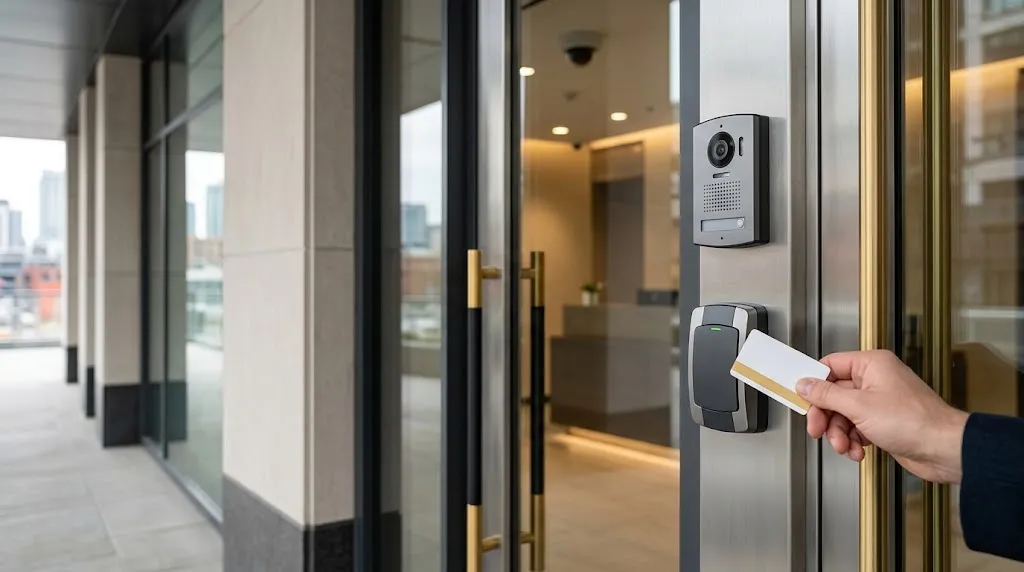
For security-related connections, understanding the underlying access control system helps define which events can be shared and which permissions must remain within the dedicated security platform.
Fire and life-safety interfaces require a separately defined scope and coordination with the relevant qualified professionals. Their behaviour should never be assumed from a general building automation proposal.
Energy monitoring also needs a clear purpose. A dashboard can help reveal operating patterns, but collecting data alone does not establish that energy use or costs will fall.
How Is an Integrator Different From an Equipment Installer?
An equipment installer typically focuses on installing, connecting and setting up a particular system or product. An integrator focuses on the agreed interactions between systems. One company may provide both services, but the responsibilities still need to be distinguished.
For example, an HVAC contractor may install an air-handling unit and confirm its mechanical operation. A controls contractor may configure its local controller. The integration scope may then involve making selected operating information available to a supervisory platform, coordinating schedules and verifying that commands produce the expected response.
These roles overlap at system boundaries. If a temperature appears incorrectly on a dashboard, the cause could be a sensor problem, a controller setting, a communication issue or an incorrect data mapping. A responsibility matrix helps identify who investigates each part.
The proposal should therefore name the party responsible for:
- Equipment installation and readiness.
- Control sequence design and approval.
- Network configuration and permitted communications.
- Interface availability, licences and vendor coordination.
- Integration programming and dashboard configuration.
- Functional testing, defect resolution and final acceptance.
An integrator does not automatically take over every contractor’s obligations. The contract should identify the integration lead and explain how issues involving multiple suppliers will be coordinated.
What Happens During the Building Assessment?
The assessment establishes what the building has, what its operators need and what could prevent the proposed systems from working together. It should begin with operational problems rather than a list of products.
Useful starting questions include: Which faults are difficult to investigate? Where are staff repeating manual adjustments? Which systems lack support? What information is missing during an incident? These questions help turn a broad request for a “smart building” into a practical scope.
The technical review can include:
- Equipment inventory: Manufacturers, model numbers, controllers, software versions and physical locations.
- Existing documentation: Drawings, network diagrams, operating sequences, point lists and previous commissioning records.
- Interface access: Supported protocols, available data, write permissions, vendor assistance and licensing requirements.
- Infrastructure condition: Cabling, network equipment, cabinet space, power arrangements and communication reliability.
- Operational constraints: Occupied areas, permitted shutdown periods, tenant access and maintenance schedules.
- Support arrangements: Current service providers, administrator access, backups and ownership of configuration files.
Assessment findings should distinguish confirmed capabilities from assumptions requiring further investigation. Where documentation is incomplete, a limited interface test may be appropriate before committing to a wider rollout.
The useful output is a scoped recommendation: what can be retained, what needs modification, what remains uncertain and which dependencies affect cost or scheduling.
How Are Networks, Controls and Security Planned Together?
Network planning determines how devices communicate. Controls planning defines what the equipment should do. Security planning establishes who and what may access those functions. These decisions need to be coordinated because a change in one area can affect the others.
For example, a remote support connection needs an approved route into the appropriate systems. It also needs defined permissions and a process for enabling, reviewing and removing access. Connecting all devices to a common network does not resolve those requirements.
NIST’s Guide to Operational Technology Security, SP 800-82 Revision 3 includes building automation within operational technology and addresses security alongside performance, reliability and safety. This is relevant because building controls affect physical equipment and operating conditions.
Project planning should establish network boundaries, permitted traffic, individual accounts, role-based permissions, controlled remote access and configuration backups. Updates and recovery procedures also need coordination with building operations.
Wireless connectivity may support selected devices, but it should be assessed against the application’s requirements. Existing building-wide Wi-Fi infrastructure does not automatically provide the coverage, separation or reliability needed for every control function.
A sequence of operation should also explain priorities. For an illustrative meeting room, an approved occupancy signal might influence lighting and HVAC requests. The written sequence should define delays, allowed setpoints, manual overrides and what happens when the occupancy signal is unavailable. An entry event alone should not be treated as reliable proof that a room remains occupied.
How Does Integration Work With Existing Equipment?
Existing equipment may be retained when its condition, interfaces and support arrangements suit the required functions. A retrofit does not always require replacement of the mechanical equipment, but it may require changes to controllers, gateways, software or network infrastructure.
Common approaches include:
- Native protocol integration: Compatible devices communicate through a supported building protocol.
- Gateway integration: An approved gateway translates selected information between interfaces.
- Software interface integration: A supported application programming interface, or API, exchanges permitted information between platforms.
- Selective replacement: Unsupported or unsuitable components are replaced while serviceable equipment remains.
BACnet International describes BACnet as a vendor-independent communications standard for building automation. However, sharing a protocol does not prove that two products expose every function a project requires. The integrator still needs to check supported data, commands, versions and device capabilities.
BTL certification provides evidence of independent product testing for compliance and interoperability against the applicable test package. Project-specific functions still need verification using the selected equipment and configuration.
For each proposed connection, ask whether it supports monitoring only or also permits control. Confirm data update rates, units, command limits and behaviour when communications fail. A gateway cannot create a capability that the underlying equipment does not support.
Where operational disruption is a concern, a phased approach can begin with a representative area or system. Expansion should follow confirmation of the required functions, documentation and operating arrangements.
What Testing Happens Before Handover?
Commissioning should demonstrate that the agreed integration works under defined conditions. A dashboard displaying live values is a useful starting point, but it does not prove that schedules, alarms, permissions and recovery behaviour are correct.
The test plan should link each requirement to an expected result and a recorded outcome. Depending on the scope, checks can include:
- Point verification: Confirm that displayed values and equipment states correspond to the correct physical devices.
- Command testing: Verify that permitted commands reach the intended equipment and respect approved limits.
- Sequence testing: Exercise operating modes, schedules, delays and override priorities.
- Alarm testing: Confirm triggers, messages, recipients, acknowledgement and return-to-normal behaviour.
- Trend verification: Check timestamps, units, recording intervals and retrieval of historical information.
- Permission testing: Confirm that each user role can perform only its approved actions.
- Recovery testing: Verify agreed behaviour following selected communication interruptions, restarts or restoration events.
Tests that could interrupt operations should be planned with the responsible contractors and building team. The method should establish how equipment will be returned to its approved operating state.
For example, an agreed test might demonstrate that a temperature alarm reaches the correct operator, identifies the affected zone and clears according to the configured rules. The record should capture the expected behaviour, actual result and any corrective work.
Outstanding defects should remain visible in a tracked list. Some checks may require seasonal conditions or later occupancy; these should have agreed completion criteria and responsible parties rather than being silently treated as complete.
What Documentation and Training Should the Owner Receive?
The owner should receive enough information to operate, support and modify the delivered integration within the agreed scope. Handover requirements belong in the proposal so that file formats, access rights and responsibilities are established before completion.
A practical handover package can include:
- As-built drawings: The installed system arrangement, equipment locations and relevant connections.
- Asset and interface schedules: Equipment identifiers, models, software versions and connected platforms.
- Network documentation: Relevant addressing, approved communication paths and responsible administrators.
- Point lists and mappings: Data names, units, source devices, permitted commands and alarm settings.
- Approved operating sequences: Schedules, control priorities, overrides and defined failure behaviour.
- Configuration backups: Available project files, databases and documented restoration instructions, subject to agreed licensing and ownership.
- Commissioning records: Test results, resolved defects and any outstanding items.
- Ownership and support details: Licence holders, renewal responsibilities, warranty contacts and escalation routes.
Administrator credentials should be transferred through an agreed secure method. The owner should understand which accounts, subscriptions and project files they control, and whether future changes require proprietary software or vendor assistance.
Training should use the building’s actual interface. Operators should practise reviewing alarms, changing permitted schedules, applying and clearing overrides, finding trends and reporting faults. Training can also explain which adjustments require a qualified contractor.
A signed attendance sheet records participation. Demonstrating routine tasks provides a more useful indication that the operating team can use the system.
When Does a Building Need Ongoing Integration Support?
Ongoing support becomes relevant when connected systems change, faults cross supplier boundaries or the operating team needs help maintaining configuration and performance. The level of support should reflect the building’s operational requirements and the capabilities of its internal team.
Typical triggers include:
- Equipment replacement or controller upgrades.
- Network changes that interrupt communication.
- Software updates or changes to a manufacturer’s API.
- Persistent alarms, missing data or unexplained scheduling behaviour.
- New tenants, revised operating hours or changed room uses.
- Staff turnover and requests for additional training.
- Expansion into additional areas or building systems.
The support agreement should distinguish fault investigation, software maintenance, remote monitoring, onsite attendance and improvement work. Availability, response targets, exclusions, access arrangements and third-party charges should be explicit. A warranty does not automatically include ongoing monitoring or unlimited changes.
Integration support also complements equipment maintenance. It does not replace mechanical servicing, electrical maintenance or the specialist support required by individual systems.
For a Toronto or GTA property, explore Smartopia’s building management systems and integration services to discuss the existing equipment, required functions and assessment scope for your project.
Frequently Asked Questions
Does a smart building integrator replace the electrical or HVAC contractor?
No. An integrator coordinates agreed interactions between building systems. Electrical and HVAC contractors remain responsible for their contracted installation, equipment and maintenance work. One company may provide several services, but the proposal should identify who is responsible for each task, interface and test.
Can systems from different manufacturers work together?
Often, where the selected products provide compatible, supported interfaces. Compatibility depends on the required functions, protocol implementation, software versions, permissions and licences. The integrator should verify the specific data and commands needed, then test the complete interaction. An open protocol label alone does not establish full compatibility.
Can an older building become a smart building?
Yes, many older buildings can be upgraded in stages. An assessment should establish which equipment can remain, which interfaces are available and where replacement is justified. The practical scope depends on equipment condition, documentation, software support, infrastructure and the disruption the building can accommodate.
Who maintains the system after installation?
Responsibility should be agreed before handover. The owner or facility team may manage routine operation, while an integrator supports configuration and interfaces, an IT provider supports the network, and specialist contractors maintain their equipment. The support agreement should define contacts, access, response arrangements and escalation responsibilities.

Comments are closed