
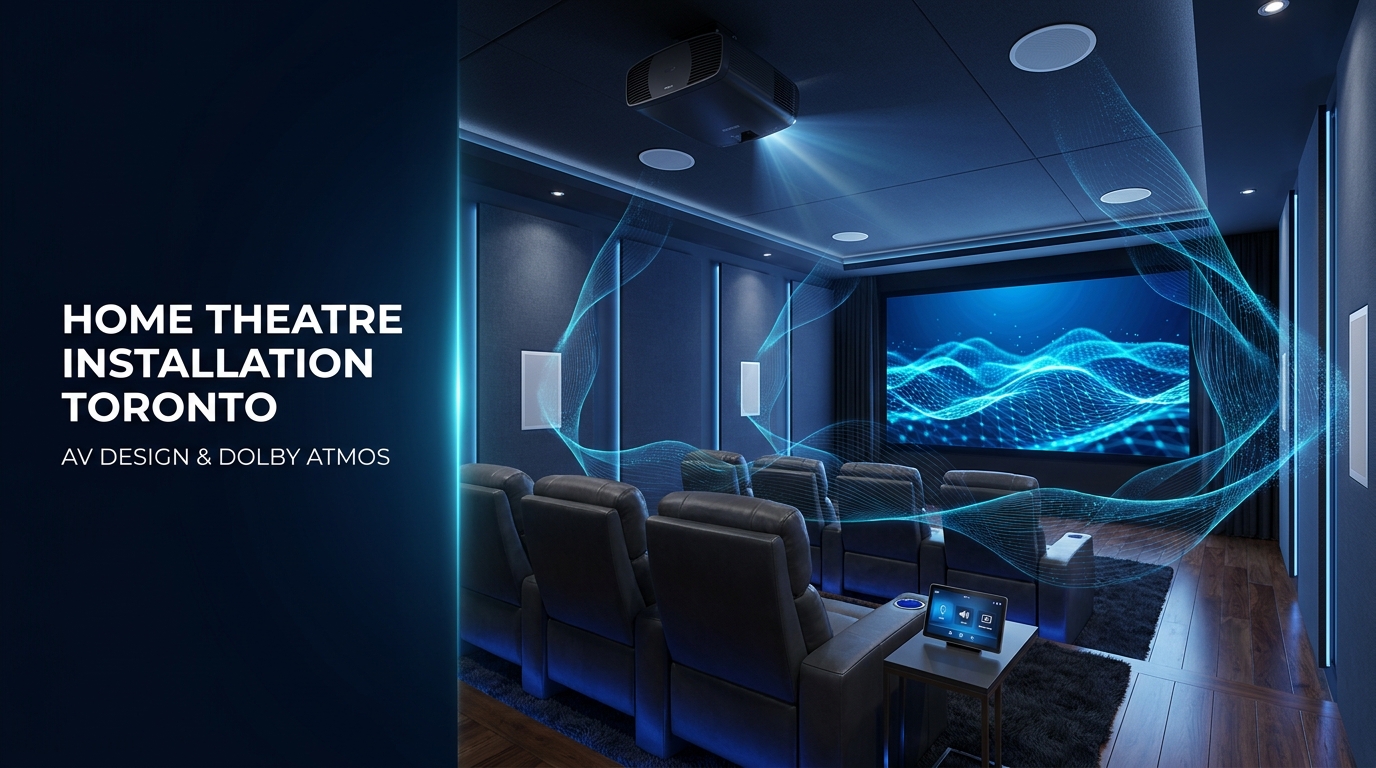
A great home theatre is not created by purchasing the largest television or the most speakers. The room, viewing distance, speaker positions, acoustics, wiring and system controls must work together. When these elements are planned correctly, movies, sports, gaming and music feel natural and immersive without making the system difficult to operate.
This guide explains what professional installation includes, how to choose between a large-screen TV and a projector, which surround-sound layout suits your room and what Toronto homeowners should consider before requesting a quote.
Pricing note: All prices in this guide are general planning estimates in Canadian dollars before applicable taxes. Actual costs depend on the room, equipment, installation conditions and required level of customization.
What Does Professional Home Theatre Installation Include?
Professional home theatre installation covers the complete process of designing, installing and configuring an audio-visual system for a specific room. The objective is to create balanced picture quality, clear dialogue, immersive sound and simple everyday control.
A complete installation may include:
- Initial consultation and room assessment.
- Screen-size and viewing-distance calculations.
- Large-screen television or projector selection.
- 5.1, 7.1 or Dolby Atmos speaker-layout design.
- Speaker, subwoofer and seating placement.
- In-wall and in-ceiling AV cabling.
- TV mounting or projector and screen installation.
- AV receiver, amplifier and source-device setup.
- Network and streaming-device configuration.
- Audio calibration and video settings.
- Remote control, mobile app or smart-home programming.
- Equipment testing and homeowner orientation.
Some projects involve a living room or basement that serves several purposes. Others require a dedicated cinema with controlled lighting, acoustic treatment, tiered seating and an equipment rack. The design process should reflect how the room will actually be used rather than following a fixed equipment package.
Toronto homeowners planning a broader connected-home project can explore Smartopia’s residential technology solutions in Toronto.
Why is professional AV design important?
AV equipment performs differently according to the room around it. A projector that looks excellent in a dark basement may struggle in a bright living room. Speakers that sound balanced in one space may produce excessive bass or unclear dialogue in another.
Professional design considers the room before recommending equipment. This helps avoid common problems such as:
- A screen that is too large or too small for the seating distance.
- Reflections or daylight reducing picture quality.
- Speakers blocked by furniture or installed at unsuitable heights.
- Poor dialogue clarity.
- Uneven bass across different seats.
- Visible cables and poorly positioned components.
- Insufficient power, ventilation or network connectivity.
- A complicated collection of remotes and mobile applications.
Room Assessment, Screen Size, Seating and Viewing Distance
A professional home theatre project should begin with an assessment of the room—not with an equipment list. The installer needs to understand the room dimensions, ceiling height, seating arrangement, ambient light, construction materials and available cable routes.
What is checked during a home theatre room assessment?
A detailed assessment may cover:
- Room width, length and ceiling height.
- Primary and secondary seating positions.
- Distance between the seats and display wall.
- Windows, doors and sources of ambient light.
- Wall, floor and ceiling materials.
- Existing speaker, HDMI and network wiring.
- Electrical outlets and dedicated circuit requirements.
- Possible projector and screen mounting locations.
- Space for an AV receiver, amplifier or equipment rack.
- Ventilation around heat-producing equipment.
- Wi-Fi and wired-network performance.
- Potential sound transfer to nearby bedrooms or neighbouring units.
How is the correct screen size selected?
The correct screen size depends on viewing distance, content, screen resolution and personal preference. A screen should create an immersive field of view without forcing viewers to move their heads excessively or notice image imperfections.
Common residential options include:
| Display size | Common application | Typical room type |
|---|---|---|
| 65–77 inches | Movies, sports, streaming and gaming | Condo or smaller living room |
| 83–98 inches | Large-format television experience | Basement or larger media room |
| 100–120 inches | Projector-based cinematic viewing | Controlled-light media room |
| 120–150+ inches | Highly immersive projection | Dedicated home theatre |
These are general categories rather than fixed recommendations. The installer should confirm sight lines, seating distance and room brightness before selecting the final screen.
How should home theatre seating be positioned?
The main seating position should be reasonably centred on the screen and audio system. Placing seats directly against the rear wall can make bass less consistent and reduce the effectiveness of rear surround speakers.
For multiple seating rows, the design may require:
- A raised rear platform for clear sight lines.
- Enough walking space between rows.
- Speaker positions that serve more than one row.
- Careful subwoofer placement for consistent bass.
- Independent lighting zones for steps and aisles.
Seating should be planned before in-wall speakers, ceiling speakers and electrical outlets are installed. Moving the seats later can change the intended audio geometry.
Large-Screen TV vs Projector for a Home Theatre
A large-screen TV is usually better for bright, multi-purpose rooms, while a projector is better for creating a very large cinematic image in a room where lighting can be controlled.
| Comparison | Large-screen TV | Projector and screen |
|---|---|---|
| Brightness | Strong performance in rooms with ambient light | Best in controlled or dark lighting |
| Screen size | Commonly 65–98 inches | Commonly 100–150+ inches |
| Contrast and HDR | Generally stronger, especially with premium displays | Depends heavily on projector, screen and room conditions |
| Installation | Usually simpler | Requires projection-distance, mounting and cable planning |
| Maintenance | Generally minimal | May require filter, lamp or projector maintenance |
| Cinematic scale | Excellent at larger sizes | Best option for a truly oversized image |
| Room use | Ideal for everyday mixed use | Ideal for dedicated or controlled-light rooms |
When should you choose a large-screen television?
A large-screen TV is often the practical choice when:
- The room receives significant daylight.
- The system will be used throughout the day.
- Gaming response and HDR brightness are priorities.
- The room has a low ceiling or limited projection distance.
- You want a straightforward, low-maintenance system.
- The room is also used as a normal living space.
Modern large-format televisions can provide excellent image quality without requiring blackout conditions. They can also simplify the system by eliminating the projector mount, projection path and separate screen.
When should you choose a projector?
A projector is usually the better option when:
- You want an image larger than most practical televisions.
- The room can be darkened effectively.
- The primary goal is a cinema-like experience.
- The seating distance suits a 100-inch or larger screen.
- The room allows suitable projector placement.
- There is space for concealed HDMI, power and control wiring.
The screen is an important part of a projection system. Screen material, gain, size and viewing angle should match the projector and room. An expensive projector paired with the wrong screen can still produce disappointing results.
What about an ultra-short-throw projector?
An ultra-short-throw projector sits close to the display wall and can produce a large image without a ceiling-mounted projector. It can be useful where long cable routes or ceiling mounting are difficult.
However, it still requires accurate alignment, a compatible screen and control of ambient light. The furniture below the screen must also provide enough space and stability for the projector.
5.1 vs 7.1 vs Dolby Atmos Surround Sound
The numbers in a surround-sound configuration describe the speaker channels and subwoofers. In a traditional system, the first number represents the main ear-level speakers and the second represents the subwoofer channel.
Dolby Atmos adds a third number representing overhead or height channels.
| Speaker layout | What it includes | Best suited to |
|---|---|---|
| 3.1 | Left, centre, right and one subwoofer | Smaller rooms focused on clearer dialogue |
| 5.1 | Five ear-level speakers and one subwoofer | Most living rooms and compact media rooms |
| 7.1 | Seven ear-level speakers and one subwoofer | Larger or longer rooms with space behind seating |
| 5.1.2 | 5.1 system plus two height speakers | Compact Dolby Atmos rooms |
| 5.1.4 | 5.1 system plus four height speakers | More precise overhead movement |
| 7.1.4 | Seven ear-level speakers, one subwoofer and four height speakers | Larger dedicated home theatres |
Is 5.1 surround sound enough?
A well-designed 5.1 system can provide an excellent experience in a small or medium-sized room. It includes front left and right speakers, a centre speaker, two surround speakers and a subwoofer.
The centre speaker is especially important because it reproduces much of the dialogue. Proper placement and calibration often improve the experience more than adding extra speakers to a poorly designed room.
When is 7.1 surround sound better?
A 7.1 system adds two rear surround channels. It works best when there is enough space behind the main seating position to separate side and rear effects.
In a compact room where the sofa is against the rear wall, 7.1 may not provide a meaningful advantage. The budget may be better allocated to improved speakers, acoustic treatment or a second subwoofer.
What does Dolby Atmos add?
Dolby Atmos introduces height information, allowing compatible sound effects to appear above and around the listener. This creates a three-dimensional sound field rather than limiting effects to a horizontal ring of speakers.
Common residential Dolby Atmos layouts include 5.1.2, 5.1.4 and 7.1.4. The correct configuration depends on:
- Room size and ceiling height.
- Seating location.
- Available wiring paths.
- AV receiver processing and amplification capacity.
- Whether speakers can be installed in or on the ceiling.
- The homeowner’s budget and performance priorities.
Up-firing Atmos speakers can reflect sound from a suitable ceiling, but correctly positioned in-ceiling or on-ceiling speakers normally provide more predictable results. Vaulted, highly absorbent or unusual ceilings require additional planning.
Speaker Placement, Acoustic Treatment and Audio Calibration
Premium speakers cannot compensate for poor placement. Professional installation positions each speaker according to the seating area, room geometry and intended audio format.
Front and centre speaker placement
The front left and right speakers should create a balanced soundstage around the screen. The centre speaker should be positioned close to the image so voices appear to come from the screen rather than above or below it.
In a projector-based theatre, an acoustically transparent screen may allow the centre and front speakers to sit behind the image. This can create a more cinema-like relationship between sound and picture.
Surround and height speaker placement
Surround speakers should support immersion without drawing unnecessary attention to individual speaker locations. Height channels must also be positioned relative to the seating area rather than installed wherever ceiling access happens to be easiest.
Speaker locations should be finalized before construction or renovation whenever possible. Pre-wiring provides cleaner results and normally costs less than opening and repairing finished walls later.
Why subwoofer placement matters
Low-frequency sound interacts strongly with room dimensions. A subwoofer may sound powerful in one seat and weak in another. Professional placement and calibration help produce more consistent bass across the main listening area.
Larger theatres may benefit from two or more subwoofers. Multiple subwoofers are not only about higher volume; they can also reduce bass variation between seats when designed and calibrated correctly.
Does every home theatre need acoustic treatment?
Not every room requires extensive acoustic construction, but most rooms benefit from controlling reflections and reverberation. Hard surfaces such as glass, tile and bare walls can make dialogue and music sound harsh or unclear.
Depending on the room, acoustic improvements may include:
- Absorption panels at key reflection points.
- Bass traps in suitable corners.
- Diffusion to preserve spaciousness.
- Carpet, curtains and upholstered seating.
- Acoustic wall or ceiling systems.
- Door sealing and sound-isolation measures.
Acoustic treatment improves sound inside the room. Sound isolation is a separate construction process intended to reduce sound transfer into or out of the theatre. Homeowners planning a basement cinema near bedrooms or neighbouring units should discuss both objectives early.
What happens during audio calibration?
Audio calibration balances speaker levels, distances, timing, crossover settings and room correction for the seating area. The process may combine measurements from the AV receiver with manual verification by the installer.
A complete calibration should confirm:
- Correct speaker polarity and channel assignment.
- Accurate distances and delay settings.
- Balanced channel levels.
- Appropriate crossover frequencies.
- Subwoofer phase and integration.
- Room-correction results.
- Clear dialogue at normal listening levels.
- Consistent performance across important seats.
Home Theatre Installation Cost in Toronto
Professional home theatre installation in Toronto commonly ranges from approximately $3,500 CAD for a well-designed media room to $30,000 CAD or more for a dedicated Dolby Atmos theatre. Premium custom cinemas involving construction, acoustic design and high-end equipment can cost significantly more.
| Home theatre level | Estimated project range | Typical scope |
|---|---|---|
| Essential media room | $3,500–$8,000 CAD | Large TV, 3.1 or 5.1 audio, concealed wiring and basic control |
| Enhanced home theatre | $8,000–$20,000 CAD | Premium display or projector, 5.1.2/5.1.4 Atmos, equipment rack and calibration |
| Dedicated Dolby Atmos theatre | $20,000–$50,000+ CAD | Large projection screen, 7.1.4 audio, acoustic treatment, lighting and automation |
| Luxury custom cinema | $50,000+ CAD | Custom construction, premium AV equipment, multiple seating rows and advanced control |
The quote should make it clear whether the price includes equipment, installation labour, wiring, mounts, programming, acoustic treatment and construction work.
What affects home theatre installation cost?
The main cost factors include:
- TV, projector and screen selection.
- Number and quality of speakers and subwoofers.
- AV receiver, amplifiers and processing channels.
- Dolby Atmos ceiling-speaker requirements.
- New construction, renovation or retrofit installation.
- Length and difficulty of cable routes.
- Equipment-rack and ventilation requirements.
- Acoustic treatment and sound isolation.
- Lighting, shades and home-automation integration.
- Seating, carpentry and interior finishes.
- Programming, calibration and ongoing support.
A detailed room assessment provides a more reliable budget than selecting a fixed package online because two rooms using similar equipment may require very different installation work.
How Long Does Home Theatre Installation Take?
A simple media-room installation can often be completed in one or two days. A standard surround-sound or Dolby Atmos project may take several days, while a dedicated cinema involving construction and acoustic treatment can require several weeks.
| Project type | Typical installation timeline |
|---|---|
| TV, soundbar and concealed wiring | Several hours to one day |
| 5.1 media-room installation | One to three days |
| Projector or Dolby Atmos installation | Two to five days |
| Dedicated custom home theatre | Several weeks, depending on construction |
The process may be divided into separate stages:
- Consultation and room assessment.
- System design and equipment selection.
- Pre-wiring or cable installation.
- Equipment mounting and connection.
- Programming and calibration.
- Final testing and homeowner handover.
If the property is under construction or renovation, AV planning should begin before drywall is installed. Early coordination makes it easier to conceal speaker cables, HDMI pathways, network connections and projector power.
Smart Home Integration for a Home Theatre
Yes, a home theatre can integrate with smart lighting, motorized shades, climate control, audio, security and home automation. A programmed “Movie” scene can prepare the room with one command instead of requiring several remotes and applications.
A home theatre automation scene may:
- Turn on the television or projector.
- Lower the projection screen.
- Select the correct AV receiver input.
- Set the preferred sound mode.
- Dim the main lights gradually.
- Close motorized shades.
- Adjust selected climate settings.
- Provide simple pause, intermission and shutdown commands.
The system can be controlled through a handheld remote, wall keypad, touchscreen, mobile application or voice assistant, depending on the selected platform.
Smartopia can coordinate the theatre with broader home automation in Toronto, helping reduce the number of separate controls needed for everyday use.
Why does the home network matter?
Modern theatres depend heavily on the home network for 4K streaming, control applications, music services, software updates and connected devices. Weak Wi-Fi or unreliable cabling can cause buffering, control delays and device-discovery problems.
Important AV devices should use wired network connections where practical. The system design may also include network switches, access points and structured cabling to support reliable performance.
Homeowners planning several connected rooms can review how to choose a scalable smart-home system before selecting isolated devices.
Can an Existing Room Be Converted into a Home Theatre?
Yes. A basement, living room, den, spare bedroom or loft can often be converted into a home theatre or multi-purpose media room. The project does not always require complete reconstruction.
A retrofit assessment should consider:
- Room dimensions and ceiling height.
- Available viewing distance.
- Window and lighting control.
- Existing electrical and network connections.
- Options for hiding speaker and HDMI cables.
- Ceiling access for Dolby Atmos speakers.
- Sound transfer to adjacent rooms.
- Ventilation for enclosed AV equipment.
Where opening walls is not practical, the installer may use carefully positioned surface pathways, architectural cable management, wireless audio in selected locations or a simplified speaker layout. The recommendation should balance appearance, performance and installation disruption.
Can an existing home theatre be upgraded gradually?
Yes. A phased plan may begin with wiring, the display and front speakers, followed by surround channels, subwoofers, Dolby Atmos speakers and automation later.
Future expansion is easier when the first phase includes:
- Extra speaker wiring.
- Accessible conduit for future HDMI or data cables.
- An AV receiver with sufficient processing channels.
- Space in the equipment rack.
- Network capacity for additional connected devices.
- Electrical and ventilation capacity for future equipment.
Smartopia’s guide to future-proofing a smart home provides additional planning considerations for systems designed to expand over time.
How to Compare Home Theatre Installation Quotes
Home theatre proposals should be compared by design, equipment, installation scope and support—not by the final price alone.
A clear quote should identify:
- Display or projector model.
- Screen size, material and type.
- Speaker and subwoofer models.
- AV receiver, amplifier and processing capacity.
- Mounts, brackets and equipment-rack components.
- Cabling and cable-management scope.
- Acoustic treatment, if included.
- Lighting or automation integration.
- Programming and calibration services.
- Construction and finishing responsibilities.
- Warranty and after-installation support.
Ask whether the proposal allows for future upgrades. A system that is less expensive today may become costly if the receiver, wiring or rack must be replaced to add Dolby Atmos or a new projector later.
Frequently Asked Questions About Home Theatre Installation in Toronto
Who provides home theatre installation in Toronto?
Smartopia provides residential technology and AV integration services in Toronto and the GTA. A home theatre project can include room assessment, system design, display installation, surround sound, concealed cabling, calibration and smart-home integration.
How much does professional home theatre installation cost?
A professionally installed media room may start at approximately $3,500 CAD. Enhanced systems commonly range from $8,000–$20,000, while dedicated Dolby Atmos theatres may cost $20,000–$50,000 or more. Equipment, room construction and acoustic requirements determine the final price.
Is a projector or large-screen TV better for a home theatre?
A large-screen TV is generally better for bright, multi-purpose rooms and everyday viewing. A projector is better when the homeowner wants a 100-inch or larger cinematic image in a room where lighting can be controlled.
Can an existing room be converted into a home theatre?
Yes. Living rooms, basements, dens and spare bedrooms can often be converted into media rooms or home theatres. The design must account for viewing distance, lighting, acoustics, wiring and speaker placement.
How long does home theatre installation take?
A simple media-room installation may take one day. A surround-sound or Dolby Atmos installation may require two to five days. A dedicated theatre involving construction, custom finishes and acoustic treatment can take several weeks.
Can a home theatre integrate with smart lighting and home automation?
Yes. Compatible systems can control the display, AV receiver, lighting, motorized shades and other connected features through one remote, application, keypad or automated scene.
Is 5.1 or 7.1 surround sound better?
5.1 is suitable for many small and medium-sized rooms. A 7.1 system can improve rear sound separation in a larger room with space behind the seating. The room layout is more important than selecting the configuration with the highest number.
Is Dolby Atmos worth installing?
Dolby Atmos is worthwhile for homeowners who want more immersive sound and have suitable ceiling height, speaker locations and AV equipment. A correctly installed 5.1.2 system can be more effective than a larger layout with poor speaker placement.
Does a home theatre need acoustic treatment?
Not every room requires extensive treatment, but controlling reflections can improve dialogue, detail and bass consistency. Dedicated cinemas usually benefit more from planned acoustic treatment than casual living-room systems.
Should home theatre wiring be installed before drywall?
Yes, whenever possible. Pre-wiring during construction or renovation makes it easier to conceal speaker, network, HDMI and control cables. It can also reduce retrofit labour and prepare the room for future upgrades.
Plan Your Home Theatre Installation in Toronto
A successful home theatre starts with the room and the user experience. Screen size, speaker configuration, seating, acoustics, wiring and controls should be designed as one connected system.
Smartopia helps Toronto and GTA homeowners plan reliable residential AV and automation solutions that are straightforward to use and capable of expanding as their needs change.
Contact Smartopia to request a home theatre consultation and customized installation quote.
About Smartopia: Smartopia provides AV, networking, security, automation and integrated technology solutions for residential and commercial properties in Toronto and the Greater Toronto Area. Learn more about Smartopia.
Last reviewed: September 2026. Prices are general planning estimates in Canadian dollars and do not represent a fixed quotation.
Comments are closed