

Smartopia supports Toronto and GTA organizations with business IT support, Microsoft 365 administration, network management, endpoint maintenance, cybersecurity coordination, backup planning, server-room infrastructure and multi-site technology support. The exact service scope is based on the organization’s users, devices, applications, business risks and operating requirements.
Reviewed by: Smartopia Technology Team
Last reviewed: September 2026
Who Provides Managed IT Services in Toronto?
Smartopia provides managed IT services for businesses in Toronto and the GTA that need structured user support, technology maintenance, network management, Microsoft 365 administration and cybersecurity coordination. Services can include both remote and on-site support according to the agreed coverage and response requirements.
A managed IT agreement should clearly define supported users, devices, applications, locations, working hours, cybersecurity services, backup responsibilities, response targets, exclusions and escalation procedures. The term “managed IT” alone does not guarantee that every technology service is included.
What Are Managed IT Services?
Managed IT services are an ongoing arrangement in which a managed service provider, or MSP, assumes defined responsibilities for supporting and maintaining an organization’s technology environment. The provider normally uses monitoring, ticketing, endpoint-management and documentation systems to deliver consistent support.
The objective is not simply to repair computers. A mature managed service model combines daily support with preventive maintenance, cybersecurity, documentation, lifecycle planning and measurable service delivery.
Depending on the agreement, managed IT services may cover:
- Remote and on-site help desk support
- User onboarding and offboarding
- Computer and endpoint management
- Operating-system and application patching
- Microsoft 365 administration and support
- Email, identity and account security
- Network, firewall and Wi-Fi monitoring
- Server and virtualization support
- Backup monitoring and recovery testing
- Endpoint protection and threat response
- IT asset inventory and lifecycle planning
- Vendor and internet-provider coordination
- Technology standards and documentation
- Strategic IT planning and budget guidance
Which Toronto Businesses Need Managed IT Services?
Managed IT services are suitable for organizations that depend on technology but do not want to build a complete internal IT department. They can also support businesses that already have internal IT staff but require additional tools, expertise, coverage or escalation capacity.
Small and Medium-Sized Businesses
Small and medium-sized businesses often need the same core protections as larger organizations but have fewer internal technical resources. Managed IT can provide a structured help desk, endpoint management, Microsoft 365 administration, backup oversight and cybersecurity controls under one service relationship.
Professional Services Firms
Legal, accounting, consulting, engineering and other professional firms depend on secure access to documents, email and business applications. Support should focus on identity protection, device security, backup, remote access and rapid resolution of user issues.
Healthcare and Regulated Organizations
Healthcare and regulated organizations may require stronger documentation, account controls, audit support and data-protection measures. A managed service provider can support technical safeguards, but the organization remains responsible for understanding its legal and regulatory obligations.
Construction, Property and Facility Organizations
Construction companies, property managers and facility teams may operate across offices, temporary sites and multiple buildings. They need reliable remote access, mobile-device management, cloud collaboration and coordinated network support.
Retail and Multi-Location Businesses
Retailers and multi-location organizations need consistent technology standards across every site. Centralized monitoring, documented network configurations, standardized equipment and vendor coordination can reduce differences between locations.
Organizations with Internal IT Staff
An internal IT team may use a co-managed provider for help desk coverage, security monitoring, projects, after-hours response or specialized cloud and network support. Responsibilities should be divided clearly so that incidents are not delayed by uncertainty about ownership.
What Does a Managed Service Provider in Toronto Handle?
A managed service provider handles the responsibilities specified in the managed IT agreement. The scope should be detailed enough that the business understands what is included, what requires separate approval and what remains the customer’s responsibility.
User and Identity Management
- Creation, modification and disabling of user accounts
- Microsoft 365 licence assignment
- Password reset and multi-factor authentication support
- Group, mailbox and shared-resource permissions
- Employee onboarding and offboarding procedures
- Review of dormant, shared and privileged accounts
Endpoint Management
- Computer inventory and device identification
- Operating-system health monitoring
- Patch and update management
- Endpoint protection monitoring
- Device encryption status where supported
- Remote troubleshooting and support
- Warranty and replacement planning
Network and Infrastructure Management
- Firewall, switch and wireless access-point monitoring
- Internet and site-connectivity troubleshooting
- Network configuration documentation
- Firmware and security update coordination
- VPN and secure remote-access support
- Capacity and replacement planning
Cloud and Application Support
- Microsoft 365 administration
- Email and collaboration support
- Cloud identity and access management
- Application-vendor escalation
- Licence and subscription tracking
- Service-health and configuration reviews
IT Strategy and Governance
- Technology roadmap development
- Hardware and software lifecycle planning
- IT budget recommendations
- Cybersecurity risk review
- Policy and procedure development support
- Quarterly or scheduled service reviews
IT Help Desk, Remote Support and On-Site Services
The help desk is the primary support channel for users experiencing technology problems. A structured help desk should record each request, assign a priority, document work performed and escalate unresolved incidents according to defined procedures.
Common Help Desk Requests
- Password and account-access problems
- Email and Microsoft Outlook issues
- Microsoft Teams and collaboration problems
- Computer performance and software errors
- Printer and peripheral support
- File, folder and permission requests
- VPN and remote-access problems
- Wi-Fi and network-connectivity issues
- New employee setup and departing-user removal
- Suspected phishing or cybersecurity incidents
Remote IT Support
Many software, account and configuration issues can be resolved remotely. Remote support should use approved tools, authenticated technician access and a documented method for obtaining user authorization where required.
On-Site IT Support
On-site support may be required for physical network faults, server-room work, hardware replacement, office moves and problems that cannot be resolved remotely. The managed agreement should state whether on-site visits are included, billed separately or limited to specific service areas.
Ticket Prioritization
Ticket priority should reflect business impact and urgency rather than only the order in which requests arrive. A complete business outage should not have the same response target as a minor request affecting one non-critical user.
Proactive Monitoring, Patching and Device Management
Managed IT support uses monitoring and management tools to identify device health, failed services, storage conditions, security alerts and missing updates. Monitoring can improve visibility, but it does not guarantee that every failure will be detected before users are affected.
Remote Monitoring and Management
Remote monitoring and management tools can collect device information, generate alerts and support approved maintenance tasks. The provider should configure meaningful thresholds so that technicians receive actionable alerts instead of large volumes of low-value notifications.
Patch Management
Patch management helps address known vulnerabilities and software defects. A mature process identifies supported devices, evaluates critical updates, defines deployment schedules, monitors failures and documents exceptions.
Critical security updates may require accelerated deployment, while updates affecting important business applications may need testing before broad installation. Unsupported operating systems and applications should be included in the technology replacement plan.
Asset Inventory
An accurate asset inventory connects devices with users, locations, warranty dates, operating systems and business ownership. Without this information, organizations may continue paying for unused licences or overlook unsupported equipment.
Lifecycle Management
Managed IT planning should identify devices approaching warranty expiration, software end of support or insufficient performance. Replacements can then be budgeted instead of being triggered only by emergency failure.
Microsoft 365 Support for Toronto Businesses
Microsoft 365 support extends beyond creating email accounts. The environment may include Exchange Online, Microsoft Teams, SharePoint, OneDrive, Entra ID, Intune and security features that require ongoing administration.
User and Licence Administration
A managed service provider can create users, assign appropriate licences, configure mailboxes and remove access when an employee leaves. The onboarding and offboarding process should be connected to an approved request from the business.
Microsoft 365 Identity Security
Identity security may include multi-factor authentication, Conditional Access, administrator-role separation, sign-in monitoring and removal of legacy or unnecessary access methods. Controls should be based on business risk and available Microsoft licensing.
Email Security
Email protection can include anti-phishing policies, anti-malware controls, domain-protection records, suspicious-message review and user reporting procedures. Technical controls should be supported by employee awareness because not every malicious message will be blocked automatically.
Teams, SharePoint and OneDrive
Microsoft Teams, SharePoint and OneDrive permissions should be designed around business ownership and approved collaboration requirements. Uncontrolled sharing and abandoned workspaces can expose information or make documents difficult to manage.
Microsoft 365 Service Health
Microsoft provides service-health information through the Microsoft 365 admin centre. The MSP should distinguish between a Microsoft service incident, a local network problem and a customer-specific configuration issue before making changes.
Microsoft 365 Backup
Cloud availability and data backup are separate considerations. Businesses should define their retention and recovery requirements and confirm whether the managed service includes a separate Microsoft 365 backup solution.
Managed Cybersecurity for Toronto Businesses
Cybersecurity should be treated as an ongoing risk-management process rather than a single antivirus product. A managed service provider can operate technical controls and provide recommendations, but business leadership remains responsible for risk decisions, policies and resource allocation.
The Canadian Centre for Cyber Security recommends foundational measures such as incident-response planning, patching, strong authentication, backup and encryption. A managed IT program should translate these principles into documented operational controls.
Identity and Access Security
- Multi-factor authentication
- Role-based permissions
- Separate administrator accounts
- Removal of unused and departed-user accounts
- Sign-in and privilege monitoring
- Secure password and credential management
Endpoint Security
- Anti-malware or endpoint detection and response
- Device encryption
- Operating-system and application patching
- Application-control policies where appropriate
- USB and removable-media controls where required
- Isolation and escalation procedures for compromised devices
Network Security
- Managed firewalls and secure configurations
- Network segmentation
- Protected remote access
- Wireless network security
- Firmware and configuration management
- Monitoring and retention of relevant security logs
Email and Phishing Protection
Email protection should combine technical filtering, domain security, user reporting and response procedures. If an employee reports a suspicious message, the support team should have a process for reviewing the message, checking affected accounts and containing confirmed compromise.
Security Awareness
Employees should understand how to identify suspicious links, payment requests, unexpected multi-factor prompts and attempts to obtain credentials. Awareness training should be repeated and updated rather than treated as a one-time onboarding activity.
Incident Response
The managed agreement should explain which security events the provider monitors, who is contacted, which containment actions may be taken without additional approval and when a specialist incident-response provider is required.
MSP vs MSSP
An MSP manages broad technology operations, while a managed security service provider focuses more deeply on security monitoring and response. Businesses should not assume that a general managed IT agreement includes a full security operations centre, continuous threat hunting, forensic investigation or regulatory breach support.
Backup, Disaster Recovery and Business Continuity
Backup creates recoverable copies of information, while disaster recovery defines how systems and data will be restored after a significant failure. Business continuity is broader and addresses how critical operations continue while technology, facilities or suppliers are disrupted.
Backup Requirements
A backup plan should define which systems are protected, how often backups run, where copies are stored, how long they are retained and who monitors failures. Important backups should be protected from the same accounts and systems that could be compromised by ransomware.
Offline or Isolated Backups
The Canadian Centre for Cyber Security recommends maintaining offline backups that ransomware cannot locate and delete through the organization’s normal network. Backup design should also include multiple copies and regular testing.
Recovery Point Objective
The recovery point objective, or RPO, defines the maximum acceptable period of data loss. If the RPO is four hours, the backup process must be capable of restoring data to a point no more than approximately four hours before the disruption.
Recovery Time Objective
The recovery time objective, or RTO, defines the target time for restoring an important service. Different systems may require different targets depending on their impact on business operations.
Recovery Testing
A successful backup notification does not prove that the business can recover. Recovery tests should confirm that selected files, applications or systems can be restored and that responsible staff understand the recovery procedure.
Disaster-Recovery Documentation
Recovery documentation should identify system priorities, dependencies, contacts, credentials, backup locations, restoration steps and decision-making authority. Copies of critical recovery information should remain available when the primary systems are offline.
Server Rooms, Enterprise Networks and Multi-Site IT Support
Business Network Management
Network management can include firewalls, switches, wireless access points, internet connections, VPNs and connections between business locations. Configuration changes should be documented and backed up where supported.
Learn more about Smartopia’s building-wide networking and enterprise Wi-Fi solutions.
Structured Network Infrastructure
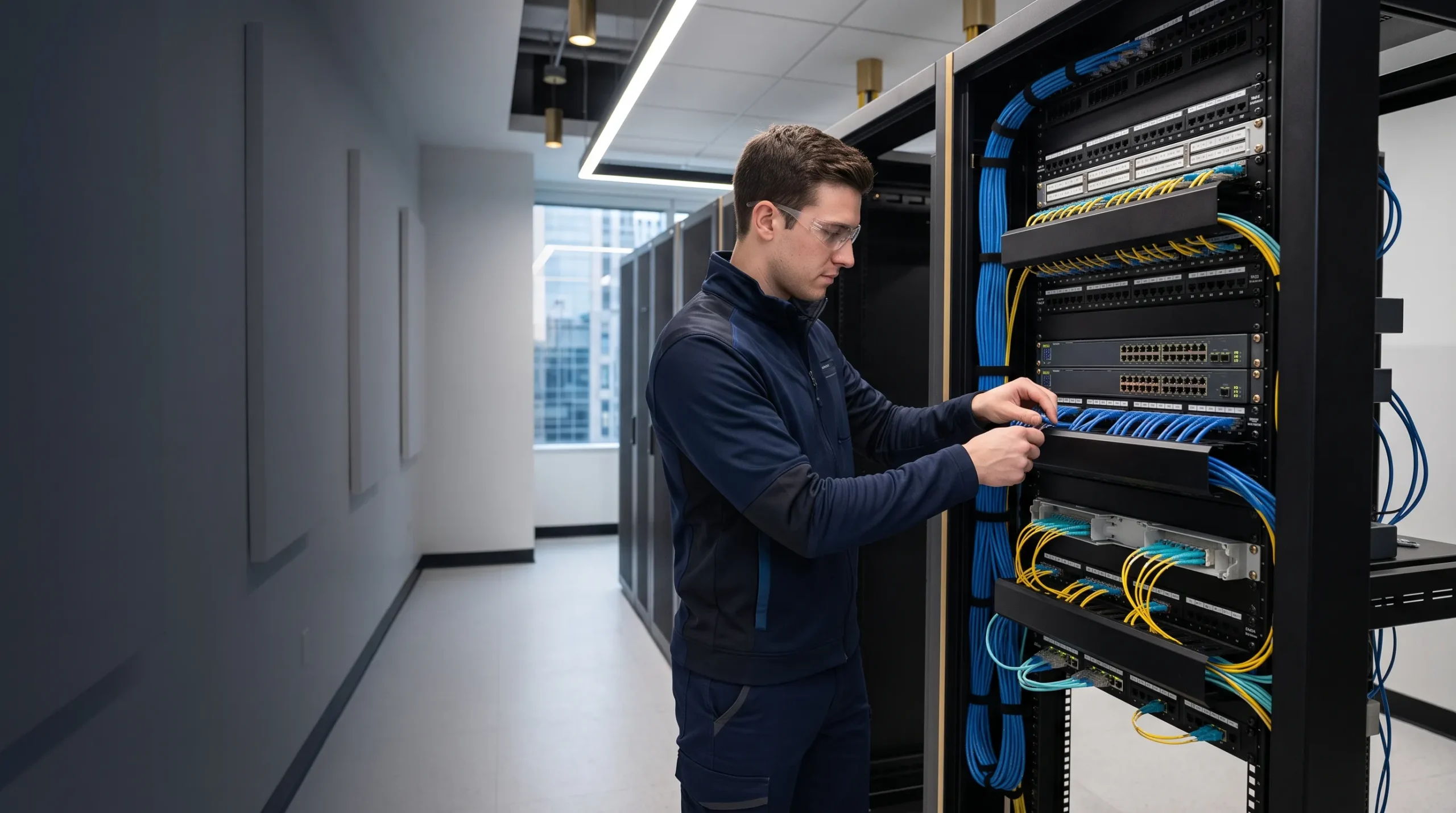
Reliable IT services depend on suitable network cabling, organized patch panels and documented telecommunications rooms. Persistent connectivity problems cannot always be corrected through software if the physical cabling is damaged, uncertified or poorly organized.
Server and Virtualization Support
Server support may include hardware monitoring, operating-system updates, storage management, virtualization, backup coordination and capacity planning. The agreement should identify which applications and database services are covered and which require vendor support.
Server-Room Monitoring
Server rooms may require monitoring for temperature, power, UPS status, connectivity and unauthorized access. Alert ownership and escalation procedures should be documented so that environmental or power problems receive an appropriate response.
Multi-Site IT Support
Multi-site businesses benefit from standardized equipment, naming conventions, security policies and documentation. A centralized help desk can coordinate support while local procedures address physical issues that require an on-site response.
Connected Building Systems
Modern properties may contain IP-based cameras, access control, building automation and AV systems. These systems should be documented and segmented appropriately rather than connected to an unrestricted business network.
Explore Smartopia’s security camera installation, access control systems and building management systems.
Managed IT Services vs Break-Fix IT Support
| Consideration | Managed IT Services | Break-Fix Support |
|---|---|---|
| Service model | Ongoing support under a defined agreement | Support requested when a specific problem occurs |
| Monitoring | May include continuous device and service monitoring | Normally begins after the customer identifies a problem |
| Maintenance | Includes defined preventive and recurring tasks | Usually focused on the immediate repair |
| Pricing | Commonly fixed monthly or per-user pricing | Usually hourly, project-based or per incident |
| Documentation | Maintained as part of the ongoing relationship | May be limited to the individual service call |
| Technology planning | May include lifecycle and budget planning | Usually handled as a separate project |
| Best fit | Organizations that depend on consistent IT availability | Organizations with limited technology and infrequent support needs |
Break-fix support can be appropriate for simple environments with limited support requirements. Managed IT is usually more suitable when the organization depends on Microsoft 365, remote work, cloud applications, servers, multiple locations or regulated information.
Fully Managed IT vs Co-Managed IT
Fully Managed IT
Under a fully managed arrangement, the MSP assumes most day-to-day IT responsibilities defined in the contract. This can include help desk, endpoint management, Microsoft 365 administration, network support, security controls and technology planning.
Co-Managed IT
Co-managed IT supports an existing internal IT team. The provider may supply tools, monitoring, help desk coverage, cybersecurity services, project capacity or escalation expertise while internal staff retain selected responsibilities.
Project-Based IT Services
Some work falls outside recurring managed support and should be quoted as a separate project. Examples may include office relocations, major cloud migrations, network replacements, server upgrades and large application deployments.
Managed Security Services
Managed security services may include more specialized monitoring, detection, investigation and incident response. Organizations should confirm whether security coverage operates during business hours or continuously and which events generate human investigation.
What Should a Managed IT Service-Level Agreement Include?
A service-level agreement, or SLA, defines how managed support will be delivered and measured. It should distinguish response time from resolution time because the provider may respond quickly while final resolution depends on hardware availability, a software vendor or customer approval.
A clear managed IT agreement should identify:
- Supported users, devices, locations and systems
- Help desk operating hours
- Remote and on-site service coverage
- Ticket priority definitions
- Target response and escalation times
- Maintenance and patching responsibilities
- Cybersecurity tools and monitored alerts
- Backup monitoring and recovery responsibilities
- Included and excluded projects
- Third-party vendor coordination
- After-hours and emergency support terms
- Reporting and service-review frequency
- Customer responsibilities and approval requirements
- Contract term, renewal and termination conditions
- Data return, documentation and transition assistance
Response Time vs Resolution Time
Response time measures how quickly the provider acknowledges and begins handling a request. Resolution time measures when service is restored or the request is completed. Resolution targets should account for incident complexity and dependencies outside the provider’s control.
Priority Definitions
A critical ticket may involve a complete business outage, active security incident or unavailable system affecting many users. A low-priority ticket may involve a routine request or minor issue with a practical workaround.
Escalation Process
The SLA should explain when a ticket moves to a senior technician, account manager, vendor or cybersecurity specialist. Customers should also know how to escalate an urgent issue when normal communication is not sufficient.
How Much Do Managed IT Services Cost per Month?
Managed IT pricing in Toronto varies according to user count, device quantity, service hours, cybersecurity requirements, locations, cloud services and the complexity of the environment. Public prices from different providers should not be compared until the included services and exclusions are understood.
Per-User Pricing
Per-user pricing assigns a monthly fee to each supported person. It can simplify budgeting when employees use multiple devices, but the agreement should define which devices, applications and support requests are included.
Per-Device Pricing
Per-device pricing applies different fees to computers, servers, network devices or other managed assets. It can provide detail but may become difficult to predict when the environment changes frequently.
Fixed Monthly Pricing
A fixed monthly agreement covers a defined environment and service scope. Changes in users, locations, devices or support requirements may result in a pricing review.
Tiered Service Plans
Tiered plans may offer different levels of support, security and service availability. Businesses should compare the actual deliverables instead of selecting a plan by names such as basic, advanced or premium.
Common Additional Charges
- After-hours work outside the agreement
- Major migrations and infrastructure projects
- New hardware and software licences
- Cloud subscriptions and backup storage
- On-site visits not included in the plan
- Cybersecurity investigations and forensic response
- Office moves and new-location deployments
- Third-party professional services
An accurate managed IT proposal normally requires a discovery process and technical assessment. Pricing should be reviewed together with service coverage, security tools, response targets and transition obligations.
Managed IT Services Onboarding Process
Onboarding transfers operational knowledge and support responsibility to the managed service provider. It should be treated as a structured project rather than only installing remote-support software.
- Business discovery: Identify users, locations, operating hours, critical applications, business risks and support expectations.
- Technical assessment: Review devices, accounts, Microsoft 365, networks, servers, applications, backups and security controls.
- Asset inventory: Document supported computers, servers, network devices, licences, warranties and assigned users.
- Risk review: Identify unsupported systems, missing backups, weak authentication, administrative-access problems and single points of failure.
- Tool deployment: Install approved monitoring, management, endpoint-security and backup tools included in the agreement.
- Documentation: Record network configurations, vendors, systems, contacts, procedures and escalation paths.
- Remediation plan: Prioritize urgent security and reliability problems separately from longer-term improvements.
- User communication: Explain how employees request support, identify technicians and report suspected security incidents.
- Service activation: Begin support under the agreed SLA after responsibilities and coverage have been confirmed.
- Initial service review: Review onboarding findings, outstanding risks, technology priorities and the first improvement roadmap.
Managed IT Reporting and Performance Metrics
Managed IT reports should help business leaders understand reliability, risk and improvement priorities. A large ticket count alone does not prove that support is effective because repeated tickets may indicate an unresolved root cause.
Useful service indicators may include:
- Ticket volume by category and location
- First-response performance
- Time to restore critical services
- Repeated incidents and recurring root causes
- Patch and endpoint compliance
- Backup success and recovery-test results
- Endpoint-security alerts and incident outcomes
- Unsupported devices and software
- Microsoft 365 licence utilization
- Device warranty and replacement status
- Project progress and unresolved risks
Reports should lead to decisions. Service reviews can use this information to prioritize replacements, security improvements, training and process changes.
Shared Responsibility in Managed IT
Outsourcing IT does not transfer every business and security responsibility to the provider. The customer must still approve access, identify critical systems, notify the MSP about employee changes, maintain appropriate policies and make risk decisions.
The managed service provider should protect its own administrative accounts, remote-management tools and documentation because an MSP can hold privileged access to multiple customer systems. Customers should ask how technician access is authenticated, restricted, monitored and removed.
Responsibilities should be documented for:
- User and administrator approvals
- Data classification and retention
- Microsoft 365 and cloud configurations
- Backup coverage and recovery testing
- Cybersecurity monitoring and incident response
- Third-party applications and vendors
- Business continuity and emergency decisions
- Legal, privacy and regulatory requirements
How to Choose a Managed Service Provider in Toronto
Businesses should compare managed service providers using documented service capabilities rather than marketing statements such as unlimited support or complete security. Ask each provider the following questions:
- Which users, devices, systems and locations are included?
- What are the help desk hours and priority response targets?
- Is on-site support included or billed separately?
- Which monitoring and endpoint-security tools are used?
- Who reviews security alerts and during which hours?
- How are Microsoft 365 administrator accounts protected?
- How are patches tested, deployed and reported?
- Which systems and cloud services are backed up?
- How frequently are recovery tests completed?
- What happens during a ransomware or account-compromise incident?
- Which services require an additional project quote?
- How are technician activities and configuration changes recorded?
- Will the customer receive current network and system documentation?
- How will data, credentials and documentation be returned when the contract ends?
- Is transition assistance available when changing providers?
Smartopia evaluates support, cybersecurity, networking and connected-building requirements together to create an IT service plan aligned with the customer’s operational environment.
Learn more about Smartopia’s technology integration approach.
Managed IT Services Toronto FAQs
Who provides managed IT services in Toronto?
Smartopia provides managed IT services for businesses in Toronto and the GTA, including help desk support, Microsoft 365 administration, endpoint management, network support, cybersecurity coordination, backup planning and technology lifecycle management.
How much do managed IT services cost per month?
Monthly cost depends on the number of users and devices, service hours, cybersecurity tools, cloud services, locations and infrastructure complexity. A technical assessment is required to produce an accurate quotation and define what is included.
What is included in a managed IT support agreement?
A managed agreement may include help desk support, monitoring, patching, Microsoft 365 administration, endpoint security, network management, backup monitoring and technology planning. The signed agreement should identify the exact inclusions and exclusions.
What is the difference between managed IT and break-fix support?
Managed IT provides ongoing monitoring, maintenance and support under a recurring agreement. Break-fix support is normally requested and billed when a particular failure or project occurs.
Do managed IT providers offer remote and on-site support?
Many providers offer both. Remote support handles software, account and configuration problems, while on-site support addresses physical infrastructure and issues that cannot be resolved remotely. Coverage depends on the service agreement.
Are managed IT services suitable for small businesses?
Yes. Managed IT can give small businesses access to structured support, security tools and technical expertise without employing a complete internal IT department. The scope should be proportional to the organization’s actual risks and requirements.
Can an MSP manage Microsoft 365?
Yes. Microsoft 365 support may include user accounts, licences, Exchange Online, Teams, SharePoint, OneDrive, identity security and service-health review. Available controls depend partly on the organization’s Microsoft licences.
Does Microsoft 365 include complete data backup?
Microsoft provides service availability and retention capabilities, but businesses should evaluate whether these satisfy their recovery requirements. A separate Microsoft 365 backup service may be appropriate for longer retention or independent recovery.
Does managed IT include cybersecurity?
Managed IT usually includes defined security tools and maintenance, but it may not include continuous security-operations-centre monitoring, forensic investigation or complete incident response. These responsibilities must be confirmed in the agreement.
Can managed IT prevent every cyberattack?
No provider can guarantee that every cyberattack or outage will be prevented. Managed security controls can reduce risk, improve detection and support faster response when correctly implemented and maintained.
How quickly will an MSP respond to support requests?
Response time depends on ticket priority and the signed SLA. Critical outages should have faster targets than routine requests. Businesses should distinguish response time from final resolution time.
How long does managed IT onboarding take?
Onboarding duration depends on the number of users, devices, locations and existing documentation. Complex environments require more time to inventory systems, deploy tools, correct urgent risks and transfer support responsibility safely.
Can a business keep its internal IT employee?
Yes. Co-managed IT allows internal employees and the external provider to share responsibilities. The division of work, system access and escalation procedures should be documented clearly.
What happens when a managed IT contract ends?
The exit process should include removal of provider access, return of customer credentials and documentation, export of relevant configuration information and coordination with the incoming provider. These obligations should be included in the contract.
Authoritative Managed IT and Cybersecurity Resources
- Canadian Centre for Cyber Security: Baseline Cyber Security Controls
- Canadian Centre for Cyber Security: Top Measures for Small and Medium Organizations
- Canadian Centre for Cyber Security: Ransomware Playbook
- Canadian Centre for Cyber Security: Developing an IT Recovery Plan
- National Institute of Standards and Technology: Cybersecurity Framework 2.0
- Microsoft: Microsoft 365 Admin Center Overview
- Microsoft: Microsoft 365 Service Health
Plan Your Managed IT Services in Toronto
Discuss your users, devices, Microsoft 365 environment, networks, cybersecurity risks, backups and support requirements with Smartopia. A structured assessment can define the appropriate service scope, onboarding priorities, support coverage and technology roadmap.

Comments are closed