
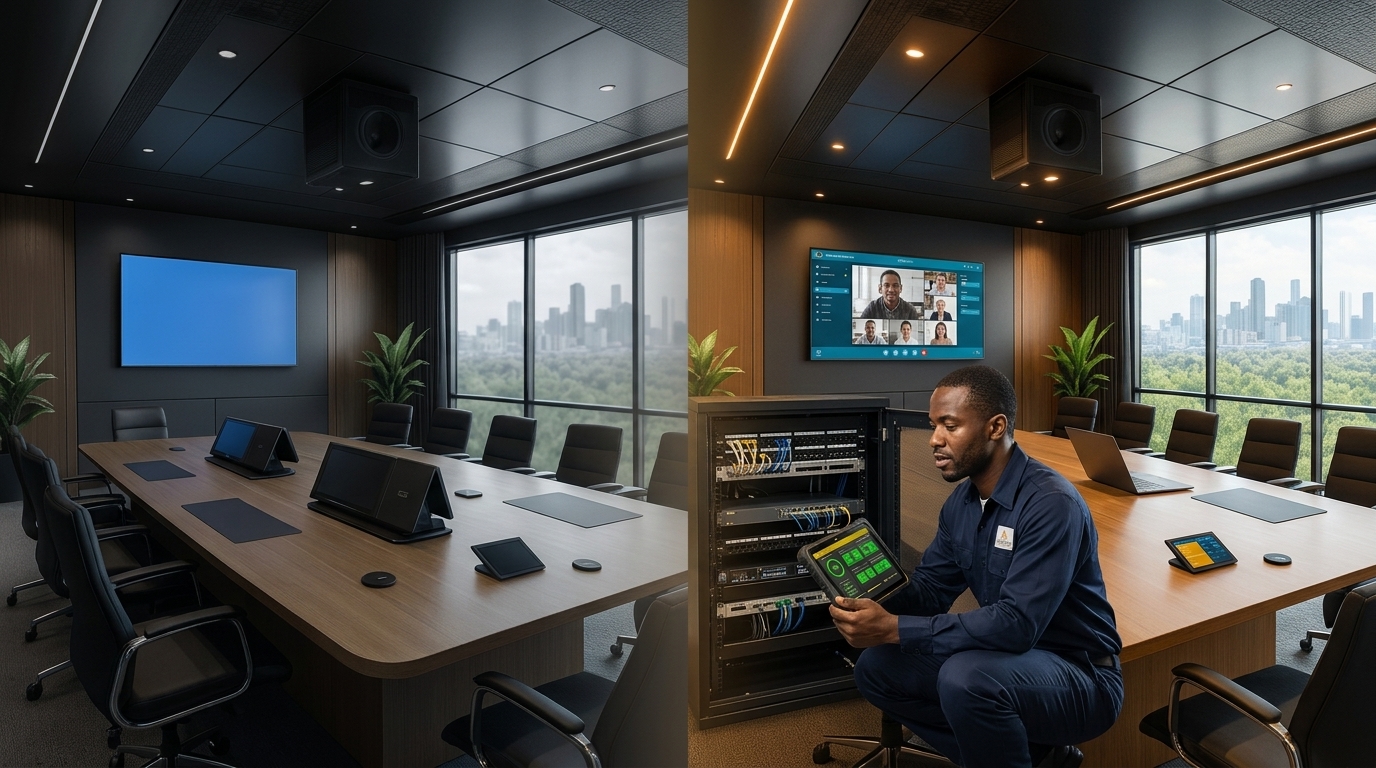
Managed AV Support and Maintenance Service Plans for Ontario Businesses
Managed AV support keeps commercial audio visual systems usable after installation through defined troubleshooting, maintenance, documentation, escalation, and lifecycle planning. An AV project may end at commissioning, but meeting rooms, video conferencing systems, digital signage, control systems, and networked AV devices continue to change throughout their operating life.
The right support model is not a vague promise that technology will never fail. It is a written plan that explains what is covered, how incidents are prioritized, when remote or on-site assistance is available, who owns each responsibility, and how recurring problems will be addressed. This guide explains what Toronto, GTA, and Ontario organizations should include in a commercial AV maintenance and support plan.
What Is the Difference Between an AV Project and Managed AV Support?
An AV project has a defined delivery scope: assess the space, design the system, install and configure the approved equipment, test the solution, train users, and complete handover. Managed AV support begins with that handover and provides an agreed process for keeping the system operational, supportable, and aligned with changing business requirements.
| Area | AV project | Ongoing AV service |
|---|---|---|
| Primary objective | Deliver and commission the approved system | Maintain usability, supportability, and defined service levels |
| Timeframe | Fixed implementation schedule | Agreed support term or on-call arrangement |
| Typical work | Design, installation, programming, testing, and handover | Troubleshooting, maintenance, updates, documentation, and lifecycle planning |
| Success measure | System meets the approved acceptance criteria | Incidents are managed consistently and recurring risks are reduced |
| Commercial basis | Project scope and change orders | Service plan, support agreement, or time-and-materials support |
Organizations planning a new room should establish the support model during design rather than waiting for the first failure. Smartopia’s corporate audio visual solutions page explains how assessment, network planning, commissioning, documentation, and lifecycle support connect within a conference room project.
What Are the Hidden Costs of Treating AV Support as a One-Time Project?
The cost of an AV incident is not limited to a replacement cable or service visit. A room failure can consume employee time, delay a client meeting, require an alternate space, interrupt training, or pull IT staff away from other priorities. Repeated minor issues can also reduce confidence in the room until employees stop using features the organization paid to install.
Lost Meeting and Support Time
When users do not know how to report a problem or perform an approved recovery step, several people may repeat the same troubleshooting. A defined support contact, room identifier, and basic incident information can shorten diagnosis and prevent unnecessary escalation.
Recurring Problems Without Root-Cause Review
Restarting a device may restore a meeting, but it does not explain why the problem occurred. Repeated failures can result from damaged cabling, unsupported firmware, expiring licences, account permissions, network changes, overheating, inconsistent configurations, or user-workflow issues. Service records make patterns visible and help distinguish isolated incidents from systemic problems.
Incomplete Documentation
Support becomes slower when equipment lists, network details, configuration files, warranties, licence ownership, administrator contacts, and signal-flow information are missing. Documentation should be created during the project and updated when the system changes.
Unplanned End-of-Life Replacement
Displays, computers, cameras, control processors, network switches, software platforms, and subscriptions do not share one lifecycle. Without periodic review, an organization may discover an unsupported product only after a failure or platform update.
What Should a Managed AV Support Plan Include?
A useful AV support plan defines responsibilities and expectations in writing. The exact coverage should reflect the number of rooms, business hours, system complexity, user impact, site locations, internal IT capacity, and budget.
- Supported rooms, devices, software, and integrations
- Coverage hours and approved support channels
- Incident priority definitions and response objectives
- Remote troubleshooting and secure-access requirements
- Conditions for on-site dispatch
- Preventive maintenance schedule and included tasks
- Monitoring scope, alert ownership, and escalation process
- Manufacturer warranty and third-party escalation responsibilities
- Firmware, software, certificate, and licence-management responsibilities
- Configuration backups, documentation updates, and change records
- Replacement parts, loan equipment, and spare-device arrangements
- Client responsibilities, exclusions, and chargeable work
- Service reporting and periodic review meetings
How Should AV Incidents Be Prioritized?
Priority should be based on business impact, not only on who reports the issue first. The following model is an example; the final definitions and response objectives must be stated in the support agreement.
| Example priority | Typical impact | Possible response approach |
|---|---|---|
| Critical | A business-critical room or multi-room service is unavailable with no practical workaround | Immediate triage within the contracted coverage window and escalation according to the service plan |
| High | Core meeting functions are impaired, but a limited workaround or alternate room exists | Priority diagnosis, documented workaround, and scheduled corrective action |
| Normal | A non-critical function, single input, or secondary feature is affected | Remote review or planned service during the agreed support period |
| Request | Training, configuration change, new feature, or expansion request | Scope review and separate approval when the request is outside maintenance coverage |
Terms such as “always-on,” “unlimited,” or “immediate” are not meaningful unless the agreement defines coverage hours, response targets, exclusions, geographic availability, and dependencies on manufacturers or replacement parts.
How Do Preventive AV Maintenance and Monitoring Reduce Risk?
Preventive AV maintenance is planned work intended to identify deterioration, configuration drift, unsupported components, and operational issues before they cause a larger disruption. It cannot eliminate every failure, but it can improve visibility and help teams address predictable risks.
Typical Preventive Maintenance Tasks
- Inspect displays, mounts, cameras, microphones, speakers, touch panels, racks, and visible cabling
- Test conferencing, content sharing, audio pickup, playback, camera framing, and room controls
- Review ventilation, equipment temperature, power protection, and physical service access
- Confirm device connectivity, time settings, certificates, accounts, and platform registration
- Review supported firmware and software before approving updates
- Verify configuration backups and record approved changes
- Check licence, subscription, warranty, and manufacturer-support dates
- Update device inventories, room records, labels, and known-issue notes
- Review recurring service incidents and recommended corrective actions
What Can AV Monitoring Detect?
Where the selected products, network, security policy, and support scope permit it, monitoring may show device reachability, service state, room status, connection errors, temperature, or other platform-specific health information. Monitoring can help identify symptoms, but an alert does not automatically diagnose the cause or guarantee remote resolution.
Alert ownership must also be clear. A monitoring platform adds little value if no one is assigned to review alerts, classify incidents, contact users, and escalate unresolved problems.
Recognized AV standards can help project teams define consistent processes and performance requirements. AVIXA’s professional AV standards provide industry-recognized practices focused on system performance, reliability, and project outcomes.
When Does an AV Issue Need Remote Support or an On-Site Visit?
Remote support is often the fastest first step when secure access and suitable management tools are already configured. An on-site visit is appropriate when the issue involves physical equipment, cabling, mounting, room conditions, replacement parts, or a fault that cannot be isolated remotely.
Issues Often Suitable for Remote Triage
- Confirming whether a device or service is online
- Reviewing room or platform status
- Checking approved configuration settings
- Restarting supported devices through an approved process
- Reviewing account, scheduling, or licence-related symptoms
- Guiding an on-site contact through basic checks
Issues That May Require On-Site Service
- Damaged or disconnected cabling
- Failed displays, microphones, speakers, cameras, controllers, or power supplies
- Intermittent faults that require measurement or physical inspection
- Equipment overheating, rack, power, or ventilation problems
- Replacement, re-termination, re-aiming, or calibration work
- Room acoustics, lighting, mounting, or user-environment issues
On-site availability and response timing should be confirmed for each location. Smartopia is based in Mississauga and provides technical integration and support across Toronto, the GTA, and Ontario, with service availability and response planning based on the location, technical scope, and support agreement. Learn more about its broader approach on the Why Smartopia page.
Why Does AV Lifecycle Planning Matter?
AV reliability depends on more than repairing failed hardware. A lifecycle plan tracks the operational and support status of connected components so replacements and upgrades can be evaluated before they become emergencies.
Maintain an Accurate Asset Record
Record each device’s manufacturer, model, serial number, location, installation date, warranty, firmware, network identity, configuration owner, and expected replacement window. The record should also identify software licences, subscriptions, service accounts, certificates, and renewal dates.
Review Compatibility Before Updating
A firmware or platform update may improve security or functionality, but it can also affect compatibility with other components. Updates should be reviewed against manufacturer guidance, system dependencies, change-control requirements, backup availability, and an appropriate test plan.
Plan Critical Spares and Workarounds
Not every component needs an on-site spare. Prioritize items that have high operational impact, long replacement lead times, limited substitution options, or known failure risk. Document temporary workarounds so support teams can restore essential functions while a permanent repair is arranged.
Standardize Similar Rooms
Consistent room types, device naming, control workflows, configurations, and documentation can simplify training and support. Standardization does not require every room to use identical equipment, but common operating patterns make incidents easier to classify and resolve.
For guidance on evaluating design, network readiness, commissioning, documentation, and support together, read Smartopia’s guide to choosing an AV integration company.
Commercial AV Support Checklist
Use the following questions when reviewing an existing support arrangement or comparing service proposals:
- Which rooms, systems, devices, software platforms, and integrations are covered?
- What support hours and communication channels are included?
- How are critical, high, normal, and request-level tickets defined?
- Are response objectives different from resolution targets?
- What remote-access method is permitted by the organization’s security policy?
- When is an on-site visit included, and which travel or labour charges may apply?
- Which preventive maintenance tasks are included and how often are they performed?
- Which devices can be monitored, what data is collected, and who reviews alerts?
- Who coordinates manufacturer warranties and third-party platform support?
- Who owns administrator credentials, configuration backups, licences, and subscriptions?
- What documentation is provided after incidents and system changes?
- Are loan devices, critical spares, and replacement lead times addressed?
- How are recurring incidents and root causes reviewed?
- What work is excluded or requires a separately approved quote?
- How often will lifecycle, performance, and support needs be reviewed?
How Smartopia Supports Commercial AV Systems
Smartopia combines commercial AV, networking, controls, installation, commissioning, documentation, and ongoing technical support within one technology-integration approach. Depending on the agreed scope, support may include system-health checks, troubleshooting, configuration backups, maintenance planning, updates, documentation, and future expansion planning.
Support requirements vary by organization and location. Smartopia can review the installed system, operational priorities, internal IT responsibilities, network access, room usage, and required coverage before recommending an appropriate service arrangement. For common questions about post-installation options, visit the Smartopia service FAQ.
Frequently Asked Questions About Managed AV Support
What is managed AV support?
Managed AV support is an ongoing service arrangement for maintaining and troubleshooting commercial audio visual systems after installation. The plan may include remote assistance, on-site service, preventive maintenance, monitoring, documentation, updates, manufacturer escalation, and lifecycle planning according to the agreed scope.
Is AV support the same as AV maintenance?
No. AV support is generally reactive work used to diagnose and resolve reported incidents. AV maintenance is planned work used to inspect, test, clean where appropriate, update, document, and identify developing risks. A complete service plan may include both.
Does managed AV support guarantee that a system will never fail?
No. Hardware can fail, software can change, networks can be interrupted, and third-party services can become unavailable. Managed support creates a consistent response and maintenance process designed to reduce avoidable disruption and improve recovery, but guarantees should be limited to the written terms of the service agreement.
What should an AV service-level agreement include?
An AV service-level agreement should define covered systems, support hours, incident priorities, response objectives, escalation, remote and on-site coverage, client responsibilities, exclusions, reporting, and any dependencies on manufacturers, internet providers, replacement parts, or third-party platforms.
How often should commercial AV systems receive preventive maintenance?
The appropriate frequency depends on system complexity, operating hours, environmental conditions, business impact, equipment age, and incident history. High-use or business-critical spaces may require more frequent review than a lightly used room. The schedule should be agreed after assessing the actual environment.
Can an AV provider support equipment installed by another company?
Often, but the provider should first assess the system’s condition, documentation, credentials, licensing, compatibility, network access, and manufacturer-support status. Remediation or updated documentation may be required before an ongoing support commitment can be defined.
Can AV systems be monitored remotely?
Some AV and collaboration devices support remote health information or management, but capabilities vary by product and platform. Monitoring also requires approved network access, secure configuration, clear alert ownership, and a defined response process.
When is on-site AV support necessary?
On-site support may be necessary for failed hardware, cabling faults, mounting problems, replacement work, physical inspection, calibration, or issues that cannot be isolated remotely. Availability and response timing depend on the site location and support agreement.
How can a business reduce meeting room downtime?
Use consistent room designs, complete commissioning, clear user instructions, accurate documentation, approved remote-management tools, preventive maintenance, configuration backups, defined escalation, and practical workarounds. Business-critical rooms may also require spare equipment or an alternate meeting space.
Plan AV Support Around Your Operations
A support plan should match how your rooms are used, which failures create the greatest business impact, and what your internal team can manage. Smartopia can assess existing boardrooms, meeting rooms, digital signage, networked AV, and control systems before defining suitable maintenance and support options.
Contact Smartopia to discuss a commercial AV support assessment.
Comments are closed