
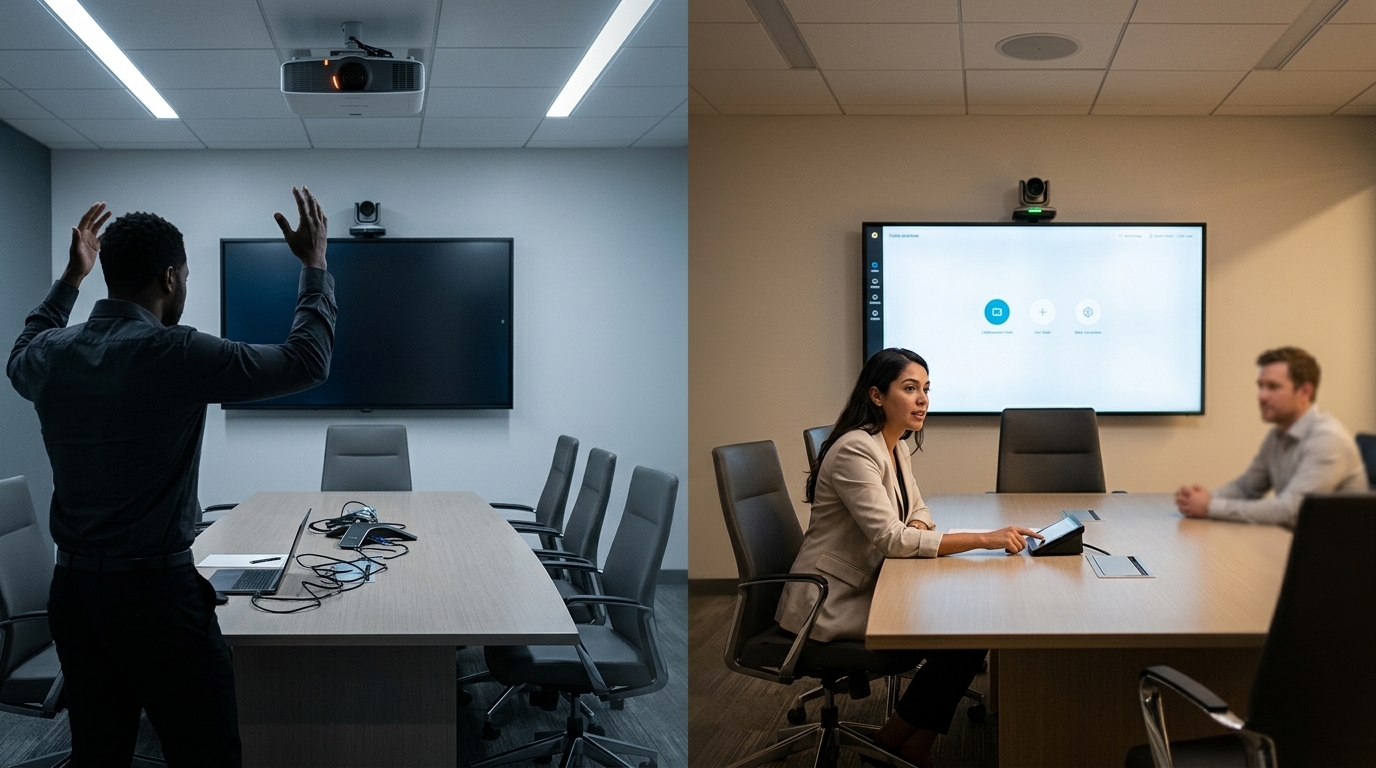
Quick answer: A reliable commercial audio visual system is one that people can start, use and recover with a clear process. Check the complete meeting workflow—not just whether each device powers on. That includes joining a call, hearing and being heard, showing content, using the room controls and knowing what to do when a step fails.
This guide is for office managers, IT teams and facilities teams responsible for boardrooms, training rooms and hybrid meeting spaces. It explains what to check before a room goes live, what to monitor afterward and when a recurring problem needs a system review.
What Does “Reliable” Mean for a Commercial AV System?
Reliability is the ability of the room to support its intended meeting without unnecessary intervention. It depends on the full path between users, devices, software accounts and the network. A working display alone does not confirm that remote participants can hear a speaker or that a guest can share a presentation.
A useful readiness test answers five questions:
- Can a user start the intended meeting? Test the room calendar, meeting platform and join controls.
- Can both sides communicate clearly? Check microphone pickup, loudspeaker output, camera framing and echo.
- Can someone present content? Test the connections and approved devices that staff and guests actually use.
- Can a nontechnical user operate the room? Confirm that controls are labelled clearly and the normal workflow is easy to follow.
- Can the team respond when something fails? Keep basic recovery steps and an escalation contact accessible.
These checks are more meaningful than a promise of “zero downtime.” No connected system is immune to faults, platform changes or network interruptions. The practical goal is to find weak points early and make recovery predictable.
The Commercial AV Reliability Checklist
1. Test the meeting as a real user would
Start from the room’s normal idle state. Select a scheduled meeting, join it, share a screen and leave the call. Ask someone outside the room to confirm that they can hear and see participants clearly. This end-to-end test can reveal problems that individual equipment checks miss.
Repeat the test for the room’s common uses. A boardroom may need hybrid meetings and laptop presentation. A training room may also need a presenter microphone and readable content from the back of the space. Document which workflows each room is expected to support so that testing reflects actual use.
2. Check audio before video
Audio problems often make a meeting unusable even when the picture looks fine. Sit in different parts of the room and test whether remote participants can understand speech at a normal speaking volume. Then confirm that people in the room can hear the remote side without excessive volume or echo.
If speech drops out or sounds distant, record where it happens and whether the issue occurs in every call. The cause may involve microphone coverage, room acoustics, device selection or configuration. Avoid treating every audio complaint as a request for louder speakers; the actual fault needs to be identified first.
3. Confirm camera framing and display visibility
Check that the camera includes the people who need to be seen and that lighting does not leave faces in shadow. Verify that shared content is readable from typical seats and that remote participants appear at a useful size. If a room changes layout for different meetings, test the approved layouts separately.
4. Test every approved presentation path
A room may support a dedicated computer, a wired laptop connection or an approved wireless sharing method. Test the options users are expected to use, including guest access where permitted by company policy. Label physical connections and make the correct input easy to select.
Keep a simple fallback for important meetings. Depending on the room, that might be an accessible wired connection or a documented way to join from an individual device. The fallback should be tested in advance and agreed with the IT team.
5. Verify room controls and startup behaviour
The room should start in a predictable state. Confirm that the controller turns on the right display, selects the expected source and provides understandable audio controls. Test what happens after a meeting ends and the room shuts down. An interface that works only when a technician knows the correct sequence creates an operational risk.
6. Review network and account dependencies
Modern meeting rooms may rely on network access, room accounts, calendar permissions, conferencing services and managed devices. Ask IT to confirm who owns these dependencies, how changes are approved and where faults are logged. A device can be healthy while the meeting workflow fails because an account or network setting changed.
For a broader room design or upgrade, see Smartopia’s corporate audio visual solutions. That page covers equipment, room types, platform integration and installation scope.
What Should Be Checked Before an Important Meeting?
A short pre-meeting check is useful for executive calls, training sessions and other events where a delay has a high impact. The room owner or meeting organizer can:
- Confirm that the scheduled meeting appears on the correct room calendar.
- Join a test call and verify two-way audio.
- Check the camera view and the intended display.
- Connect the presenter’s actual laptop and test content sharing.
- Confirm that the presenter microphone works if one will be used.
- Keep the support contact and agreed fallback available.
Allow enough time to resolve a problem or move to the fallback before attendees arrive. The appropriate lead time depends on the importance and complexity of the meeting.
How Often Should Meeting Room AV Be Tested?
Set a schedule according to how heavily the room is used and how disruptive a failure would be. A frequently used boardroom may need a brief functional check more often than an occasional meeting space. A scheduled review should also follow changes to conferencing platforms, room accounts, networks or equipment.
A practical plan separates three activities:
- Routine user check: Does the room start, join, present and end a meeting normally?
- Technical review: Are device status, configurations, connections and recurring faults being reviewed by the responsible team?
- Change verification: After an approved update or network change, do the room’s key workflows still work?
Keep a brief record of failed checks, symptoms and fixes. If several rooms show the same fault after a change, those records can help the support team identify a shared cause.
Warning Signs That a Room Needs More Than a Quick Fix
A single loose cable may be simple to resolve. Repeated failures point to a wider issue. Arrange a technical assessment if:
- People regularly switch to their own laptops because the room system is unreliable.
- The same microphone, display or content-sharing fault returns after temporary fixes.
- Users need an undocumented sequence of steps to start meetings.
- Several rooms behave differently despite being intended for the same workflow.
- Equipment or software is no longer supported or compatible with the chosen platform.
- IT cannot identify who owns the room account, configuration or network connection.
An assessment should begin with the failed workflow and its history. Replacing equipment before identifying the cause can leave the original problem in place. If the room needs redesign, integration or an equipment upgrade, Smartopia’s commercial AV integration service in Toronto explains the project scope.
Make Troubleshooting Repeatable
When a room fails, record what the user was trying to do, the exact symptom and whether the problem affects one room or several. Note the meeting platform, connected source and any recent approved changes. These details help distinguish a room-specific fault from an account, platform or network issue.
Give staff a short set of safe first steps, such as checking the selected input or confirming that a microphone is unmuted. More involved changes to device settings, cabling or network access should follow the organization’s support process. A clear handoff reduces repeated guesswork and makes the eventual fix easier to verify.
Frequently Asked Questions
What is the most important commercial AV reliability test?
Run a complete meeting using the room’s normal controls. Join a call, test two-way audio and video, share content and end the session. This checks the workflow people depend on rather than one device at a time.
Why does a meeting room fail when all the equipment powers on?
The fault may be outside the visible equipment. Room accounts, calendar permissions, conferencing settings, presentation inputs and network connectivity can all affect the meeting even when displays and cameras have power.
Can regular checks prevent every AV outage?
No. Regular checks can reveal recurring faults and verify that the room works at the time of testing, but external services and connected systems can still change or fail. A tested fallback and a clear support route remain useful.
When should we upgrade instead of repairing a meeting room?
Consider an assessment when faults repeatedly return, the required workflow has changed, equipment is unsupported or the room cannot use the organization’s preferred platform reliably. The assessment should establish what can be retained before replacement is proposed.
Who should own meeting room AV reliability?
Ownership should be explicit. Facilities may coordinate room access and user reports, while IT may manage accounts and network dependencies. A designated AV support contact should handle system-specific diagnosis. The exact arrangement depends on the organization and its support agreement.
Plan for a Room That Is Ready When People Need It
Commercial AV reliability comes from testing real meeting workflows, documenting dependencies and making support responsibilities clear. If your Toronto or GTA meeting rooms experience recurring audio, video, presentation or control problems, start with a review of what fails and when.
Contact Smartopia to discuss your meeting room requirements, or explore its corporate AV solutions if you are planning a new room or upgrade.
Comments are closed